
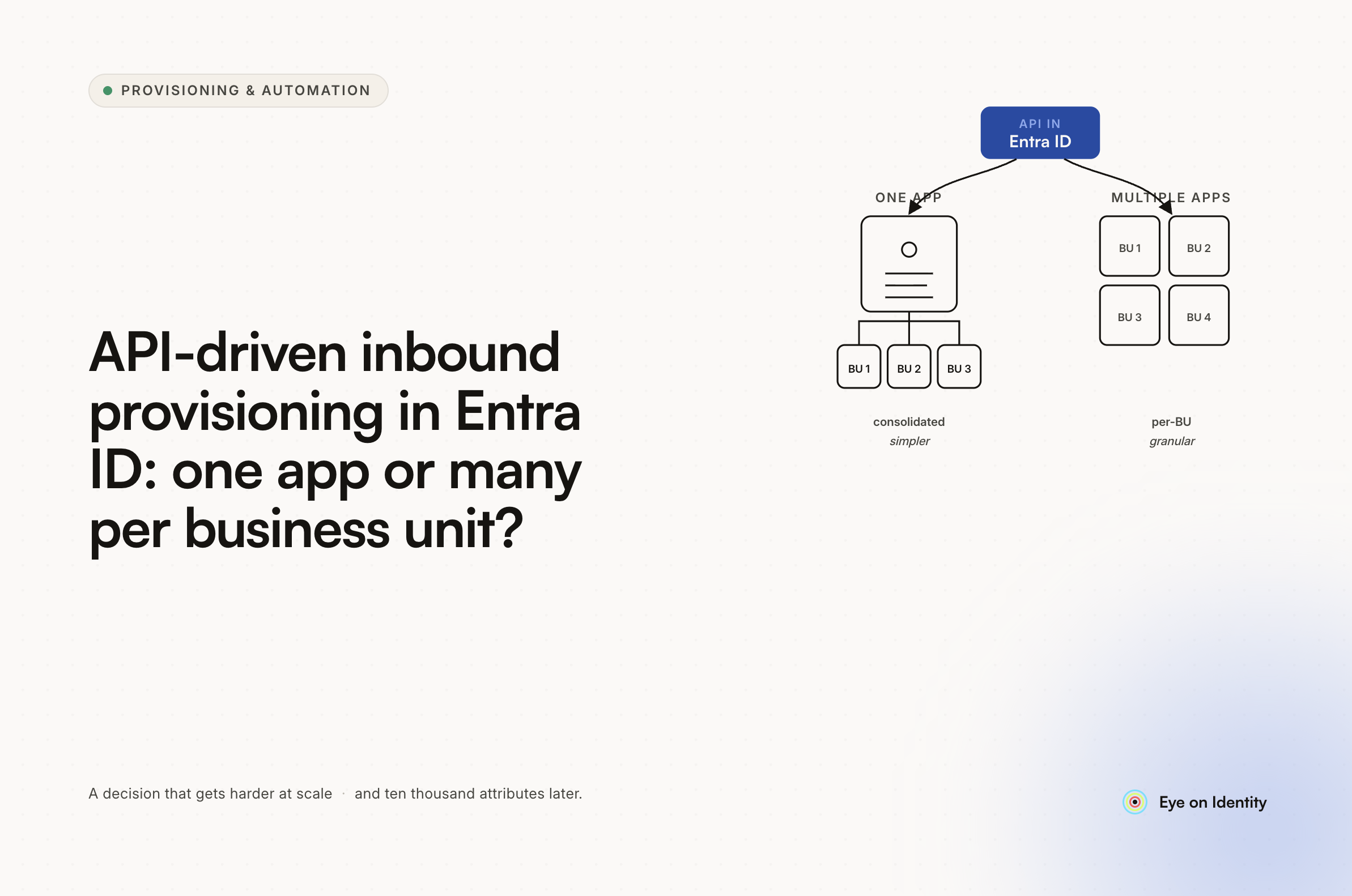


You're implementing HR-to-AD provisioning using Microsoft's API-driven inbound provisioning app, you have multiple business units with fragmented HR systems, and you want to know whether to create one provisioning app per business unit or use a single app for everything. The answer from practitioners who have built this is clear: standardized HR data should go to a single app. Multiple apps make sense when different sources provide different attributes — not when the concern is scope isolation or blast radius reduction.
Single App vs. Multiple Apps: What the Decision Actually Turns On
The question of one provisioning app versus many is really a question about data shape, not blast radius. One commenter in the thread put it directly: multi-app versus single-app has more reasoning for different apps providing different attributes. If your business units use different HR systems that produce different data schemas — different field names, different attribute structures, different identity representations — separate provisioning apps let you configure independent attribute mappings for each source without one mapping interfering with another.
If your HR data is standardized — same field names, same attribute structure, same identity schema regardless of which business unit it comes from — a single provisioning app with scoping filters handles the source differentiation without the management complexity of maintaining multiple apps. Each additional app multiplies the configuration surface: separate scoping filters, separate provisioning logs, separate monitoring, separate troubleshooting when something breaks. For an environment with a lot of business units and a lot of users, that complexity compounds quickly.
The OU routing concern — moving users to the correct OU based on their attributes — doesn't require separate apps. Entra ID's provisioning service supports expressions in attribute mappings that can route users to specific OUs based on any attribute in the source payload. The local script that the OP described using for OU placement can be replaced with an expression in the provisioning app's attribute mapping configuration.
How to Handle Fragmented HR Systems Across Business Units
The harder problem is that not all business units use the same HR system — and for organizational reasons, they never will. This creates a multi-source provisioning challenge that a single Entra ID provisioning app handles differently depending on how the data arrives.
Microsoft's API-driven inbound provisioning accepts SCIM bulk payloads from any source. If you can get each HR system to send data to the same provisioning endpoint — standardized as a SCIM payload — a single app processes all of them. The scoping filters in the provisioning app determine which records get processed and how attributes are mapped, which gives you per-source control without per-source apps.
If the HR systems can't be standardized to the same SCIM payload structure, separate apps per source become more defensible — but the complexity trade-off is real, and expressions in attribute mapping are worth exhausting before splitting into multiple apps.
For environments where the multi-source complexity exceeds what Entra ID's native provisioning handles cleanly, an IGA platform like Zluri adds a layer of source management that Entra ID's provisioning app doesn't provide natively. Zluri allows you to configure multiple primary sources with a defined precedence order: Priority 1 is the main HR system, Priority 2 is a secondary HR tool, Priority 3 is the IdP. When user records arrive from multiple sources, Zluri evaluates them in order and applies the precedence rules to determine which source owns the authoritative data for each attribute.
Preventing Mass Wipeouts in Multi-Business-Unit AD Environments
The blast radius concern is legitimate, and it's worth addressing specifically rather than treating it as a reason to multiply provisioning apps. Multiple apps don't inherently reduce blast radius — a misconfigured scoping filter in any of them can affect users across that app's scope just as effectively as in a single app.
The actual controls that reduce blast radius are scope restrictions in the provisioning configuration itself: scoping filters that limit which OUs the provisioning job can touch, exclusion rules that prevent specific OUs from being affected, and staged rollout settings that let you test provisioning against a subset of users before applying it broadly.
Entra ID's API-driven provisioning app supports scoping filters on the incoming data — you can limit which records the provisioning job processes based on any attribute in the SCIM payload. Combined with the attribute mapping expressions for OU routing, you can define precisely which users go where, which OUs are in scope, and which are explicitly excluded from the provisioning job's reach.
In Zluri's LDAP agent architecture, scope restriction is built into the agent configuration: search bases with baseDN rules define exactly which portions of the AD tree the agent can read and write. Exclusion patterns prevent the agent from touching specified OUs regardless of what any provisioning workflow requests. If an operation attempts to act outside its defined scope, the agent denies the action and logs it.
OU Routing Without Local Scripts
The local script dependency for OU routing is worth replacing for the reason the OP implicitly identified: local scripts are fragile, they create single points of failure, and they're invisible to the provisioning log. If the script fails silently, users land in the wrong OU with no audit trail.
Entra ID's expression-based attribute mapping handles OU routing natively. An expression that evaluates the user's department or business unit attribute and returns the correct OU distinguished name — configured in the provisioning app's attribute mapping for the parentDistinguishedName attribute — places the user in the correct OU during provisioning without a post-provisioning script. The placement is logged as part of the provisioning event, it runs within the same job that creates the account, and it fails visibly in the provisioning logs if the expression produces an invalid result.
For more complex OU routing logic, Zluri's playbook-based approach evaluates user attributes at the point of hire detection and places users into the correct AD groups and OUs as part of the onboarding workflow. The advantage over both local scripts and expression-based mapping is that the logic is expressed in a configurable, auditable workflow rather than in code that requires a developer to maintain.
The Dynamic Groups vs. Local AD Groups Question
Dynamic AD groups evaluate membership rules continuously based on user attributes. They're low-maintenance once configured — users are added and removed automatically as their attributes change — but the rule evaluation has a lag (minutes to hours depending on the environment) and the rules can be complex to debug when behavior is unexpected.
Local AD groups with explicit membership are immediate and predictable, but require something to manage the membership: a provisioning workflow, a script, or a manual process. For birthright access — the standard group membership every user in a given role should have on day one — either approach works if the delay of dynamic group evaluation is acceptable. For time-sensitive access requirements, explicit group assignment in the provisioning workflow is more reliable.
The practical answer for most environments: use dynamic groups for broadly applicable memberships where a short delay is acceptable, and use provisioning-workflow-based group assignment for day-one access requirements where the timing matters.
Frequently Asked Questions
Should you create one API-driven provisioning app or multiple apps per business unit in Entra ID?
Use a single app when your HR data is standardized into a consistent SCIM payload format across business units. Use multiple apps when different sources provide fundamentally different attribute schemas that can't be mapped in a single app without conflicts. Scope isolation and blast radius reduction are handled through scoping filters and attribute mapping expressions, not through app multiplication.
How do you route users to the correct OU in Entra ID API-driven inbound provisioning without a local script?
Use expression-based attribute mapping in the provisioning app to evaluate the user's attributes and return the correct OU distinguished name for the parentDistinguishedName attribute. This runs within the provisioning job itself, is logged as part of the provisioning event, and eliminates the post-provisioning script dependency.
How do you prevent a provisioning misconfiguration from wiping out users across all business units?
Scoping filters in the provisioning app limit which records and OUs the job can affect. Staged rollout settings let you test against a subset before broad deployment. For infrastructure-level protection, LDAP agent configurations with explicit baseDN search bases and exclusion patterns create hard boundaries that prevent operations outside defined scope regardless of provisioning app configuration.
How do you handle provisioning when different business units use different HR systems?
Options include: standardizing all HR data to a common SCIM payload format before it reaches the provisioning endpoint (single app handles all sources); creating separate provisioning apps per source when attribute schemas differ significantly; or using an IGA platform with multi-source precedence rules that evaluates competing records from different HR systems and applies a defined priority order to resolve conflicts.
Should you use dynamic AD groups or local AD groups for provisioned user access?
Dynamic groups work well for broadly applicable memberships where a short evaluation lag is acceptable. Explicit group assignment in the provisioning workflow is better for day-one access requirements where timing matters. Most environments use both: dynamic groups for ongoing membership management, provisioning-workflow-based assignment for the birthright access that must be in place on the first day.
See How Zluri Handles Multi-Source HR Provisioning into On-Prem AD
Most environments with fragmented HR systems across business units find that the native provisioning app's scoping and source management becomes harder to maintain as the number of sources grows. See how Zluri's multi-source precedence rules and LDAP agent architecture handle complex HR-to-AD provisioning — including the OU routing, scope restriction, and group assignment logic that local scripts currently handle.



.svg)













