


The PowerShell ISE script works. You open it, fill in the variables, uncomment the right user template, manually activate the PIM role, click Run, and ten minutes later the account exists and the user has their instructions. For a team running a handful of new hires a month, it's reliable enough that questioning it feels premature.
The moment you start questioning it is usually one of three: a new hire starts while the person who runs the script is out, someone fat-fingers a variable and a user gets provisioned with the wrong title or group memberships, or leadership asks how you'd handle 20 new hires in a week during a growth sprint. The script answers "with difficulty."
If you're asking what a mature Azure AD user provisioning stack looks like, the community has a fairly clear answer — and it's organized around one principle: the HR system should be the trigger, not a person opening ISE.
What the Sysadmin Community Actually Uses
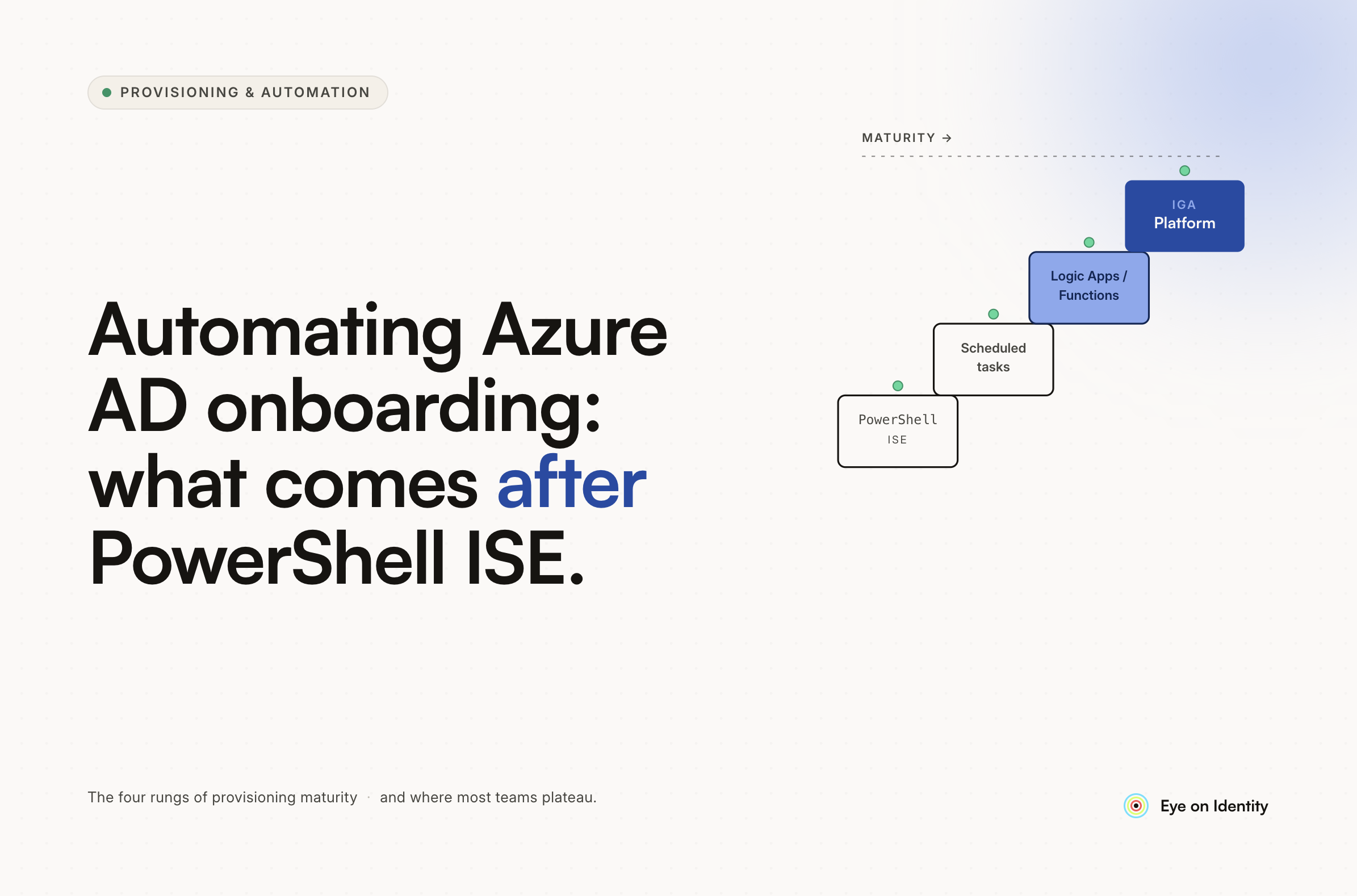
The thread this question comes from surfaces four distinct approaches, each representing a different point on the automation maturity curve.
PowerShell with CSV or Read-Host variables. The next step up from a script you manually edit each time is a script that reads variables from a CSV file or prompts for them at runtime with Read-Host and switch statements. You still run it manually, but the risk of editing the wrong line in the script body is eliminated. Several practitioners in this thread run this pattern against both on-prem AD and M365 in a single script. It works until the script breaks, the CSV format drifts from what the script expects, or the person who maintains it isn't available.
Azure Automation Runbooks with Forms or Logic Apps as the front end. The cloud-native version of the same pattern: HR fills out a Microsoft Form or SharePoint list, a Logic App or Power Automate flow processes the submission and triggers an Azure Automation Runbook with the form data as parameters. The Runbook runs in Azure rather than ISE, can target both on-prem AD (via the Hybrid Runbook Worker extension against a domain controller) and cloud resources, and doesn't require anyone to manually activate a PIM role. One commenter in the thread runs this exact pattern — HR fills the form, the Runbook does the work, IT is not in the loop for the execution step.
The remaining limitation: the trigger is still a form submission rather than an HR system event. HR has to remember to submit the form. If they don't, or if they submit it after the start date, the account doesn't exist.
HRIS APIs and webhooks into Okta or a provisioning platform. For teams with Okta or a compatible IdP, the fully automated version connects the HRIS directly to the provisioning layer via API or webhook. When HR marks a new hire in the system with a start date, the downstream provisioning fires automatically without any form submission or script execution. The commenter in this thread who mentioned "APIs and webhooks with Okta and our HRIS to almost fully automate onboarding" is running this pattern. The qualifier "almost fully" is usually the non-SCIM applications that still require manual steps.
Job title or department-based group templates. One commenter uses M365 groups configured per job title — each title has a defined set of groups, and adding a user to the right group triggers all the downstream access automatically. This is a lightweight version of role-based access provisioning without a dedicated platform, and it works well when job functions are stable and well-defined. It breaks when the group list needs updating and no one remembers which groups map to which titles.
The PIM Activation Step: Why It's Worth Removing
The current script requires manually activating a PIM role before execution. This means two things: the person running the script needs PIM-eligible access, and there's a human step in the process that can't be automated in ISE without storing privileged credentials in the script itself.
Moving to Azure Automation Runbooks removes this specific friction. Runbooks run under a managed identity or service principal with the permissions needed for account creation, so the PIM activation happens at the service account level and doesn't require the operator to elevate their own account each time. The Runbook has the permissions it needs to run; the person triggering it doesn't need to hold those permissions themselves.
This is the immediate practical upgrade from ISE — same PowerShell logic, different execution environment, no manual PIM activation, no dependency on the operator's account having elevated access.
How to Build an HR-Triggered Azure AD Provisioning Workflow
The architecture that removes the human trigger entirely connects the HR system to the provisioning layer directly. When HR adds a new employee with a start date, the provisioning fires automatically on that date without anyone opening a form, running a script, or activating a PIM role.
Zluri connects to your HRMS — BambooHR, Workday, Personio, HiBob, and others — as the authoritative data source. When a new hire record appears with a start date, Zluri detects the event and triggers an Onboarding Playbook automatically. The playbook uses dynamic variables — pulling the employee's name, email, department, and title directly from the HR record — to create the Azure AD account via API, assign the correct license, and add the user to the appropriate security groups based on their role and department. The conditional logic that determines which template your current script uncomments is replaced by automation rules: IF department equals Sales, run the Sales playbook; IF department equals Engineering, run the Engineering playbook.
The email step — sending the new hire their password and MFA setup instructions — runs as a native action within the playbook, dynamically injecting the user's details into the email template and sending it to their personal or alternate email address. No separate step, no one has to remember to send it.
For the PIM activation problem specifically: because Zluri interacts with Azure AD through direct API integration using a service principal with the appropriate permissions, there's no manual privilege elevation required. The provisioning runs under the platform's credentials, not the operator's elevated account.
What the Stack Looks Like After the Script
The mature version of what the OP's script currently does manually:
HRMS (Workday, BambooHR, etc.) holds the new hire record with start date. Zluri detects the record and schedules the provisioning for the hire date. On day one, the playbook creates the Azure AD account, assigns the license, adds the user to the correct groups and security groups based on their department, and sends the welcome email with login instructions and MFA setup guide. No one in IT touches anything between HR adding the record and the user getting their credentials.
For offboarding, the same architecture runs in reverse: termination in the HRMS triggers an offboarding playbook that disables the Azure AD account, reclaims the license, removes the user from all groups, and covers downstream SaaS applications beyond Azure AD — including the ones that weren't provisioned through your script and would otherwise be missed.
A Note on the ERP and Manual-Access-Level Problems
One commenter in this thread noted that their ERP has too many manual processes for their liking because users have unique access levels — the SQL script handles the basic provisioning but posting rights still require a human to set individually. This category of application — legacy systems with granular, user-specific access configurations that can't be templated — is where automated manual task routing helps. Rather than the provisioning workflow stopping because the ERP requires human judgment, the playbook generates a tracked task assigned to the right person with the specific information they need, and the task completion is recorded in the audit log. The automation handles everything it can; the parts that genuinely require human judgment become tracked tasks rather than forgotten steps.
Frequently Asked Questions
What is the next step after using PowerShell ISE for Azure AD user provisioning?
The immediate next step is moving execution to Azure Automation Runbooks, which run in Azure rather than on a local machine, use a managed identity rather than requiring manual PIM activation, and can be triggered by a Logic App or Power Automate flow connected to an HR form. The further step is connecting your HRMS directly to the provisioning layer so new hire records trigger account creation automatically without any form submission.
How do you remove the manual PIM activation step from Azure AD user provisioning?
Move the script execution from PowerShell ISE to Azure Automation Runbooks running under a managed identity or service principal with the required permissions. The Runbook holds the elevated access at the service level — the operator triggering it doesn't need to activate a PIM role themselves, and the execution doesn't depend on the operator's account being in a privileged state.
What is role-based or department-based provisioning in Azure AD?
Role-based provisioning assigns users to the correct security groups, licenses, and application access based on their job title or department rather than requiring IT to configure each user individually. In Azure AD, this can be implemented through dynamic group membership rules (users automatically join groups based on attributes like department), through job-title-based group templates, or through IGA platform playbooks that run different provisioning logic based on conditional rules tied to HR attributes.
How do you automate new hire welcome emails with Azure AD account details?
Welcome email automation requires the provisioning workflow to have access to the generated credentials or login URL and the new hire's personal or alternate email address. Azure Automation Runbooks can send email via the Send-MailMessage cmdlet or Logic Apps email connectors. IGA platforms like Zluri include native Send Custom Mail actions in playbooks that dynamically inject user-specific details into an email template and send it to the alternate email address from the HR record.
Move Beyond the Script
If your current onboarding script requires someone to open ISE, activate a PIM role, and click Run, see how Zluri connects to your HRMS and handles the full Azure AD provisioning sequence automatically — from new hire detection to welcome email, with no manual steps in between.



.svg)













