
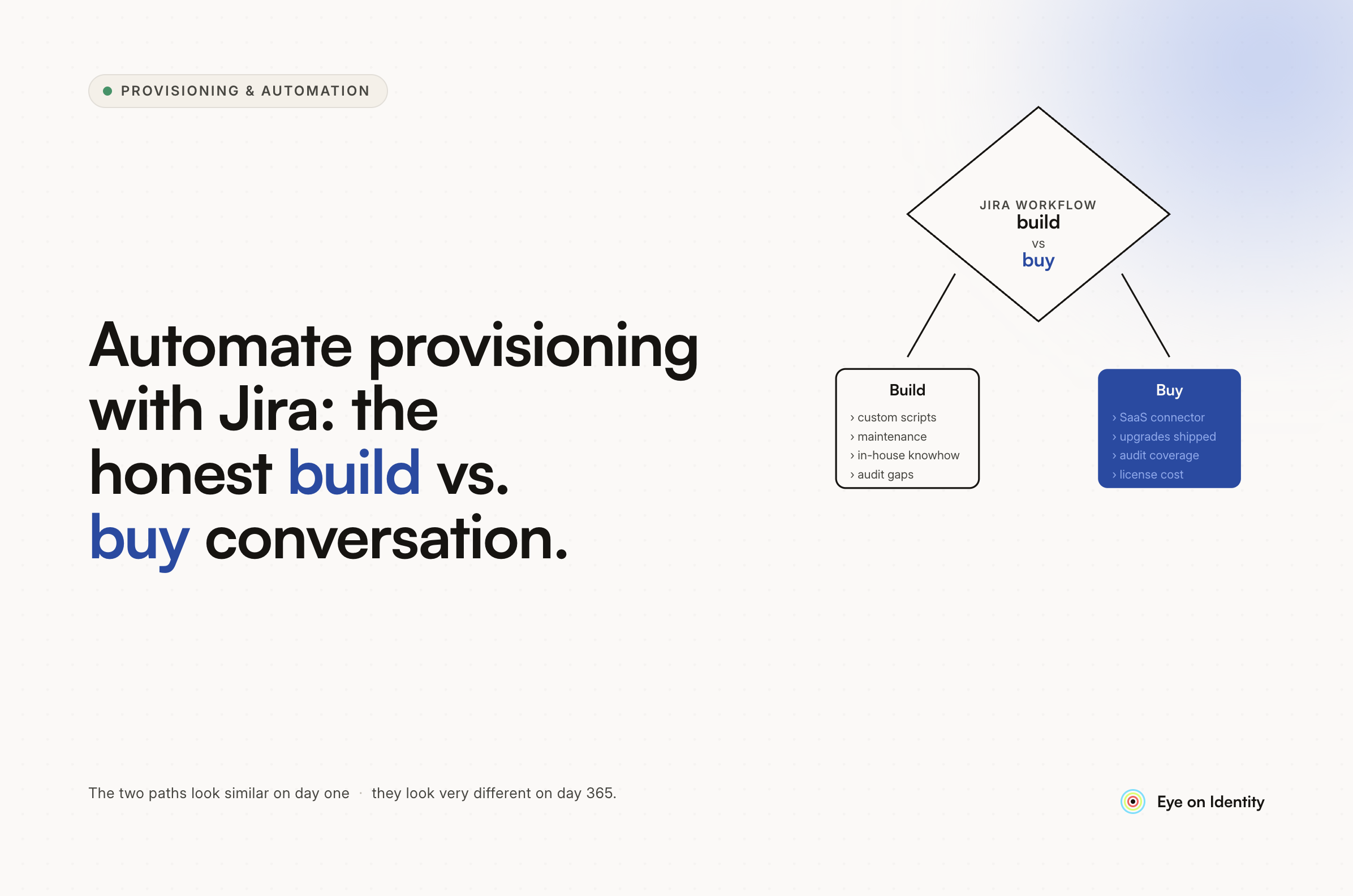


The architecture you've sketched out is correct. A SharePoint form for intake, a Flow that builds a role-based task list, Jira tickets routed to the right fulfiller teams, a master tracker that records what access each employee holds — that's not a naive idea. That's the core anatomy of how identity governance actually works: request intake, routing engine, fulfillment layer, access ledger.
The question isn't whether the design is sound. It's whether SharePoint and Power Automate are the right substrate to build it on — and what happens to that system in 18 months when your app list has doubled, two of your fulfiller teams have changed their processes, and someone needs to audit who has access to your production environment.
Why the SharePoint Master Tracker Will Fall Out of Sync
The structural problem with a homegrown access tracker isn't the logic — it's the data source. A SharePoint list only knows what was formally requested through your intake form. It has no visibility into anything that happened outside that flow.
A manager invites a new team member directly to a Notion workspace. An employee signs up for a trial of a SaaS tool with their work email. Someone is added to a Google Group outside the normal provisioning process. None of those events touch your SharePoint list. Your master tracker doesn't know about them.
When that employee is offboarded, your Power Automate flow looks up their access in SharePoint and generates a Jira worklist. It covers everything that was formally provisioned. It misses everything that wasn't. The orphaned accounts that represent actual security exposure — the ones an auditor will find — are exactly the ones your tracker doesn't know about.
This is the core failure mode of any access ledger built on formally-requested data rather than observed reality. The gap between what was provisioned through your system and what actually exists in the wild is where compliance risk lives.
The Maintenance Problem Power Automate Flows Create
The second failure mode is operational rather than architectural. Power Automate flows work well when the logic is stable and the environment doesn't change. Enterprise IT environments don't stay stable.
Every new application added to your stack needs a new flow path, a new "Fulfiller" mapping in SharePoint, and potentially new Jira integration logic. Every time a team reorganizes, the routing rules need updating. Every time an application changes its API or authentication method, any flow that touches it needs to be debugged and repaired.
The original post acknowledges this with "one step at a time" — meaning the first version handles the basics and automation gets added incrementally. That's a reasonable way to start. The problem is that incremental additions to a Flow-based system accumulate into a maintenance surface that eventually requires someone's full-time attention to keep running. When that person leaves or gets pulled onto higher-priority work, the flows start failing silently and no one notices until an offboarding goes wrong.
How to Automate Employee Provisioning and Deprovisioning Workflow With Jira Without Building It Yourself
The practical alternative is a platform that executes the architecture you've designed — intake, routing, fulfillment via Jira, access tracking — without requiring you to build and maintain the underlying logic.
Zluri connects directly to your HRMS as the source of truth. When a new hire is added in BambooHR, Workday, or a compatible system, Zluri detects their role and department and triggers an Onboarding Playbook automatically. No form submission required to start the process.
The playbook handles fulfillment in two paths. For applications with direct API integrations — over 300 in Zluri's native library — access is provisioned automatically without a ticket. For systems that require manual work from your fulfiller teams, Zluri creates the Jira tickets automatically, grouped by team, with the specific access details pre-populated. Your Jira workflow stays intact. The difference is that ticket creation is automated rather than generated by someone parsing a templated email.
The same logic applies to access requests from existing employees. Rather than a SharePoint form, employees browse Zluri's App Catalog or submit a request via a /accessrequest Slack command. The request routes automatically to the designated approver — manager, app owner, or department head — via Slack or email. Approval triggers either automatic provisioning or a Jira ticket for the fulfiller team, depending on the application.
Replacing the SharePoint Tracker With Real-Time Access Data
The master tracker problem — keeping an accurate record of who has access to what — is where the build-vs-buy question becomes clearest.
Zluri's Discovery Engine continuously maps application access across your environment by connecting to your SSO, HRMS, finance systems, and browser agents. It surfaces what applications users are actually using, not just what was formally provisioned through your intake flow. Shadow IT, direct invitations, self-signup tools — all of it appears in the access map regardless of whether it went through your provisioning process.
This matters most at offboarding. When an employee leaves, the offboarding playbook doesn't look up access in a static list — it works from the Discovery Engine's live data. Every application the user touched is in the offboarding scope. For applications with API integrations, access is revoked automatically. For the rest, Jira tickets are created for the fulfiller teams, covering the full actual access footprint rather than just the formally-tracked subset.
The audit trail captures every action: which applications were automatically revoked, which Jira tickets were generated, and when each was marked complete. If a compliance review asks for evidence of complete offboarding, the record exists without anyone having to reconstruct it from memory.
Keeping Jira for Your Fulfiller Teams
One concern worth addressing directly: moving to a dedicated IGA platform doesn't mean replacing Jira or retraining your fulfiller teams. Zluri integrates with Jira natively. Your teams continue working from Jira tickets. The change is that those tickets are created automatically by the playbook rather than by someone reading a templated email — and the ticket contains the specific access details rather than freeform text that someone has to interpret.
The fulfiller workflow stays the same. What changes is everything upstream of it: intake, routing, tracking, and the completeness of the offboarding worklist.
Frequently Asked Questions
Is Power Automate and SharePoint a good solution for employee provisioning workflows?
Power Automate can handle the routing and ticket creation logic, but a SharePoint-based access tracker only captures formally-requested access. Any access granted outside the intake flow — direct app invitations, shadow IT, self-signup — won't appear in the tracker. At offboarding, that means orphaned accounts that your flow doesn't know to clean up. For small, stable environments this may be manageable; at scale it becomes a compliance risk.
How do you automate Jira ticket creation for IT provisioning fulfillment teams?
An IGA platform like Zluri can be configured to create Jira tickets automatically when a provisioning or deprovisioning action requires manual fulfillment from a specific team. Tickets are grouped by fulfiller team, pre-populated with the specific access details, and tracked to completion inside the platform — without anyone parsing a templated email to generate them.
What is the risk of using a homegrown SharePoint list as an access tracker?
A homegrown access tracker only reflects what was provisioned through your formal intake process. Shadow IT, direct invitations, and self-provisioned tools create access that never appears in the tracker. When an employee is offboarded, the worklist generated from that tracker misses every account that wasn't formally provisioned — leaving active credentials in systems your process doesn't know about.
What replaces a Power Automate provisioning flow at enterprise scale?
A dedicated IGA platform replaces the intake form, routing logic, access tracker, and fulfillment orchestration with maintained integrations that don't require custom maintenance when applications or team structures change. The fulfiller workflow — in this case, Jira — stays the same. What's replaced is the fragile layer of custom flows and SharePoint lists that sit above it.
See How Zluri Maps to the Architecture You've Already Designed
If you're about to invest time building this in Power Automate and SharePoint, it's worth a conversation first. See how Zluri maps to the architecture you've already designed — intake, routing, Jira fulfillment, and a tracker that reflects reality rather than what was formally requested.



.svg)













