
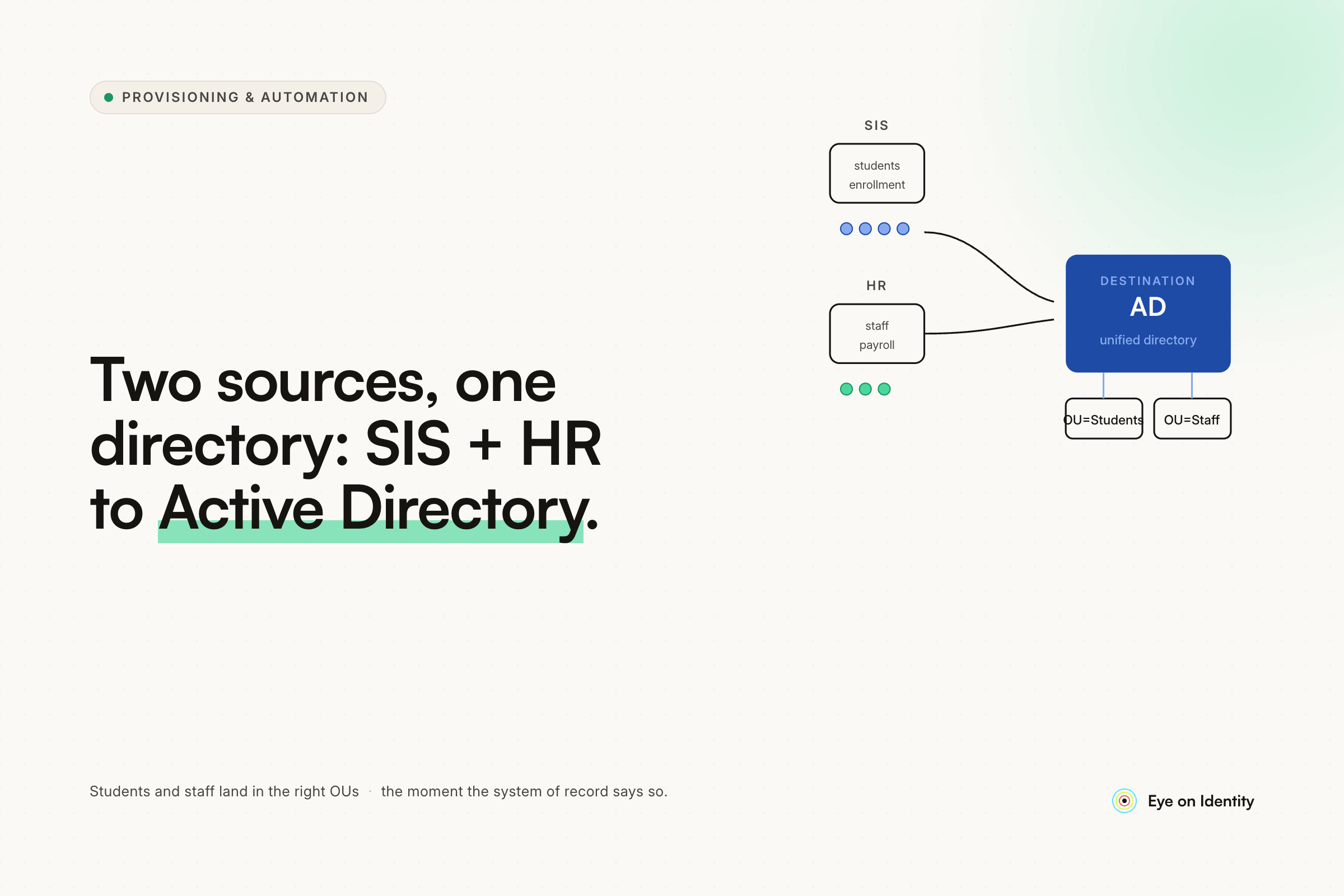


Manually creating accounts in Active Directory for students and staff — copying names from your SIS, generating usernames by hand, assigning groups one by one — produces exactly the problems every K-12 IT team describes: transposed letters, random numbers, inconsistent naming conventions, and accounts that never quite match what's in your SIS. At 2,000 students and 200+ new kindergarteners every year, the manual process isn't just tedious; it's structurally error-prone. The good news is that K-12 IT has more purpose-built automation options than most verticals, and the question is which one fits your specific SIS, HR system, and infrastructure.
What K-12 IT Teams Are Actually Using
The r/k12sysadmin community has thoroughly road-tested the available options, and the honest picture is that education IT has developed its own ecosystem of provisioning tools that are significantly better suited to SIS integration than general enterprise IAM platforms.
ClassLink OneSync is the most-recommended solution in the thread by a significant margin. Multiple IT directors and sysadmins across different district sizes described it as their working setup. The integration model: OneSync connects to your SIS (PowerSchool, Infinite Campus, Munis, and others) via SFTP export or direct database connection, normalizes the data, and pushes account creation and updates to AD, Google Workspace, and other downstream systems on a scheduled basis. The account creation rules, group assignments, and naming conventions are configured in OneSync rather than in a custom script, which means changes are made through a UI rather than in code.
One IT director described the benefit directly: "It takes us out of responsibility. You want an account — HR has to finish paperwork in their system and when completed it will create one. Want a student account — get them added to SIS." The provisioning trigger moves from IT to HR and the SIS team, which is where it belongs.
ClassLink is a broader platform (SSO and rostering) and OneSync is included. The cost is real — multiple commenters noted it's not free — but several described it as worth it for the time saved and the consistency it enforces. ClassLink also integrates at no cost to vendors, unlike Clever which charges vendors for integration access.
Clever IDM is the other purpose-built K-12 provisioning tool that came up repeatedly. One technology coordinator described implementing it across five school districts simultaneously, moving away from a combination of custom scripts and Google Directory Sync. The architecture: SIS syncs to Clever, Clever IDM creates accounts in AD and Google. Clever provides a CSV of newly created credentials that can be written back to the SIS via a custom script. The coordinator's honest assessment: the product works but hasn't fully matured in all areas, particularly around staff account automation. The vendor has been responsive to feedback and items are on the roadmap, which is encouraging, but it may require some gap-filling with custom scripts for complex staff workflows.
PowerShell scripts against SIS exports is the most common DIY path and the approach multiple sysadmins described as their working setup. The pattern: get a data dump from PowerSchool or HR system, run a PowerShell script that checks for new or changed records, creates AD accounts with consistent username generation, assigns group memberships, and triggers GCDS or GADS to sync Google accounts. One sysadmin described a fully automated nightly process that polls the SIS, creates accounts, generates passwords from random word lists, kicks off GCDS for Google accounts, waits for that to finish, initiates a password sync, adds the student to Snipe-IT, and emails relevant people — all without human intervention.
The PowerShell path requires someone to write and maintain the scripts, and the scripts tend to accumulate district-specific logic that makes them hard to hand off. One IT coordinator supporting multiple school districts described this as the core pain point: each district's scripts were slightly different, support was inconsistent, and troubleshooting required deep familiarity with each implementation. Moving everyone to Clever IDM was partly motivated by the need for consistency across districts.
Rapid Identity and Identity1 came up as additional options. Identity1 is an Australian-based solution that works with any SIS via SQL queries in the backend — the SIS doesn't need to have a specific export format, just a queryable database. Rapid Identity was mentioned for PowerSchool-to-AD provisioning by one IT director.
SPS K-12 was described by one commenter as "it just works" — reasonable cost (around $1,400–1,450 per year for 675 enrollment), password reset portal for staff to reset student passwords, and proactive maintenance when Google updates break the integration.
AD Bulk Users with GCDS was mentioned by one 20-year education IT director as their still-working approach — pull the CSV, import into AD, sync to Google. Functional, low-tech, and not particularly time-consuming for small or stable environments.
The Student vs. Staff Split
One pattern that shows up consistently in K-12 provisioning implementations: student provisioning gets automated first and more completely than staff provisioning. The reasons are structural.
Student data is in the SIS. Every student is in PowerSchool or Infinite Campus or whatever SIS the district uses, the data format is consistent, and the provisioning rules are relatively uniform (grade level, school, homeroom determine group assignments). The SIS export format is known, the username generation rules are consistent, and the volume justifies automation — 200 new kindergarteners per year is a clear automation case.
Staff data is messier. Staff may be in an HR system, a payroll system, and the SIS simultaneously, with some data in each and no single authoritative source. Staff roles are more varied (teachers, administrators, aides, contractors, volunteers), the group assignments are more complex, and the turnover pattern is different from student enrollment. Several commenters described having student provisioning fully automated and staff provisioning still partially manual, with automation work in progress.
The practical recommendation from the thread: get student provisioning automated first using your chosen tool, then tackle staff. For staff, the key prerequisite is having staff data in the same system (or at least accessible from the same system) that drives student provisioning. One IT director noted they're fighting with HR to track extra data in their system to enable automation — the organizational negotiation, not the technical implementation, is the bottleneck.
Where Enterprise IGA Fits in K-12: The Staff and HR Side
The tools described above — ClassLink OneSync, Clever IDM, PowerShell scripts — are optimized for student provisioning from SIS data. For the staff provisioning side, particularly where staff data lives in an enterprise HR system (Workday, ADP, BambooHR, Paycom), the K-12 tools may have less mature integrations than purpose-built enterprise IGA platforms.
Zluri connects to enterprise HRIS platforms natively — Workday, BambooHR, Personio, ADP, and others — and uses that data to automate staff account provisioning in AD. The architecture for the staff side: HR enters a new staff member in the HRIS; Zluri detects the event via webhook or scheduled sync; an onboarding playbook creates the AD account with consistently formatted username and email (using the {{user.firstName}}.{{user.lastName}} pattern with automatic duplicate handling), assigns the appropriate AD groups based on department and role, and provisions access to SaaS applications the staff member needs. When staff members leave, the offboarding playbook disables the AD account, revokes SaaS application access, transfers any Drive data, and reclaims licenses.
For K-12 IT teams that use a general-purpose HRIS for staff alongside a SIS for students, a combined architecture makes sense: ClassLink OneSync or a PowerShell-based solution handles student provisioning from the SIS; an enterprise IGA platform handles staff provisioning from the HRIS. The two systems are distinct use cases and the tooling reflects that.
The consistent username generation that manual AD account creation gets wrong is handled in both approaches through template-based naming: the provisioning tool generates the username from the source data using a consistent pattern, removing the human transcription step entirely.
Frequently Asked Questions
What is the best tool for automating student account provisioning in K-12?
ClassLink OneSync is the most consistently recommended purpose-built K-12 provisioning tool, with support for PowerSchool, Infinite Campus, Munis, and other SIS platforms, and destinations including AD and Google Workspace. Clever IDM is a strong alternative, particularly for districts already using Clever for rostering. PowerShell scripts against SIS exports work well for IT teams with scripting capability and simpler environments.
How do you integrate a Student Information System with Active Directory?
The standard integration pattern is: SIS generates an export (SFTP, CSV, or direct database connection) on a scheduled basis; a provisioning tool (ClassLink OneSync, Clever IDM, or a PowerShell script) reads the export, applies username generation and group assignment rules, and creates or updates accounts in AD; AD then syncs to Google Workspace via GCDS or GADS. The SIS is the authoritative source for student data; AD is the provisioning target.
How do you automate staff account provisioning in K-12 without manual AD creation?
Staff provisioning requires the same source-of-truth approach as student provisioning, applied to HR or payroll system data. For districts using a SIS to track staff data, the same ClassLink OneSync or Clever IDM setup that handles students can handle staff. For districts using a separate enterprise HRIS (Workday, ADP, BambooHR), an enterprise IGA platform that natively integrates with that HRIS handles the staff provisioning while a SIS-based tool handles students.
Why do letters get transposed and usernames become inconsistent in manual AD provisioning?
Manual account creation introduces human error at every transcription step — copying names from the SIS, generating usernames by hand, assigning groups from memory. Template-based provisioning eliminates transcription by reading data directly from the source system and generating usernames programmatically from a consistent pattern, with automatic duplicate handling (appending 01, 02, etc.) rather than ad hoc numbering.
Is ClassLink OneSync worth the cost for small K-12 districts?
The answer depends on the volume of new accounts each year and the IT team's scripting capacity. One district with 675 enrollment described paying $1,400–1,450 per year and finding it worth it — the cost also covers maintenance when Google updates break the integration. For very small districts with low annual enrollment turnover and a sysadmin comfortable with PowerShell, the DIY path may be more economical. For districts above a few hundred students with annual kindergarten enrollment in the hundreds, the automation value typically exceeds the licensing cost.
See How Zluri Handles Staff Provisioning from Enterprise HRIS to AD
K-12 IT teams that have student provisioning automated through ClassLink OneSync or Clever IDM often find that staff provisioning is the remaining manual gap — particularly when staff data lives in an enterprise HR or payroll system rather than the SIS. See how Zluri connects enterprise HRIS platforms to Active Directory for automated staff account provisioning — including consistent username generation, group assignment, and full offboarding coverage when staff leave.



.svg)













