
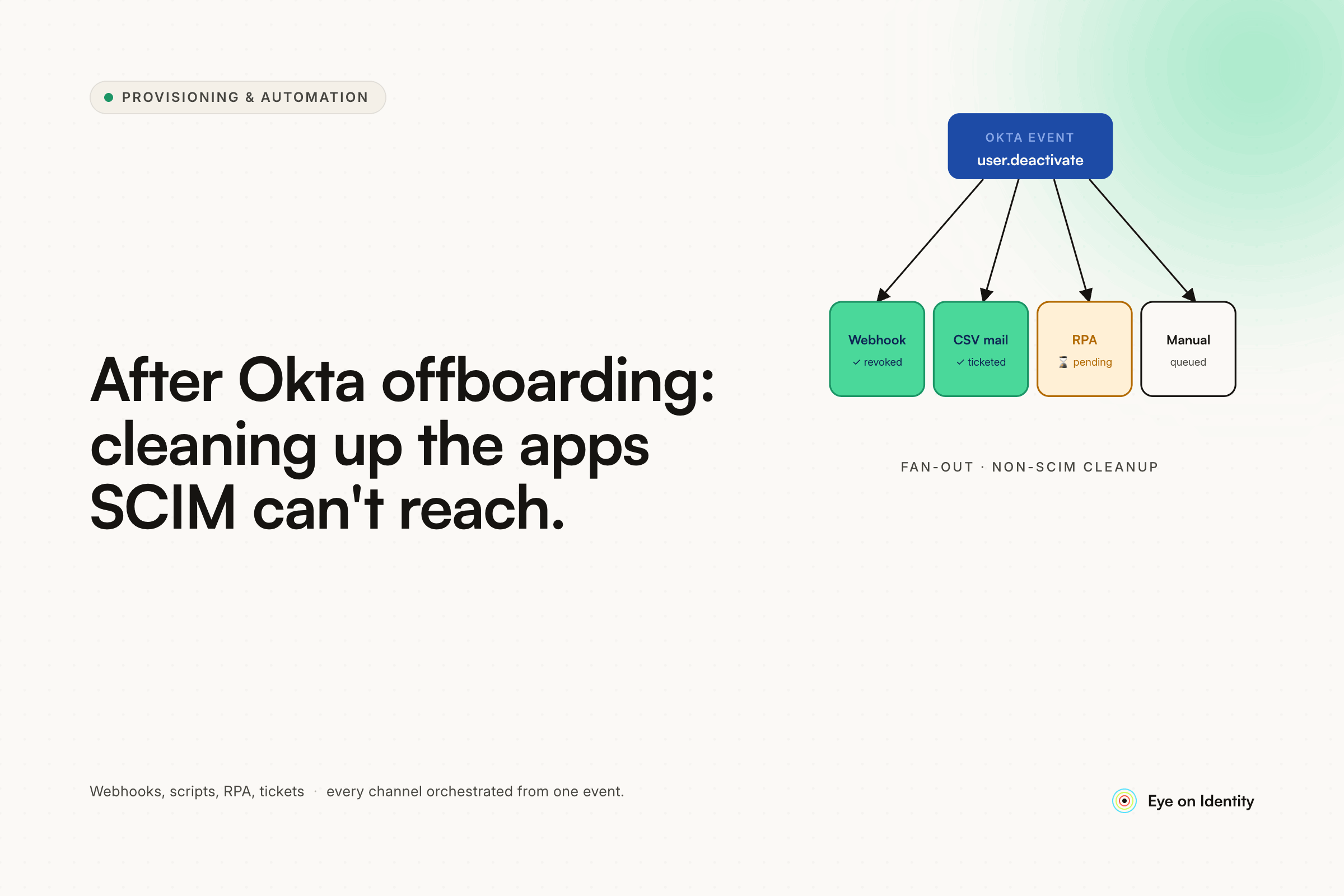


You deactivate the user in Okta. SSO access is cut. You feel like offboarding is done. Then two weeks later someone notices the account is still active in four tools that don't support SCIM — licenses running, data accessible, credentials intact. The Okta deactivation did exactly what it was supposed to do. It just didn't touch anything outside the SSO perimeter.
If the majority of your SaaS stack doesn't support SCIM, deactivating Okta is the beginning of offboarding, not the end. Everything downstream requires a separate process — and for most teams, that process is someone manually messaging every app admin to request a deactivation, hoping no one misses a tool or takes too long to respond.
What Teams Try First (And Where Each Approach Breaks)
The first workaround most Okta admins reach for is Okta Workflows. The pattern that surfaces most often in the community: trigger a workflow on user deactivation, look up the app assignments, send a Slack message to a designated channel per app. One flow per app, or one large flow with a routing table that maps app IDs to Slack channels or distribution lists.
This is a legitimate improvement over email threads. The notification is automatic, the right person gets alerted, and the channel becomes the paper trail. For teams with a stable app list and dedicated Okta Workflows admins, it works reasonably well.
The problems surface with scale. A notification is still a manual step — someone has to receive it, act on it, and remember to mark it resolved. If the app admin changes and the channel isn't updated, the notification goes to the wrong person. If the deactivation happens during a busy period, the Slack message gets buried. There's no centralized view of which deprovisioning tasks are pending, which are complete, and which have gone silent.
The per-app flow approach also accumulates maintenance debt quickly. One commenter in this thread put it plainly: you end up with a lot of flows. When an app changes its admin contact, updates its API, or gets replaced with a different tool, the corresponding flow needs to be found and updated. That's manageable at 20 apps. At 80 it becomes its own operational burden.
REST API calls through Okta Workflows handle the higher-tier problem well — for apps that expose admin APIs, a workflow can call the disable endpoint directly rather than routing through a human. But this requires someone to write and maintain the API logic per app, and it doesn't help with apps that have no API at all, which is a significant portion of most SaaS stacks.
The rename-triggering-unassign issue is a real edge case worth knowing: Okta handles username changes by unassigning and reassigning the user to the app, which can fire your deprovisioning workflow incorrectly. Any production workflow built on app unassignment events needs a guard — checking user status or event type before triggering — or it will generate false deprovisioning notifications on name changes.
Three Paths to Automate Deprovisioning for Non-SCIM Apps
The right architecture treats non-SCIM deprovisioning as three distinct problems depending on what the app exposes, and handles each path differently.
Apps with an admin API but no SCIM. This is the majority of the problem. Most SaaS tools have REST APIs for user management even when they haven't implemented the SCIM spec. Zluri's offboarding playbooks can execute a custom HTTP Request action — a direct API call to the application's admin endpoints — to deactivate or delete the user account when the offboarding workflow fires. No human step, no Slack notification to follow up on. The action executes automatically and the result is logged.
Browser-based apps with no accessible API. Some tools either don't expose an admin API or restrict API access to enterprise tiers that most organizations aren't on. For these, Zluri uses AI-powered integrations — browser automation that navigates the application's admin interface and executes the deprovisioning action the same way a human administrator would. This covers the category of apps that aren't reachable by any programmatic method, without requiring an IT admin to log in manually.
Apps that require genuine human intervention. Some systems — legacy tools, on-prem applications, anything with no programmatic interface — will always require a human to take action. Zluri handles these by generating an automated Manual Task when the offboarding workflow runs. The task is routed directly to the specific app owner via Slack, email, or an ITSM ticket in Jira or ServiceNow. The assignee completes the deactivation and marks the task done inside Zluri's dashboard. Every open, in-progress, and completed task is visible in a single view — not scattered across Slack channels and email threads.
Eliminating the Manual App Inventory Step
One part of your current process that Zluri removes entirely: making note of which apps a departing employee has access to before running the offboarding checklist.
Zluri's Discovery Engine continuously maps application access across your environment by connecting to your SSO, HRMS, finance systems, and browser agents. When an offboarding is triggered, the workflow is pre-populated with every application the user actually had access to — including tools they signed up for independently that never went through a formal provisioning request. Shadow IT, direct invitations, tools acquired outside the IT procurement process — all of it surfaces in the offboarding scope.
The Discovery Engine also determines which deprovisioning path applies to each app: direct API call, AI-powered browser automation, or manual task. That mapping happens automatically. You don't maintain a routing table. You don't update it when apps change. The engine keeps it current.
What the Offboarding Audit Trail Looks Like
Every action in the offboarding playbook is logged: which apps were automatically deprovisioned via API, which were handled through browser automation, which manual tasks were generated and assigned, and when each was marked complete. If a compliance review or security audit asks for evidence that a specific user's access was fully revoked across all systems, the record exists and is queryable without reconstructing anything from memory or Slack history.
This is the gap that Okta Workflows Slack notifications don't close. The notification fires and the channel has a record that it was sent. Whether the app admin actually deactivated the account, and when, lives nowhere unless someone manually documented it.
Frequently Asked Questions
Does deactivating a user in Okta remove their access to non-SCIM apps?
No. Okta deactivation revokes SSO authentication, but it has no mechanism to delete or deactivate accounts in applications that don't support SCIM provisioning. Non-SCIM app accounts and licenses remain active after Okta deactivation unless a separate process explicitly revokes them.
How do you automate deprovisioning for apps that don't support SCIM?
The approach depends on what the app exposes. Apps with admin APIs can be deprovisioned via automated HTTP Request actions in an offboarding playbook. Browser-only apps without accessible APIs can be handled through AI-powered browser automation. Apps requiring genuine manual intervention can be covered through automatically-generated, tracked manual tasks routed to the app owner. A platform like Zluri handles all three paths from a single offboarding trigger.
What is the risk of leaving non-SCIM app accounts active after employee offboarding?
Active accounts in non-SCIM apps after termination represent a real access risk: valid credentials, accessible data, and continued license costs. They're also a compliance exposure — SOC 2 and ISO 27001 controls around access termination require evidence that access was revoked across all systems, not just SSO-connected ones.
How do you handle Okta Workflows firing on user renames instead of actual deprovisioning?
Okta processes username changes as an unassign followed by a reassign, which can trigger app unassignment workflows incorrectly. The fix is adding a guard condition to the workflow — checking whether the user's Okta status is actually deactivated or terminated before proceeding with deprovisioning actions, rather than triggering solely on the app unassignment event.
See How Zluri Handles the Full Non-SCIM Deprovisioning Scope
If your offboarding process still ends with a Slack message to an app admin and a hope that they follow through, the access risk is real. See how Zluri handles the full non-SCIM deprovisioning scope — API-based, browser-automated, and manually-tracked — for your specific app stack.



.svg)













