
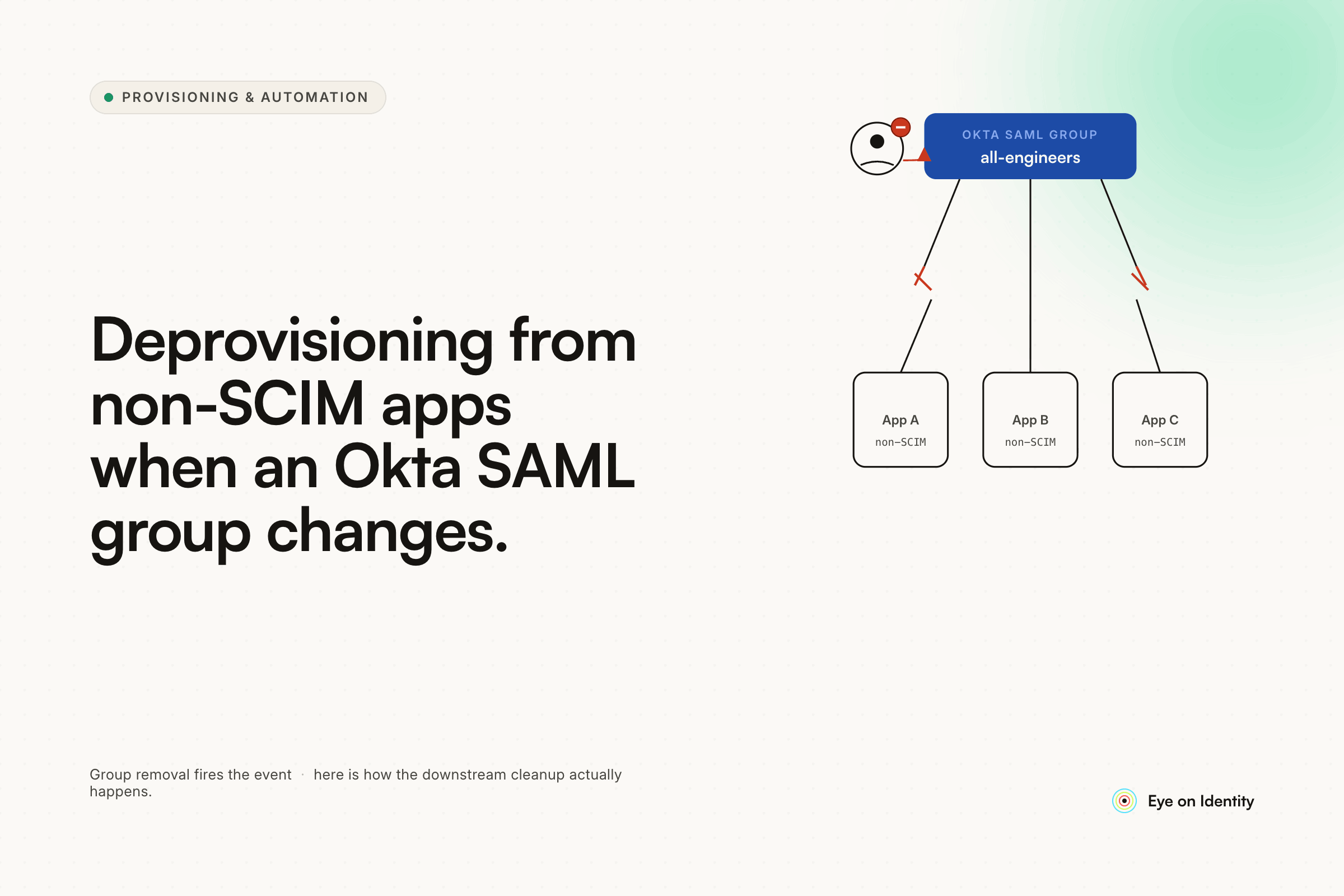


Your Okta SAML setup works exactly as advertised. Add a user to the group, they authenticate, they're in. Remove them from the group, they can no longer log in. Clean.
The problem shows up the moment you ask what actually happened to their account in the downstream application. In most cases: nothing. The user can't log in anymore, but their account still exists. Their license is still allocated. Their data is still sitting there. And if you're running a SOC 2 or ISO 27001 audit, "they can't authenticate" is not the same as "access was revoked."
If you're trying to deprovision users from non-SCIM apps when they leave an Okta group, SAML alone won't get you there.
Why Removing a User from an Okta Group Doesn't Delete Their Account
SAML handles authentication, not user lifecycle. That distinction matters more than most teams realize until an auditor asks for proof that a departed employee no longer has an active account in a specific application.
When you remove a user from an Okta group configured for SAML, Okta stops issuing authentication tokens for that user against that app. That's the full scope of what SAML does. It has no mechanism to reach into the downstream application and delete an account, revoke a license, or clean up the user record.
SCIM — System for Cross-domain Identity Management — is the protocol that handles that side of the lifecycle. When an app supports SCIM and you configure it in Okta, a deactivation in Okta sends a SCIM call to the app to disable or delete the account there too. That's why Okta's SCIM integrations actually complete the offboarding loop, and SAML-only integrations don't.
The catch: a large portion of the SaaS tools organizations actually run do not support SCIM. They support SAML for login, and that's it. WikiJs, BookStack, and dozens of internal or niche tools fall into this category. The account persists after the Okta group removal, and without a separate process to clean it up, it stays.
What Teams Try to Solve This (And Where Each Approach Breaks Down)
The most common first attempt is manual process — someone on the IT team runs through an offboarding checklist and manually logs into each non-SCIM app to delete the departing user's account. This works when someone remembers to do it, the checklist is current, and the app is on the list. It breaks under any deadline pressure, any staff turnover on the IT side, or any app that was added to the stack after the checklist was last updated.
Some teams write scripts against app APIs — a REST call that deletes the user account when triggered. This is the right architectural instinct, but it has the same maintenance problem as any homegrown script: when the app updates its API, when authentication methods change, or when the script runner breaks, the cleanup stops happening silently. No one gets an error. The accounts just stay.
SCIM is the intended protocol-level fix, and for apps that support it, it's the right answer. But "configure SCIM for every app in your stack" isn't a realistic option when a significant share of your tools don't offer it. The gap doesn't go away by wishing for better vendor support.
How to Automate Deprovisioning for Non-SCIM Apps After Okta SAML Group Removal
The architecture that closes this gap is an IGA orchestration layer that monitors Okta and acts on the downstream applications Okta can't reach directly.
Zluri connects to Okta and watches for two specific events: a user being removed from a group, and a user being deactivated. Either event triggers an Offboarding Playbook automatically — no manual step, no ticket, no one has to notice the change happened.
What the playbook does depends on the capabilities of the downstream application.
For apps with a REST API but no SCIM support, Zluri executes a custom HTTP Request action. The playbook makes a direct API call to the application's admin endpoints to delete the user account or deactivate the record — whichever the app supports. For BookStack specifically, the REST API does expose user management endpoints that can be called for exactly this purpose, so an HTTP Request action in the playbook is a viable path to automated cleanup.
For apps with no API at all — legacy tools, on-prem systems, anything without a programmatic interface — the playbook generates a Manual Task automatically. A Jira ticket is created and assigned to the application owner. A Slack notification goes to the right person with the specific instruction. The task is tracked inside Zluri's dashboard and must be explicitly marked complete. Nothing falls through silently, and the audit trail captures the action even when the action itself had to be done by a human.
The result across all three scenarios — SCIM-supported apps, API-accessible apps, and fully manual apps — is a single offboarding trigger in Okta that initiates a complete cleanup across your entire stack.
What the Audit Trail Looks Like
Every action Zluri takes during an offboarding playbook is logged: which user, which application, which action, when it ran, and the outcome. For apps where a Manual Task was generated, the log captures when the task was assigned and when it was marked complete.
This matters specifically when a compliance review asks for evidence that a user's access was fully revoked across all systems following their departure. "We removed them from the Okta group" covers authentication. The Zluri audit log covers everything downstream.
A Note on BookStack
BookStack exposes a REST API that includes user management functionality. This means an automated HTTP Request action in a Zluri offboarding playbook can call the appropriate endpoint to delete or deactivate the user account when the Okta removal is detected. It is worth verifying the specific API endpoints and authentication method against the current BookStack documentation before configuring the integration, since API structures can change across versions. The core path — Okta removal triggers playbook, playbook calls BookStack API, account is deleted — is architecturally sound.
Frequently Asked Questions
Does removing a user from an Okta group delete their account in the application?
No. Removing a user from an Okta SAML group revokes their ability to authenticate, but SAML has no mechanism to delete accounts or revoke licenses in the downstream application. Unless the app supports SCIM and is configured for provisioning in Okta, the user account persists after group removal.
How do you deprovision users from apps that don't support SCIM?
For apps with a REST API, you can configure an automated HTTP Request action in an offboarding playbook to call the app's admin endpoints directly. For apps with no API, the playbook generates an assigned Manual Task tracked to completion. A platform like Zluri orchestrates both paths automatically when triggered by an Okta group removal or user deactivation.
What is the difference between SAML and SCIM in Okta?
SAML handles authentication — it controls whether a user can log into an application. SCIM handles user lifecycle — it creates, updates, and deletes user accounts in the application based on changes in the identity provider. An app can support SAML for login without supporting SCIM, which is why Okta group removal doesn't always clean up the downstream account.
How do you automate offboarding for non-SCIM apps in Okta?
The practical approach is an IGA orchestration platform like Zluri that monitors Okta for user deactivation or group removal events and triggers a playbook to handle cleanup in each downstream app — via API call for apps that support it, or via tracked manual task for those that don't. This closes the gap that SAML-only integrations leave open.
See How Zluri Handles Deprovisioning Across Your App Stack
See how Zluri handles deprovisioning across your specific app stack — including the tools that don't support SCIM. Book a walkthrough focused on your Okta environment and the non-SCIM apps where accounts are currently outliving the employee.



.svg)













