
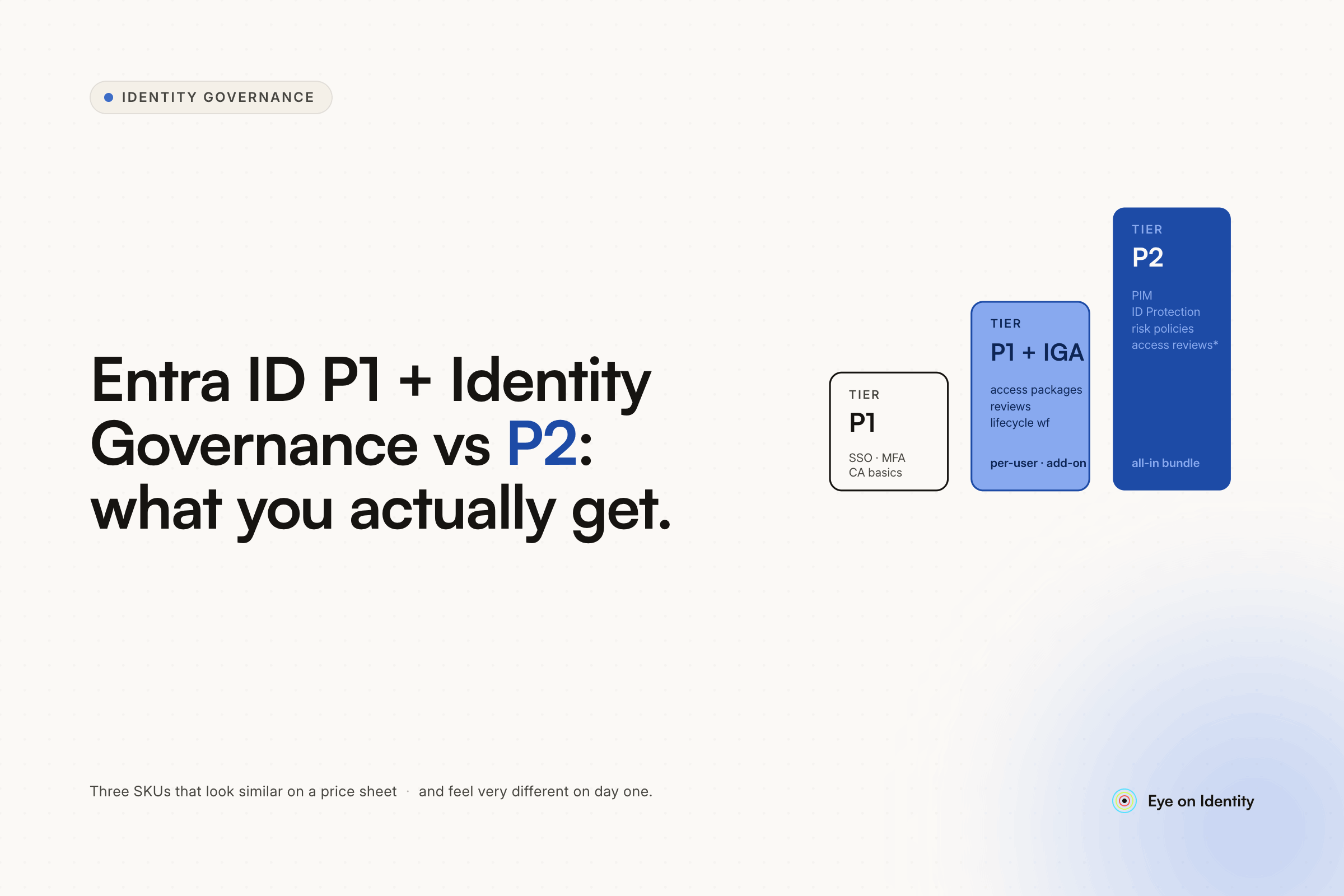


The P1 + Identity Governance add-on path is genuinely cheaper than P2 for many organizations, and for many requirements it covers the same ground. The question is whether the specific features that live exclusively in P2 matter for your environment — and the most significant one is Microsoft Entra Identity Protection.
Before making a licensing decision, verify the current feature matrix against Microsoft's official documentation, as Microsoft updates both the pricing and the feature allocation across tiers periodically. The m365maps.com comparison linked in the thread that prompted this article is a community-maintained resource that many practitioners find useful for navigating the Microsoft licensing landscape. The authoritative source is Microsoft's own licensing fundamentals page at learn.microsoft.com/en-us/entra/id-governance/licensing-fundamentals.
What P1 + Identity Governance Covers
The Identity Governance add-on to Entra ID P1 adds the governance layer on top of the authentication and authorization capabilities P1 already includes. Based on current documentation, the add-on includes:
Privileged Identity Management (PIM) — Just-in-Time access for privileged roles, requiring activation before elevated access is available and automatically expiring it after a configured window. PIM for Entra ID roles and PIM for Azure resource roles are both included.
Access Reviews — Periodic certification campaigns where managers or resource owners review and attest to their team members' access, with the option to trigger automated revocation when reviewers decline to certify. Access reviews for group memberships, application assignments, and Entra ID roles.
Entitlement Management — Access packages that bundle resources (applications, groups, SharePoint sites, Entra roles) with approval policies and expiration dates. Self-service access request through the MyAccess portal, with the ability to delegate catalog management to resource owners.
Lifecycle Workflows — Automated task execution for joiner-mover-leaver events without requiring custom code. Built-in tasks (generate TAP, send welcome email, disable account, remove group memberships) plus extensibility through Azure Logic Apps for custom business processes.
For organizations whose primary need is governance workflows, PIM, and access reviews, P1 + Identity Governance appears to cover the functional requirements at a lower cost than P2.
What P2 Adds That the Add-On Doesn't Include
The feature that lives in P2 and not in the Identity Governance add-on is Microsoft Entra Identity Protection.
Identity Protection is the risk engine that powers dynamic, risk-based Conditional Access policies. It continuously evaluates sign-in risk (anomalous login patterns, impossible travel, unfamiliar locations, token replay attacks) and user risk (compromised credentials detected in threat intelligence feeds, unusual behavior patterns) and generates risk scores that Conditional Access policies can act on.
With P2 and Identity Protection, you can configure Conditional Access policies that respond to risk dynamically — requiring step-up MFA or blocking access entirely when a sign-in is flagged as high-risk, even if that sign-in would otherwise pass standard Conditional Access controls. You can also configure user risk policies that prompt for password reset when a user's account shows signs of compromise.
With P1 + Identity Governance, you have PIM for privileged access control and the full governance workflow suite, but the Conditional Access policies you can write are limited to static conditions — specific applications, specific user groups, specific device compliance states, specific network locations. The dynamic risk-based evaluation that Identity Protection provides is not available.
Whether this gap matters depends on your security posture requirements. If your Conditional Access strategy is based on static conditions (compliant device required for certain apps, MFA required for all external access), P1 + Identity Governance likely covers your requirements. If your security team wants to respond automatically to anomalous sign-in behavior or compromised credential indicators, you need P2 for Identity Protection.
Other Potential Gaps Worth Verifying
The m365maps.com resource linked in this thread is useful for checking specific features against their licensing tier. A few areas worth verifying before finalizing the licensing decision:
Azure AD Application Proxy for on-premises application publishing has historically been in P1, but some advanced application proxy features have different tier requirements depending on the authentication scenario.
Conditional Access for workload identities (service principals and managed identities) has had licensing requirements that differ from user Conditional Access — verify current status.
Identity Protection report access — even if you're not licensing P2, some Identity Protection reports are accessible at lower tiers for read-only visibility. Understand what visibility you get without the full P2 license.
PIM for Groups — the ability to use PIM for managing group membership (not just role assignments) has had separate licensing implications in some configurations. Verify current status.
Microsoft's licensing documentation is the authoritative source for all of these. The feature allocation across tiers changes with product updates, and community resources like m365maps.com tend to stay current but may lag official documentation by a few weeks.
The Third Option: IGA Platform Alongside Entra ID
For organizations evaluating this decision in the context of broader IGA requirements — not just Entra-native governance but governance across the full SaaS stack — a third option is worth considering: P1 for the authentication and SSO foundation, and a dedicated IGA platform for lifecycle management, access reviews, and governance across both Entra-connected and non-Entra applications.
Entra ID's native governance capabilities are strong within the Microsoft ecosystem. For organizations with significant SaaS diversity outside Microsoft — Salesforce, GitHub, Slack, AWS, and dozens of other tools that need to be included in access reviews and offboarding workflows — a dedicated IGA platform extends coverage beyond what Entra Governance handles natively.
Zluri integrates with Entra ID as an identity source while extending lifecycle automation and access review governance to the full application stack. This is relevant context for organizations where the P1 vs. P2 decision is being made in a broader IGA evaluation.
Frequently Asked Questions
What is the main difference between Entra ID P1 + Identity Governance and P2?
The primary feature in P2 that the P1 + Identity Governance add-on doesn't include is Microsoft Entra Identity Protection — the risk engine that powers dynamic, risk-based Conditional Access policies. With P1 + Governance, you have PIM, access reviews, entitlement management, and lifecycle workflows, but Conditional Access policies are limited to static conditions. P2 adds the ability to evaluate real-time sign-in risk and user risk for dynamic policy responses.
Does Entra ID P1 + Identity Governance include PIM?
Yes. Privileged Identity Management is included with the Identity Governance add-on to P1, covering both PIM for Entra ID roles and PIM for Azure resource roles. This includes Just-in-Time activation, approval workflows for role activation, and PIM-based access reviews.
What is Entra Identity Protection and does it require P2?
Microsoft Entra Identity Protection is the risk intelligence engine that evaluates sign-in risk (anomalous login behavior, impossible travel, token replay) and user risk (compromised credentials, unusual patterns) and generates risk scores that Conditional Access can act on. Based on current Microsoft licensing, Identity Protection requires Entra ID P2 and is not included in the Identity Governance add-on to P1. Verify current status with Microsoft's licensing fundamentals documentation before making licensing decisions.
Is P1 + Identity Governance worth it compared to P2?
For organizations whose primary requirements are PIM, access reviews, lifecycle workflows, and entitlement management — and whose Conditional Access strategy doesn't depend on real-time risk-based evaluation — P1 + Identity Governance is likely the more cost-effective path. For organizations that want dynamic Conditional Access responses to anomalous sign-in behavior or compromised credential indicators, P2 is required for Identity Protection. The right choice depends on your specific security posture requirements.



.svg)













