
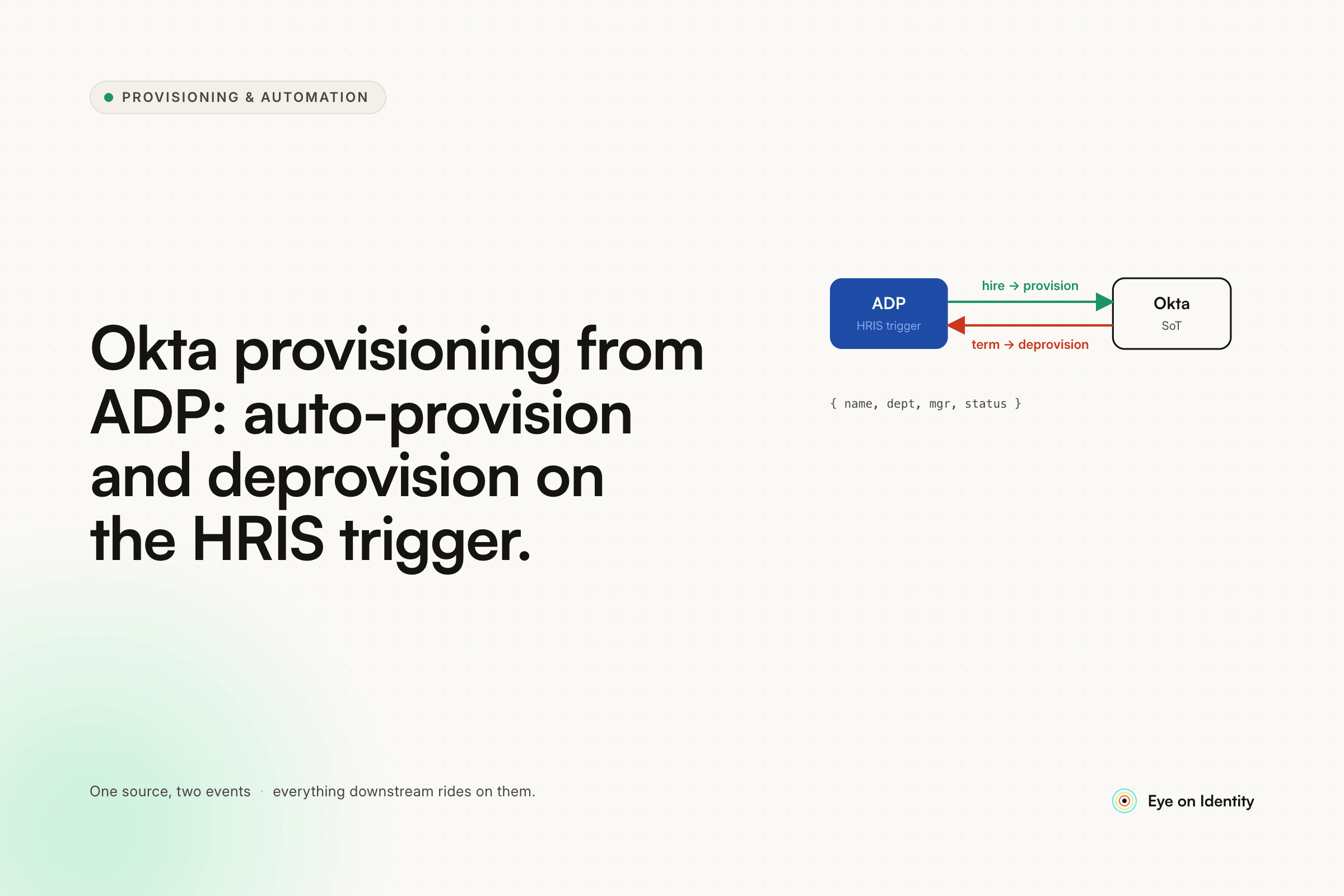


You're moving to ADP as your HRIS and you want Okta to automatically provision users when they're added to ADP and disable them when they're terminated. The concept is straightforward. The execution is messier than it looks, primarily because ADP's API is famously difficult to work with — and the native Okta-to-ADP connection isn't as clean as Okta's connections to more modern HRISes. Here's what the teams who have actually built this recommend.
Why ADP-to-Okta Provisioning Isn't Plug-and-Play
ADP Workforce Now's API is the consistent friction point in every thread that covers this integration. One commenter put it bluntly: ADP's API is awful. The issues aren't hypothetical — they show up in specific, predictable ways that every team building this integration eventually hits.
The future hire date problem. When an employee is created in ADP with a future start date, ADP sets the Active field to false immediately — because the person isn't employed yet. If your provisioning integration reads the Active field as the trigger, it won't provision the account until the start date passes. For new hires who need accounts created in advance (laptop configuration, system access setup, welcome email), this creates a timing problem that has to be explicitly handled.
The future termination date problem. When HR enters a termination with a future effective date, ADP immediately sets the Active field to false — even though the employee is still actively working. If the deprovisioning integration runs continuously and reads the Active field as the trigger, it deactivates the employee's access before their last day, which is both disruptive and legally problematic in some jurisdictions.
Both problems have workarounds, but they require explicitly handling the timing logic rather than treating Active = false as a universal deprovisioning signal.
The Approaches Teams Are Actually Using
The thread surfaced four distinct implementation paths, each with different cost, complexity, and maintenance trade-offs.
Okta Lifecycle Management with a nightly CSV export. Okta's Lifecycle Management add-on supports CSV directory imports. ADP generates a nightly report with employee data; the file lands on a server; Okta picks it up and syncs. One team described this as their working setup, with the caveat that CSV column headers must contain no spaces or the import fails silently. It's low-cost and functional, but it's file-based — provisioning and deprovisioning are delayed until the next nightly run, not triggered in real time.
Aquera's ADP connector for Okta. The most commonly mentioned purpose-built solution. Multiple certified Okta professionals in the thread described using it in production. The specific timing problems are handled in the Aquera configuration: you can set "make active X days before hire date" (one commenter uses 5 days) to handle the future hire date issue, and schedule the deprovisioning job at 5pm and 7pm to avoid deactivating employees mid-workday on their last day. Cost was described as $5–8K for the first year, which is significant but within range for teams that have tried to build the integration themselves.
ChartHop as an intermediary. One commenter described using ChartHop (an org chart and people analytics tool) as a middle layer: ChartHop syncs from ADP, and an Okta connector syncs from ChartHop every morning at 8:30am. This worked for their team because HR was already using ChartHop, which meant all the field mapping and data structuring was handled in a tool the HR team owned. The key dependency: HR has to build out all the fields in ChartHop for the Okta sync to have usable data.
Okta Workflows with XaaS (Anything as a Source). The fully custom path — building the integration using Okta's native workflow automation. Requires an API from ADP that exposes active and inactive user states; the workflow logic handles the provisioning and deprovisioning triggers. Full control, no third-party dependency, and maintainable by anyone who knows Okta Workflows. The trade-off is initial build time and ongoing maintenance as ADP's API changes.
The Timing Logic That Makes or Breaks the Integration
Regardless of which implementation path you choose, the future hire date and future termination date problems require explicit handling. The specific patterns that work in production, based on the thread:
For new hires with future start dates: Instead of triggering provisioning on Active = true, trigger it based on the hire date attribute — creating the account a configurable number of days before the start date. The Aquera connector handles this with a configurable "days before hire date" setting. A custom Okta Workflow implementation handles it by reading the hire date field and scheduling the provisioning action accordingly. The CSV import approach handles it less cleanly — accounts are created on the night of or after the hire date, depending on when the report runs.
For terminations with future effective dates: Run the deprovisioning job on a schedule that respects the effective date rather than the immediate Active field change. The Aquera approach of running deprovisioning at 5pm and 7pm handles same-day terminations while avoiding mid-day deactivation on planned last days. For immediate involuntary terminations — HR calls at 9am requesting immediate access cutoff — manual Okta deactivation by the helpdesk remains the fastest path, regardless of the automation in place. No scheduled integration handles this case without a manual trigger.
How an IGA Orchestration Layer Extends the ADP-to-Okta Flow
The ADP-to-Okta integration handles the identity layer. Okta handles SSO-connected applications. The coverage gap is the same one that appears in every provisioning thread: the applications outside SSO coverage that have separate credentials and don't respond to Okta account deactivation.
When an employee is terminated, disabling their Okta account immediately revokes access to every SAML and OIDC-connected application. It doesn't revoke access to applications where the user has separate credentials, where SCIM was never configured, or where the application predates the Okta integration. For a complete offboarding workflow, something has to handle those applications too.
Zluri connects to both ADP and Okta, using ADP as the source of truth for employment events. When ADP registers a termination, Zluri detects the status change and triggers an offboarding playbook that runs across the full application stack — not just the Okta-connected applications. For applications with direct API support, the playbook executes deprovisioning via the application's native API. For legacy applications, it generates tracked manual tasks routed to the responsible owner. For applications IT didn't explicitly provision, Zluri's discovery engine identifies them from browser activity, financial transaction data, and SSO logs, so the offboarding scope includes shadow IT alongside the managed application catalog.
The ADP timing problems — future hire dates, future termination dates — are handled within Zluri's configuration the same way the Aquera connector handles them: provisioning triggers a configurable number of days before the start date; deprovisioning timing is configurable to respect the effective date rather than the immediate status change.
What to Evaluate Before Choosing Your Implementation Path
Nightly CSV vs. real-time API. If same-day provisioning is a requirement — new hires needing access the day they're entered in ADP, or terminated employees needing immediate access cutoff — a nightly batch process isn't sufficient. API-based integration (via Aquera, Okta Workflows, or an IGA platform) handles real-time triggers; CSV-based integration doesn't.
Okta-only coverage vs. full stack coverage. If every application your employees use is connected to Okta via SSO and SCIM, deactivating the Okta account is sufficient for offboarding. If any application has separate credentials or was adopted outside IT's provisioning workflow, a dedicated offboarding layer is needed.
Third-party connector cost vs. build cost. Aquera at $5–8K annually is expensive for smaller organizations but is a fixed, predictable cost that includes maintenance as ADP's API changes. Building the integration yourself eliminates the licensing cost but shifts API maintenance to your team. The break-even depends on how many engineering hours the custom build and ongoing maintenance will consume.
Immediate termination handling. Every scheduled integration has a gap for same-day involuntary terminations. Know what your process is for this case before going live — whether it's a helpdesk manual procedure, an emergency Okta deactivation flow, or something else.
Frequently Asked Questions
How do you auto-provision Okta users when they're added to ADP?
Options include: Okta Lifecycle Management with a nightly ADP CSV export; Aquera's ADP connector for Okta (purpose-built, handles timing edge cases, $5–8K/year); ChartHop as an intermediary sync layer if HR already uses it; Okta Workflows with custom XaaS logic; or an IGA platform like Zluri that connects ADP and Okta within the same provisioning workflow.
Why does ADP set the Active field to false for future hires and terminations?
ADP sets Active = false for employees who aren't currently employed — including those with future start dates and those with future termination dates who are still actively working. Provisioning integrations that trigger on Active = true/false without accounting for the effective date will either fail to create accounts before the start date or deactivate employees before their last day. Timing configuration in the integration layer handles this.
What is the best ADP to Okta provisioning connector?
Aquera's ADP WFN connector for Okta is the most commonly recommended purpose-built option, with multiple Okta professionals describing production use. It handles future hire date provisioning and scheduled deprovisioning timing. ChartHop is a lower-cost alternative for organizations already using it as their org chart tool. Nightly CSV import via Okta Lifecycle Management is the lowest-cost option but lacks real-time triggers.
How do you handle immediate terminations when using a scheduled ADP-to-Okta integration?
Scheduled integrations run at defined times and can't respond to same-day involuntary terminations in real time. The standard approach is a manual procedure: HR or a manager contacts the helpdesk, and an IT admin deactivates the account directly in Okta. The scheduled integration handles planned terminations; manual action handles emergency access cutoff.
Does deactivating an Okta account deprovision all application access?
It deactivates SSO and OIDC/SAML-connected applications where Okta is the identity provider. Applications with separate credentials, applications adopted outside the SSO rollout, and shadow IT tools aren't affected by Okta account deactivation. Complete offboarding coverage for those applications requires a separate deprovisioning mechanism.
See How Zluri Handles ADP-to-Okta Provisioning Across Your Full Application Stack
Most teams that build ADP-to-Okta provisioning find that Okta covers the SSO-connected applications and everything else requires a separate process. See how Zluri connects ADP, Okta, and your full application catalog in one provisioning workflow — including the future hire date timing, scheduled vs. immediate termination handling, and coverage for applications outside Okta's SSO scope.



.svg)













