
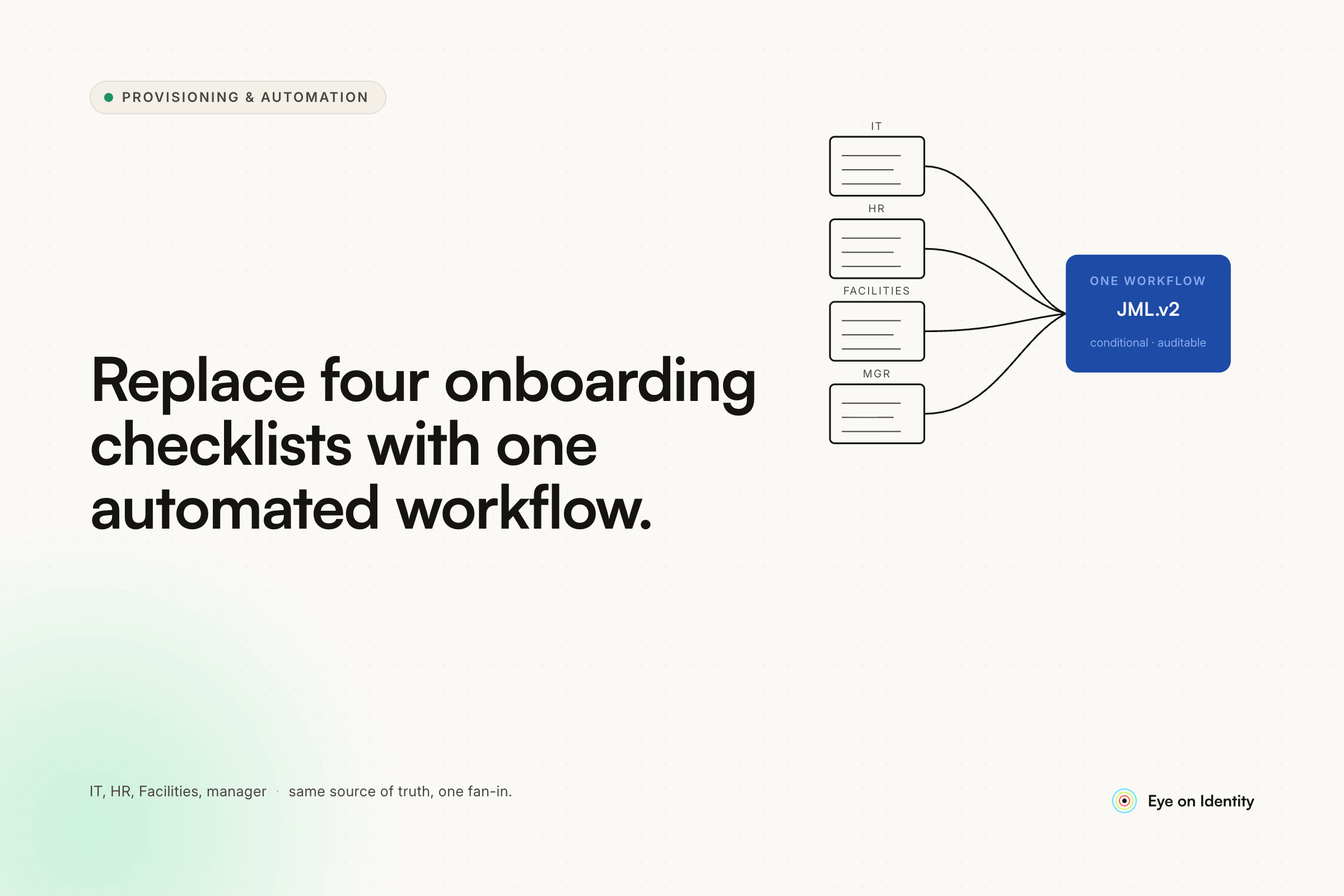


Three separate checklists — one from the owners for permissions, one from HR for organizational tasks, one from IT — is exactly how most small companies handle new employee onboarding, and it works until it doesn't. Nobody misses steps on purpose. Steps get missed because a checklist in a spreadsheet has no enforcement mechanism, no reminder system, and no way to know whether IT is waiting on HR or HR is waiting on IT. If you've already identified that Microsoft Forms can't handle granular access levels (Read vs. Write vs. Edit vs. Owner), you've found the first limit. The broader issue is that forms and checklists are the wrong architecture for a multi-step, multi-person workflow.
What the Microsoft Forms and Spreadsheet Approach Can't Handle
Microsoft Forms is built for data collection, not workflow coordination. It captures information once and produces a response. It doesn't route that information to the right person, track whether they've acted on it, remind them if they haven't, or prevent the process from closing until every step is complete. For a single-step process, it's fine. For an onboarding process with three separate checklists, multiple owners, and steps that depend on each other, it's the wrong tool.
The granular access level limitation the OP identified — no way to specify Read vs. Write vs. Edit for each permission — is a symptom of this. MS Forms gives you a fixed field structure that can't adapt to the complexity of what a real provisioning request requires. The person filling it out can check "Yes, needs Salesforce access" but can't specify which Salesforce role, which data they should be able to see, or whether access should be temporary. An approver receiving that response has to follow up to get the information they need, which defeats the purpose of having a form.
The spreadsheet coordination problem is even more fundamental. One commenter in the thread described the shift that made their onboarding actually work: moving from checklists that people didn't use to a flow that creates and assigns individual tasks to each person responsible for a specific step, tracks completion, sends reminders, and gets reviewed weekly. The tasks are in the system — not in someone's inbox, not on a shared spreadsheet — and each assignee has to explicitly mark their task complete. Their team gets rave reviews for onboarding as a result. The difference isn't process sophistication; it's enforcement. A task assigned to a specific person with a due date and a required completion action gets done. A checklist item on a shared spreadsheet gets skipped under pressure.
How Other Small Teams Are Solving This in Microsoft 365
For companies already on Microsoft 365 Business Premium, the practical path that several commenters described uses Power Automate with SharePoint as the task infrastructure.
The architecture is simpler than it sounds: one SharePoint list holds the employee records (first name, last name, manager email, title, start date). When a new employee record is created in that list — the trigger — a Power Automate flow fires and creates individual tasks in a second SharePoint task list, one task per onboarding step. Each task is pre-configured with the title, assignee email, start date, end date, and a description that tells the assignee exactly what to do and who to contact. The flow has as many "Create item" steps as there are onboarding tasks — add to AD, assign security groups, set up email, grant SharePoint permissions, add to recurring meetings, issue hardware, update the team page, and so on.
This approach works and it's buildable by someone who hasn't done it before. The practical tips from the thread: create "copy" columns for attributes like start date and employee name so you can track and notify when those change; give each "Create item" step in the flow an informative name so the flow is readable when you come back to it six months later; use the AddDays function for task end dates rather than hardcoding them.
The ceiling on this approach: it's hard-coded. Every task, its description, and its assignee is in the flow. When ownership changes or a new task is added, the flow needs to be modified. For a 50-person company with stable processes, that maintenance load is manageable. For a growing company where onboarding steps change frequently or where the access permission complexity is high, it becomes a development task rather than a configuration task.
Where Purpose-Built IGA Platforms Solve the Remaining Problems
The Power Automate architecture solves the task coordination problem. It doesn't solve the access granularity problem, the dynamic approval routing problem, or the coverage problem at offboarding.
Access granularity — specifying Read vs. Write vs. Edit vs. Owner for each permission — requires a dynamic request form that adapts to the application being requested. An IGA platform's app catalog provides this: when an employee requests access to a specific application, the form presents the available roles and license types for that application, not a generic Yes/No field. The requester selects exactly what they need, the approver sees exactly what was requested, and the provisioning action grants exactly that level of access. No follow-up questions, no ambiguity in what was approved.
Dynamic approval routing requires knowing who the approver is for each application. In a Power Automate flow, this is hardcoded per step. In an IGA platform, each application has a designated owner, and access requests for that application route automatically to that owner — regardless of which employee is requesting or which manager they report to. Multi-level approvals (manager first, then app owner) are configurable per application without modifying the underlying flow.
Birthright access — the standard set of applications every employee in a given role or department gets on day one without requesting them — is configured once in the automation rules layer and applies automatically to every subsequent hire in that role. A new hire in the operations team gets the operations team's standard application set provisioned before their first day, without IT having to manually work through the checklist for each one.
Offboarding coverage is where checklist-based systems fail most visibly. When an employee leaves, the person running the offboarding checklist has to know which systems to revoke access from. For applications that were provisioned through the standard onboarding flow, that list exists. For applications requested informally over time, it often doesn't. An IGA platform's discovery engine identifies every application the employee has actually been accessing — not just what IT provisioned — and uses that as the offboarding scope. Nothing is left behind because someone forgot it was on the list.
The Practical Path for a Sub-50-Person Company
At under 50 employees, full IGA deployment is likely more than the situation requires. The right starting point is matching the tool to the actual bottleneck.
If the primary problem is task coordination — making sure HR, IT, and the manager all complete their steps without things falling through the cracks — the Power Automate + SharePoint task list architecture is a viable, low-cost solution that works within M365 Business Premium licensing. The implementation time is a day or two, the maintenance is manageable, and it directly addresses the checklist-didn't-get-used problem.
If the primary problem is access granularity — needing to specify permission levels, manage approval routing, and handle applications with different access roles — that's where a purpose-built platform adds value that Power Automate can't easily replicate without significant custom build work.
If the company is growing quickly and onboarding volume is increasing, the calculation shifts: the time investment in configuring a purpose-built platform pays off faster as the number of new hires increases and the manual coordination overhead compounds.
The question to answer before choosing a tool: is the bottleneck the coordination layer (task assignment and tracking) or the access management layer (granular permissions, dynamic routing, and coverage at offboarding)? The first is solved by Power Automate. The second requires a platform built for it.
Frequently Asked Questions
How do you replace separate HR, IT, and manager onboarding checklists with one workflow?
Move from checklists to task-based workflows where each step is assigned to a specific person, tracked in a system, and requires explicit completion before closing. Power Automate with SharePoint task lists handles this for Microsoft 365 environments. IGA platforms like Zluri handle it at larger scale with dynamic approval routing and automated provisioning for AD-connected and SaaS applications.
What is the limitation of Microsoft Forms for employee onboarding?
MS Forms captures data but doesn't route it, track completion, or support dynamic field logic. It can't specify access levels (Read vs. Write vs. Edit) per application, route approval to different owners per app, or enforce that every step is completed before the process closes. It's the right tool for simple data collection, not for multi-step, multi-owner provisioning workflows.
How do you automate employee onboarding in Microsoft 365 without a large budget?
Power Automate with SharePoint task lists is the lowest-cost path within M365. A SharePoint employee list triggers a flow when a new hire record is added; the flow creates individual tasks for each onboarding step, assigned to the right person with due dates and descriptions. This handles task coordination without requiring additional software purchases.
What is birthright access in employee onboarding?
Birthright access is the standard set of applications, security groups, and permissions that every employee in a given role or department receives automatically on their first day — without needing to submit individual access requests. It's configured once per role in the provisioning platform and applies to every subsequent hire in that role, eliminating the per-hire manual provisioning step for standard entitlements.
When should a small company move from Power Automate to an IGA platform for onboarding?
When the bottleneck shifts from task coordination (which Power Automate handles) to access granularity, dynamic approval routing across multiple app owners, and comprehensive offboarding coverage. Growing companies typically reach this inflection point when onboarding volume increases enough that manual access management takes more time than task tracking, or when access reviews and compliance requirements demand a structured audit trail.
See How Zluri Handles Onboarding Workflows Beyond What Checklists Can Enforce
Most small companies that are still on checklists and spreadsheets know the process has gaps — they surface when someone joins without the access they need or leaves with access they shouldn't have. See how Zluri's onboarding playbooks handle the coordination, granular access, and approval routing that checklists can't enforce.



.svg)













