
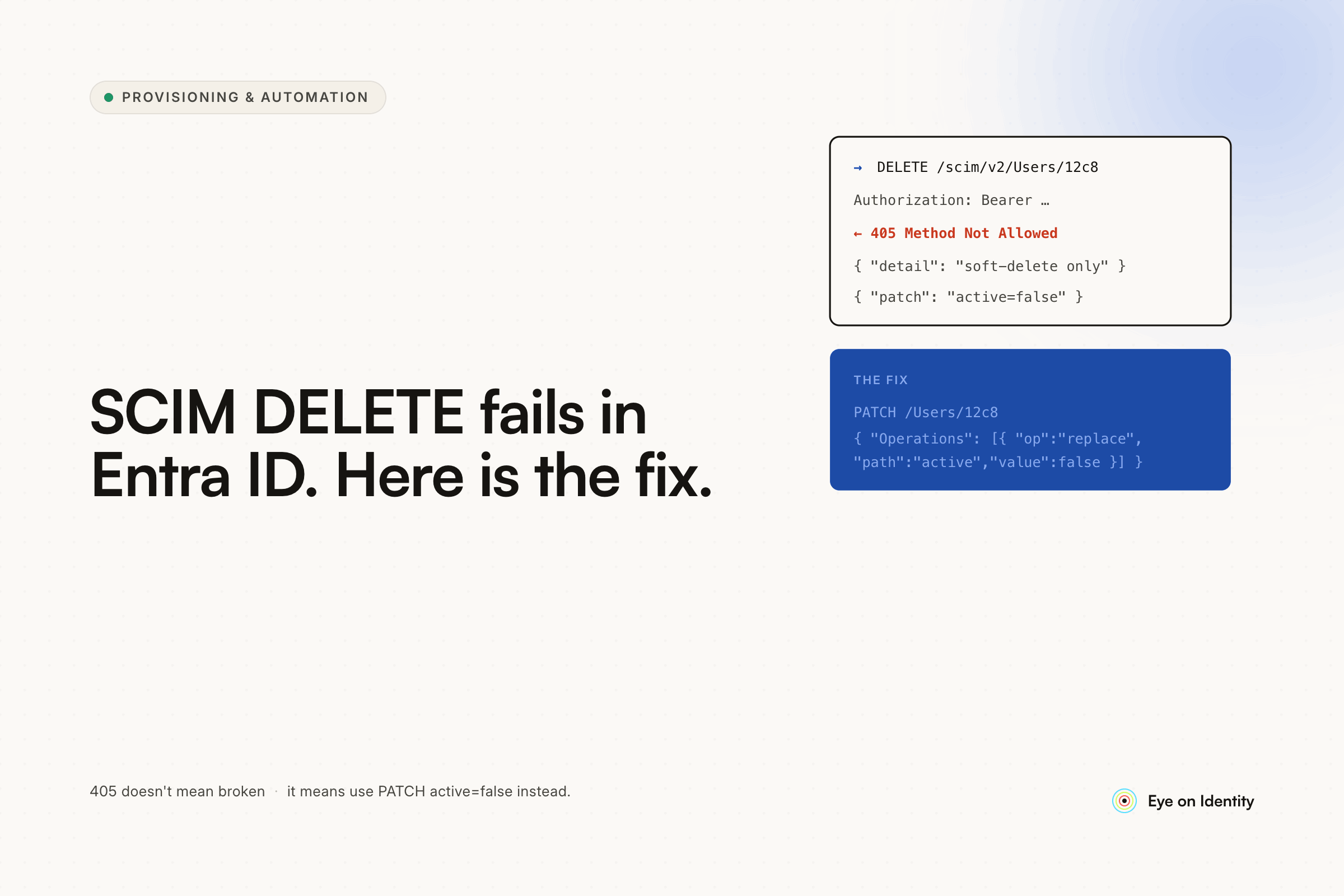


You've set up SCIM 2.0 provisioning between Entra ID and a downstream application. POST works. PUT works. User creation and attribute updates sync correctly. But when you delete a user from Entra ID, nothing happens on the application side — the account stays active, there are no provisioning logs, and the user remains fully configured as if they never left. This is a specific and well-documented behavior in Entra ID's SCIM implementation, and understanding it is the first step to fixing it.
Why Entra ID DELETE Requests Don't Trigger Immediately
The root cause is Entra ID's soft-delete behavior. When you delete a user from Entra ID, the account isn't immediately hard-deleted — it moves to a soft-deleted state and is retained for 30 days before permanent deletion occurs. The SCIM DELETE request to the downstream application is only sent when the user is hard-deleted, which happens either after the 30-day retention period expires or when an admin permanently deletes the account from the deleted users list.
This means that deleting a user from Entra ID does not immediately trigger a DELETE payload to a SCIM-connected application. The provisioning logs show nothing at the point of deletion because, from Entra ID's perspective, the user hasn't actually been removed — they've been moved to a recoverable state.
The thread that prompted this article resolved the practical question clearly: deactivating (disabling) the user in Entra ID sends a PATCH request that sets the user's active attribute to false in the downstream application, which marks them as inactive. That's the correct trigger for offboarding in most SCIM implementations — not deletion. For Cisco Webex Control Hub specifically, the inactive status is what Control Hub acts on, purging inactive users automatically after a defined period (7 days in the wizard-based setup).
The practical takeaway: the offboarding trigger in an Entra ID SCIM integration should be user deactivation, not user deletion. Disable the account in Entra ID when an employee leaves; the SCIM PATCH sets the downstream account to inactive; the application handles cleanup from there. Hard deletion follows after the retention period and sends the final DELETE payload, but relying on it as the offboarding trigger introduces a 30-day window where the account remains active in downstream applications.
Where the Soft-Delete Behavior Creates Real Risk
For most organizations, deactivating the user in Entra ID at offboarding and letting the downstream application handle the inactive account is a workable flow. The risk surfaces in a few specific scenarios.
Applications that don't handle inactive status as access revocation. Not every SCIM-connected application treats active: false the same way. Some immediately block login. Others retain the account in an inactive state that still counts toward license allocation without blocking access. Whether a deactivated SCIM user can still authenticate — particularly if they have an active session token — depends on the application's SCIM implementation and session management.
Manually created enterprise app integrations vs. wizard-based setup. The thread commenter who noted that the wizard-based Webex setup handles deactivation and purging cleanly was pointing at a real difference. Manually created enterprise app integrations may have different behavior around how SCIM payloads are processed, which permissions are required for DELETE operations, and whether the provisioning job handles the full lifecycle consistently. If your integration was set up manually rather than through the app gallery wizard, testing the full deactivation and deletion flow explicitly — not just creation and update — is worth the time.
Applications outside SCIM coverage entirely. The soft-delete behavior and the 30-day DELETE delay are problems for SCIM-connected applications. For applications where the user has separate credentials, where SCIM was never configured, or where the vendor charges enterprise pricing to unlock SCIM support, the Entra ID account state has no effect at all. The user's account in those applications stays active indefinitely unless someone explicitly revokes it.
How to Close the Deprovisioning Gap When Native SCIM Falls Short
For the specific Entra ID soft-delete issue, the fix is process-level: disable the user in Entra ID at offboarding rather than deleting them, verify that the SCIM PATCH sets the downstream account to inactive, and confirm that the application's inactive state blocks access. For Webex Control Hub, that sequence works correctly once the behavior is understood.
For the broader deprovisioning gap — applications outside SCIM coverage, accounts that linger in non-SSO tools, and the shadow IT that IT didn't provision in the first place — the fix requires more than understanding the soft-delete behavior.
Zluri sits above Entra ID as an active orchestration layer. When a user is disabled or deleted in Entra ID, Zluri detects the status change and triggers an offboarding playbook automatically. Rather than relying on Entra ID's SCIM engine to deliver the correct payload to each downstream application, Zluri executes direct API calls against each application — removing the user, revoking the license, signing out active sessions — using the application's native API rather than the generic SCIM channel. This handles the cases where SCIM delivers the payload but the application doesn't process it correctly, and the cases where the application doesn't support SCIM at all.
The discovery engine identifies every application the departing user had access to before the offboarding playbook runs — not just the applications IT provisioned through Entra ID, but applications accessed through browser activity, financial transactions (SaaS tools on expense reports), and SSO logs. The offboarding workflow is populated from this complete access picture, so the scope covers shadow IT and informally adopted tools alongside the SCIM-connected applications.
For applications where the API doesn't support automated deletion — or where an IT admin needs to confirm the action before it executes — Zluri generates a tracked manual task rather than silently failing. The task is routed to the application owner via Slack, email, or ITSM ticket, and must be explicitly marked complete. The audit trail captures every deprovisioning action regardless of whether it was automated or manual.
The Practical Checklist for Entra ID SCIM Deprovisioning
If you're debugging a SCIM deprovisioning issue with a specific application, work through these before escalating:
Confirm the trigger. Is the offboarding action disabling the user or deleting them? Disabling sends a PATCH with active: false. Deleting sends nothing immediately — the DELETE is deferred 30 days. If you're deleting users at offboarding, the downstream account will stay active until hard deletion.
Check provisioning logs after deactivation, not deletion. Entra ID provisioning logs show SCIM activity for the provisioning job. Log entries for deletion appear at hard-delete time, not soft-delete. For deactivation, look for a PATCH entry with the user's status change.
Verify token permissions for the downstream application. Even with a full admin account and the appropriate scope assigned, DELETE may behave differently than PATCH. Check the application's SCIM documentation for whether the DELETE operation requires different permissions than create and update.
Test the integration setup method. Wizard-based enterprise app integrations and manually created integrations may have different provisioning behavior. If you're experiencing issues with a manual setup, testing with the wizard-based configuration (if available) is useful for isolating whether the issue is in the integration setup or in Entra ID's behavior.
Confirm the application's inactive state blocks access. Setting a SCIM user to inactive doesn't guarantee that active sessions are immediately terminated. Verify that the application's handling of active: false matches your security requirements — some applications require explicit session revocation as a separate step.
Frequently Asked Questions
Why doesn't deleting a user in Entra ID trigger SCIM DELETE in connected apps?
Entra ID uses a soft-delete model: deleted users move to a recoverable state for 30 days before hard deletion. The SCIM DELETE payload to downstream applications is only sent at hard deletion, not at the point of soft delete. For immediate offboarding, disable (deactivate) the user in Entra ID rather than deleting them — this sends a SCIM PATCH with active: false that most applications process immediately.
What is the correct way to deprovision users via SCIM in Entra ID?
Disable the user account in Entra ID at offboarding. This triggers a SCIM PATCH request setting the user's active attribute to false in connected applications. Deletion should be treated as a cleanup action after the retention period, not as the offboarding trigger. Verify that the downstream application processes the inactive status as access revocation.
Why are there no provisioning logs when a user is deleted from Entra ID?
Because Entra ID's soft-delete behavior means the user hasn't been processed by the SCIM provisioning engine yet — they've been moved to the deleted users container. Provisioning logs only show activity when the SCIM job processes a change. The DELETE payload and corresponding log entry appear at hard-delete time, up to 30 days after the initial deletion.
How do you deprovision users in applications that don't support SCIM?
For non-SCIM applications, direct API calls (if the application has an API), tracked manual task routing (if it doesn't), or an IGA platform that handles both within the same offboarding workflow are the standard approaches. The key is ensuring that non-SCIM applications are included in the offboarding scope rather than left as manual exceptions that depend on someone remembering them.
How do you close the deprovisioning gap for shadow IT and non-SSO applications?
A discovery engine that identifies application access beyond what IT provisioned — through browser activity, financial transaction data, and SSO logs — builds the complete access picture at offboarding. IGA platforms like Zluri use this to populate the offboarding workflow with every application the user accessed, not just the SCIM-connected ones.
See How Zluri Handles Deprovisioning When Native SCIM Falls Short
Most Entra ID environments have a mix of SCIM-connected applications, non-SCIM SaaS tools, and shadow IT that the provisioning logs don't capture. See how Zluri's offboarding playbooks cover the full deprovisioning scope — direct API calls for SCIM gaps, tracked manual tasks for legacy apps, and discovery-based coverage for everything IT didn't provision.



.svg)













