


Before you enable SCIM provisioning from Azure AD (Entra ID) to a downstream application, one question matters more than almost any other: what happens to the users who already exist in that application?
The answer isn't "it depends on the application" — though that's partly true. It depends on how you configure the matching attributes in your Entra ID provisioning setup, and whether the downstream application supports the matching behavior Entra ID expects. Get it wrong and you're either creating duplicate accounts for everyone, failing to sync existing users at all, or overwriting attributes that the application considers authoritative.
How Azure AD SCIM Provisioning Handles Existing Identities
Entra ID's SCIM provisioning engine works from a clear principle: Entra ID objects are the source and represent the target state. When provisioning runs, it compares the state in Entra ID against what it finds in the downstream application and reconciles the difference.
What actually happens to existing identities depends on two things: your matching attribute configuration, and whether the downstream application implements the SCIM matching spec correctly.
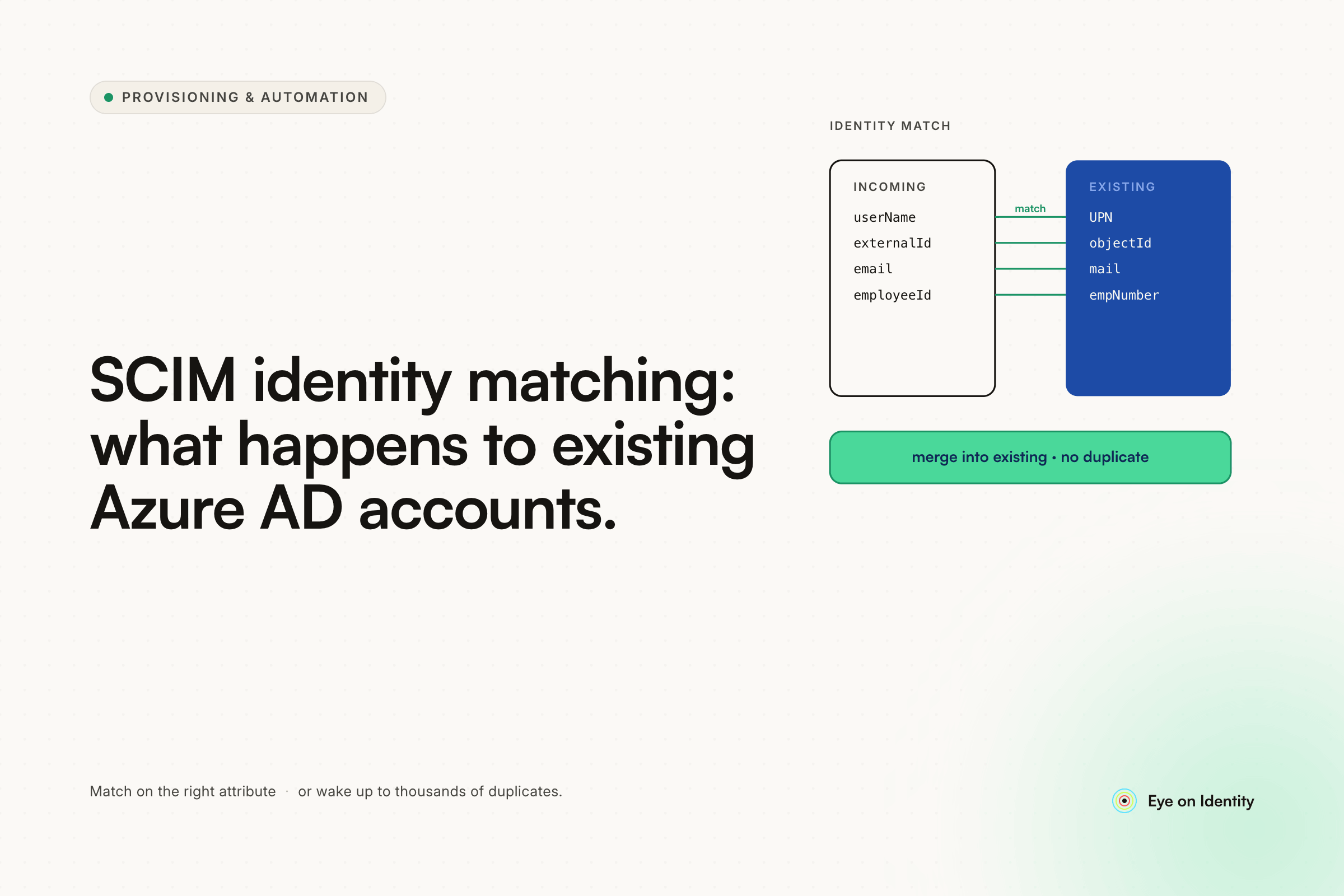
Matching attributes are the key configuration. In your Entra ID enterprise application provisioning configuration, you specify which attribute(s) should be used to match an existing user in the downstream application to the corresponding Entra ID user. The most common matching attribute is userPrincipalName matched to the app's userName, or mail matched to whatever email field the application uses. When provisioning runs and finds a user in the downstream app whose matching attribute value corresponds to an Entra ID user in scope, it treats them as the same identity and applies attribute updates rather than creating a new account.
If no match is found, creation behavior is configurable. When provisioning runs and can't find a downstream user that matches an Entra ID user, the default behavior is to create a new account. If you're enabling SCIM on an application that already has manually-created accounts and you're not confident the matching attributes will align correctly, turn off creation before the first sync. This lets you validate matching in a dry run without risking duplicate account creation across your user base.
Mismatched attributes cause the problems. The classic failure mode: you enable SCIM provisioning, the provisioning engine can't match the existing manually-created accounts because the email addresses in the app are slightly different from the Entra ID UPNs (a capitalization difference, an alias vs. primary email, a legacy domain suffix), and it creates duplicate accounts for everyone. The original accounts are now orphaned — they're not managed by SCIM, they're not in Entra ID's scope, and the new SCIM-provisioned duplicates coexist with them.
Before enabling SCIM on any application with existing users, export the user list from the downstream app and compare it against your Entra ID directory. Confirm that the attribute you're planning to use as the matching key is consistent across both systems before the first provisioning cycle runs.
Why SCIM Adoption Is Low and What That Means for Your Stack
The thread this question comes from captures a frustration that's widespread: SCIM adoption across SaaS applications remains surprisingly low, and even among applications that do implement SCIM, the depth of implementation varies significantly. One commenter noted that only 25% of Okta's integrations support SAML — the rest fall back to password injection via browser plugin — which puts the SCIM adoption rate in perspective.
When an application implements SCIM for provisioning but only partially — supporting Create and basic attribute updates, but not Deactivate, or implementing PATCH handling incorrectly — the matching behavior on provisioning is only part of the problem. The deprovisioning side is where the gaps show up most painfully. A user removed from scope in Entra ID generates a SCIM Deactivate call that the application may process incorrectly, ignore entirely, or process correctly for newly-provisioned users but not for the pre-existing manually-created accounts that were never formally provisioned through SCIM.
This is why SCIM provisioning from Azure AD solves the provisioning side of the problem cleanly when the downstream app implements it correctly, and leaves a meaningful gap when it doesn't.
How Zluri Handles Identity Matching Across Existing and New Accounts
Because native SCIM matching behavior varies significantly between downstream applications, Zluri uses a layered identity matching approach rather than relying on generic SCIM push semantics.
When Zluri encounters a user — whether through an HR trigger, an Okta event, or application discovery — it first searches its central directory for an existing identity record matching the user's email in either the primary email field or the alternate emails field. If a match is found, Zluri associates the new data with the existing identity record rather than creating a duplicate. If no match is found across any email fields, a new user profile is created.
For cases where a user's primary email changes — a name change that updates the UPN, a domain migration, a preferred name update — Zluri handles this by updating the primary email on the existing identity record while maintaining the underlying identity continuity. The account doesn't get duplicated because the email address changed.
For custom integrations, SDK connectors, and bulk uploads where email-based matching may be insufficient, Zluri uses a static Unique ID — typically the employee ID from the HR system — as the persistent reference point. This handles scenarios where naming conventions differ between systems, where email addresses haven't yet been assigned at provisioning time, or where the HR system and the application use different identifiers for the same person.
For deprovisioning specifically, Zluri uses direct API integrations rather than relying on SCIM Deactivate calls to the downstream application. This bypasses the inconsistencies in how different applications process SCIM DELETE or PATCH-deactivate events, executing targeted API actions — explicit session revocation, license removal, account deletion — rather than firing a generic SCIM command and assuming it was processed correctly.
Testing SCIM Matching Before Going to Production
One commenter in this thread pointed to scim.dev as a tool specifically designed to test SCIM behavior before connecting to a production application — it creates a test SCIM endpoint you can point your Entra ID enterprise application at to observe exactly what provisioning calls are generated and how matching would behave. If you're uncertain how Entra ID will handle the first provisioning cycle against your specific attribute configuration, this is worth using before you flip the switch on a production application with existing users.
The broader testing protocol: export existing users from the downstream app, compare the matching attribute values against your Entra ID directory, identify any inconsistencies before the first sync, correct them (or adjust your matching attribute configuration), and enable provisioning with account creation turned off for the first cycle. Review the provisioning logs to confirm matching is behaving as expected before enabling creation for any unmatched users.
Frequently Asked Questions
What happens to existing users in a downstream app when you enable SCIM provisioning from Azure AD?
Entra ID's provisioning engine attempts to match existing downstream users to Entra ID users using the matching attributes you configure in the provisioning mapping. If a match is found, the existing account is updated to reflect the Entra ID state. If no match is found and account creation is enabled, a new account is created — which can result in duplicates alongside the original manually-created account. To avoid this, disable creation before the first sync and validate matching manually before enabling it.
What causes duplicate accounts when enabling SCIM provisioning in Entra ID?
Duplicates are created when the provisioning engine can't match an existing downstream user to their Entra ID counterpart — typically because the matching attribute values differ between systems. Common causes include email capitalization differences, alias vs. primary email mismatches, legacy domain suffixes in the downstream app, and users who signed up with a personal email before SSO was enabled. Auditing the matching attribute consistency before enabling provisioning prevents this.
How do you configure SCIM matching attributes in Entra ID enterprise application provisioning?
In the Entra ID enterprise application provisioning configuration, the attribute mappings section includes a "Match objects using this attribute" setting for each attribute. The most common configuration matches userPrincipalName in Entra ID to userName in the downstream application, or mail to the app's email field. You can also set matching priority when using multiple attributes. The key is confirming that the values in both systems are consistent before the first provisioning cycle runs.
Why does SCIM deprovisioning often fail even when provisioning works correctly?
SCIM provisioning and deprovisioning are implemented separately by each SaaS vendor, and many applications implement Create and Update correctly while handling Deactivate inconsistently or not at all. The SCIM Deactivate call from Entra ID may be ignored, may only apply to SCIM-provisioned accounts (not pre-existing manually-created ones), or may deactivate the account without reclaiming the license. Direct API integrations through an IGA platform like Zluri execute explicit deactivation actions rather than relying on SCIM event processing to complete correctly.
Handle SCIM Matching Gaps With Confidence
If you're enabling SCIM provisioning from Entra ID and want to understand how the matching behavior will interact with your existing accounts before the first sync runs, see how Zluri's identity matching and direct API integrations handle the gaps that native SCIM leaves open — for your specific downstream application stack.



.svg)













