


The four-account structure (standard user, workstation admin, server admin, domain admin) is already better practice than most small IT environments. The gap that typically appears next is a structural one: how do you actually connect to servers from your workstation without putting higher-tier credentials somewhere that a lower-tier compromise can reach them?
This question gets at the core of why the Microsoft Active Directory Administrative Tier Model exists and what it is actually protecting against.
What the Tier Model Is Protecting
The credential isolation problem is about pass-the-hash attacks. When you authenticate to a Windows system interactively, your credential secrets — password hashes and Kerberos tickets — are cached in LSASS memory on that system. If the system is subsequently compromised, an attacker with administrative access can extract those cached credentials and use them to authenticate elsewhere.
The attack chain: compromise a workstation, extract any admin credentials that were cached there, use those credentials to authenticate to a server, extract higher-tier credentials from the server, reach the domain controller, compromise the entire forest.
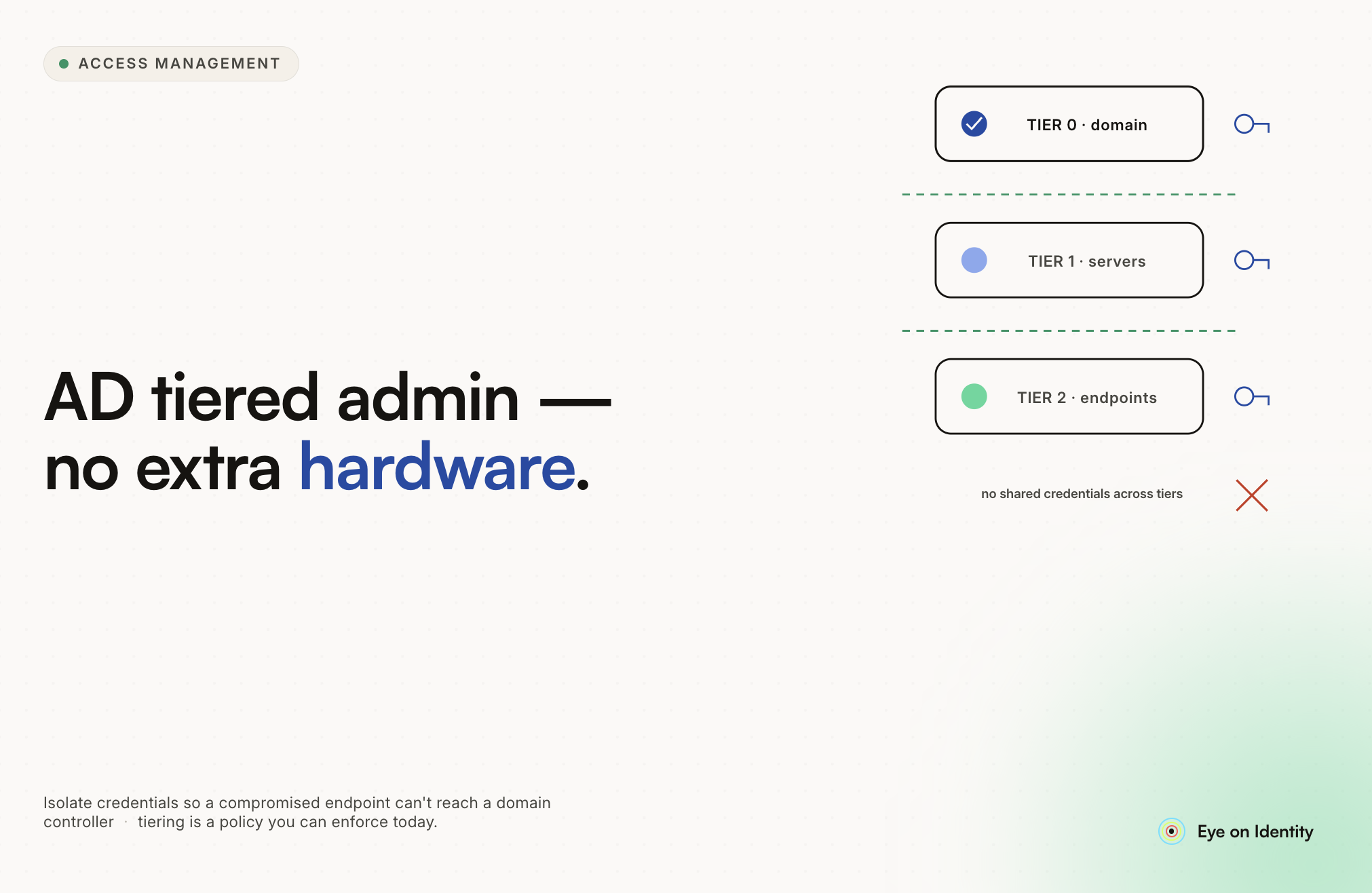
The tier model blocks this chain by enforcing a single rule: credentials never flow downward. A domain admin account (Tier 0) must never authenticate to a server (Tier 1) or workstation (Tier 2). A server admin account (Tier 1) must never authenticate to a workstation. Each tier's credentials are isolated to the tier where they belong.
The practical implementation challenge: if you cannot type your server admin credentials on your workstation, how do you manage servers from your workstation?
The Four-Account Structure Mapped to Tiers
The account structure described in the original Reddit thread maps cleanly to the Microsoft model:
MeUser is a Tier 2 user account with no admin rights. Appropriate for web browsing, email, and general work. Low risk if compromised: an attacker gains access to user data but nothing administrative.
MeAdmin is a Tier 2 workstation admin account with local admin on workstations. Appropriate for desktop administration. If compromised, an attacker can reach workstation-tier resources and any other workstations, but cannot reach servers or the domain.
MeBoss is a Tier 1 server admin account with local admin on servers. If compromised, an attacker can reach all servers. Critical that these credentials never authenticate to workstations.
MeKing is a Tier 0 domain admin account. If compromised, the entire forest is compromised. These credentials should never leave Tier 0 systems.
The configuration described — host signed in as MeAdmin, with a Hyper-V VM running MeUser — correctly places the more trusted environment as the host and the less trusted environment as the guest. An attacker who compromises the VM cannot reach the host; an attacker who compromises the host can potentially reach the VM. The administrative context is the host, which is where it should be.
Option 1: Tiered Jump Servers (Practical Starting Point)
The most achievable solution for a small environment without requiring dedicated hardware for every tier is deploying hardened jump servers at the tiers that need isolation.
The connection flow for server administration:
From your workstation (signed in as MeAdmin), you RDP to a Tier 1 jump server. You authenticate to the jump server using your MeAdmin credentials — this is acceptable because you are authenticating a Tier 2 account to a Tier 1 system, not a Tier 1 account to a Tier 2 system. Once inside the jump server, you authenticate as MeBoss to manage the servers you need to reach. The MeBoss credentials never touch your workstation's LSASS; they only appear in the jump server's LSASS, which is a Tier 1 system.
The jump server must be hardened: no internet access, Credential Guard enabled, restricted GPO that prevents it from being used as a general-purpose workstation, and locked down to administrative functions only.
For domain controller work, the same principle applies with a separate Tier 0 jump server or dedicated workstation where MeKing credentials are used. The Tier 0 jump server should be the most restricted system in the environment.
This approach requires existing server hardware but no additional workstation purchases. A VM on existing server infrastructure can serve as the jump server for each tier.
Option 2: Dedicated PAW Hardware (The Gold Standard)
A Privileged Access Workstation is a dedicated, hardened physical device used exclusively for administrative tasks at a specific tier. The PAW has no email, no web browser, and no general-purpose applications. It is hardened with Credential Guard, Device Guard, and LAPS for local admin passwords. Its only purpose is administrative work at its designated tier.
For a small environment, a PAW does not need to be enterprise hardware. A spare laptop running Windows 10 or 11 with the Security Compliance Toolkit baselines applied, Credential Guard enabled, and internet access blocked serves the purpose adequately for most small shops.
For Tier 0 (domain admin work), a dedicated PAW is strongly recommended even if the Tier 1 work is handled through a jump server. The blast radius of a compromised domain admin credential is the entire forest. The investment in a single spare laptop for that tier is proportionate to the risk.
The PAW architecture: your daily workstation signs in with MeAdmin for workstation-level tasks. The Tier 1 jump server or PAW signs in with MeBoss for server tasks. The Tier 0 PAW signs in with MeKing for domain controller work. Credentials for each tier stay on hardware that belongs to that tier.
Option 3: RDP with Restricted Admin Mode (Minimum Stopgap)
If neither a jump server nor dedicated PAW hardware is immediately available, Restricted Admin Mode for RDP provides partial credential protection and should be used as a minimum baseline.
Standard RDP sends your credentials to the target system, where they are cached in LSASS. Restricted Admin Mode changes this: authentication happens via Kerberos on your local machine, and only a network token is created on the target. The credential is not stored in the target system's LSASS.
To use Restricted Admin Mode:
mstsc.exe /restrictedAdmin /v:ServerNameThe important limitation to understand: Restricted Admin Mode protects the target server from credential theft, but your host still sees the credentials during the authentication prompt. If your host is compromised with a keylogger or credential harvester at the moment you type the MeBoss password, the credentials are captured before they reach Restricted Admin Mode's protection.
This is meaningfully better than standard RDP for protecting the target, but it does not fully solve the problem of exposing higher-tier credentials on a lower-tier host. Use it as a stopgap while building the jump server or PAW architecture. Do not rely on it as a long-term solution for Tier 0 credentials.
Additional limitations: Restricted Admin sessions cannot authenticate onward to additional servers from within the session, because the session runs with the computer account's credentials rather than the user's. If you need to access a file share or another server from within the RDP session, you will only have the computer account's access.
Enforcing the Tier Model Through Group Policy
Policy-based tier separation depends on human compliance. System-enforced tier separation works even when someone makes a mistake. The difference is critical.
GPO logon restrictions enforce the tier model at the authentication layer: if a Tier 0 account attempts to log in to a Tier 1 or Tier 2 system, the logon is blocked by the system regardless of the user's intentions.
The implementation requires security groups and GPO objects:
Create groups: Tier0-Computers (domain controllers and Tier 0 PAWs), Tier1-Computers (all servers), Tier0-Accounts (domain admin accounts), Tier1-Accounts (server admin accounts).
Apply GPOs that deny Tier 0 accounts from logging on locally, via RDP, or via network authentication to Tier 1 and Tier 2 systems. Apply GPOs that deny Tier 1 accounts from logging on to Tier 2 workstations.
This means even if you accidentally try to type MeKing credentials on a workstation, the authentication fails. The tier boundary becomes technically enforced rather than policy-dependent.
The Protected Users Group
A quick additional hardening measure for MeBoss and MeKing: add these accounts to the Protected Users security group in Active Directory.
Protected Users membership enforces several restrictions automatically: NTLM authentication is disabled for the account (forcing Kerberos), credential delegation is disabled, and the session expires more aggressively. This prevents NTLM fallback attacks, which are one of the ways tier boundaries get broken when credential isolation is not perfect.
Add domain admin accounts and high-privilege server admin accounts to Protected Users. Test in a non-production environment first, as some applications that rely on NTLM or credential delegation will break.
Ongoing: Guarding Against Tier Drift
The technical architecture provides isolation at a point in time. Tier drift, where privileges accumulate over time in ways that violate tier boundaries, is the ongoing maintenance challenge.
The most common drift patterns: a service account gets added to Domain Admins because someone needed it to work and took the path of least resistance. An engineer who moved from server administration to security retains their server admin credentials without a formal review. A group policy exemption gets created for a specific server and never removed.
Regular review of Tier 0 group membership is the most important ongoing control. Domain Admins, Enterprise Admins, Schema Admins, and any group that has effective admin access to domain controllers should be reviewed monthly. Indirect membership, where an account is a member of a group that is a member of a Tier 0 group, is where drift most often hides and is harder to catch without scripted reporting.
Zluri's approach to this problem at the SaaS and cloud layer is continuous monitoring: entitlement combinations are evaluated at every sync cycle, and toxic combinations are flagged the moment they form rather than at the next scheduled review. The equivalent in an on-premises AD environment is scheduled PowerShell reports on Tier 0 group membership, authentication policy silos on Windows Server 2012 and later, and regular access reviews of accounts with elevated permissions.
Practical Priority Order for Small Environments
The sequencing that provides the most security improvement for the least operational disruption:
First: Use Restricted Admin Mode for any current RDP connections to servers with higher-tier credentials. This is a flag change to your existing process and immediately reduces credential exposure on target servers.
Second: Deploy a Tier 1 jump server this week. A hardened VM on existing server infrastructure with no internet access, Credential Guard enabled, and restricted to administrative tools. Connect to it as MeAdmin, authenticate as MeBoss from inside it.
Third: Set up a Tier 0 PAW, even a spare laptop, for domain controller work. MeKing credentials should only ever appear on this device.
Fourth: Implement GPO logon restrictions to make tier boundaries technically enforced rather than policy-dependent.
Fifth: Add MeBoss and MeKing to Protected Users.
Sixth: Establish a monthly review of Tier 0 group membership to catch drift before it becomes a vulnerability.
The four-account structure is the right starting point. The missing piece is where each account authenticates, not whether the accounts are separated.



.svg)











