


HR kicks off the process, IT handles the provisioning steps, and every item needs to be explicitly signed off before the workflow closes. That's a straightforward requirement, and the frustrating part is that most of the software that handles it is either baked into your HR platform (ADP, BambooHR) — which you don't want — or requires PowerShell skills that take months to build. The category of tools that sit between "just use your HRIS" and "write all your own scripts" is real, and the thread this question generated shows that plenty of teams have found workable paths through it.
What Teams Have Built (And the Limits of Each Approach)

The r/sysadmin thread on this question is one of the more useful in the batch because it includes a detailed, real-world architecture from someone who has run a production system at scale for three years.
The most detailed response came from a commenter who saved their organization over seven figures by automating on/offboarding using Power Platform combined with PowerShell and Azure Automation runbooks — at a 10,000-user, $1 billion company. Their architecture: Workday RaaS reports feed a Power Automate flow that polls every 15 minutes for new joiners, rehires, and terminations. Child flows handle the processing — Azure Automation runbooks provision mailboxes, assign O365 licenses, remove AD groups on terms (storing the group list in a ServiceNow ticket for potential rehire), issue hardware tickets to the build team, and send a form to managers asking for accessory and software needs. Manager responses trigger Intune group membership for software deployment, with approval workflows built in for specific software or hardware. Their recommendation for teams starting fresh: use Dataverse as the source of truth and trigger events off Dataverse rather than directly from Workday, which improves resilience and reporting. Workday-to-AD SCIM provisioning handled the actual account creation; everything else was the onboarding and offboarding orchestration layer on top.
Power Automate with MS Forms was described by another commenter as their working setup: IT fills out a form (user details, department, role, special folder requirements), a Teams approval card goes to IT for manual review, and Power Automate creates the account from the form variables. Currently IT-initiated rather than HR-initiated, with a clear path to having HR fill out the form directly and having the account land in a disabled OU pending completion.
Adaxes came up twice with strong endorsements — one commenter described it cutting thousands of hours of account administration work by fully automating AD and Azure AD against a daily CSV export from the HR system. The other described it as changing their team's working life. For AD-centric environments, it's worth evaluating specifically.
Webhook-triggered automation platforms (n8n, tray.io) came up as the more forward-looking recommendation — find a general automation platform that connects to any API, check if your HRIS supports webhooks, and send payloads to the automation platform to trigger provisioning. The commenter who advocated for this approach was reacting to the number of suggestions that involved daily CSV reports and FTP transfers — the point being that most modern HRIS platforms have real-time APIs and the tooling to use them properly exists.
PowerShell was the most-upvoted recommendation (53 upvotes), which reflects the reality that for many sysadmin environments, a well-written PowerShell script is the fastest path to a working solution. The honest counterpoint in the thread: PowerShell can solve most problems but not all of them, and the HR interaction layer — having HR kick off the workflow rather than IT triggering scripts manually — is where pure PowerShell approaches tend to break down. The combination of PowerShell with Power Automate handles this better than either alone.
Why "Built Into the HR Software" Is a Reasonable Thing to Avoid
The OP's instinct to avoid native HR platform workflows is worth validating, because it's a defensible architectural decision, not just a preference.
HRIS-native onboarding modules are designed around the HR team's workflow, not the IT team's. They handle offer letters, document signing, and new hire paperwork well. They handle Active Directory provisioning, license assignment, Intune group membership, and conditional access policy enforcement poorly or not at all. Building your provisioning workflow inside ADP or BambooHR means accepting the constraints of what those platforms can reach, which typically ends at "send an email to IT."
The other risk is lock-in. If HR is considering moving away from ADP in the next year — as the OP mentioned — workflows built inside ADP come down when ADP does. A provisioning layer that uses the HRIS only as the event source (a new hire record is created; the HRIS triggers a webhook; the automation platform handles the rest) is portable. If HR switches from ADP to BambooHR or Workday, the trigger changes; the provisioning logic doesn't.
How Dedicated Platforms Handle Step-by-Step Sign-Off Requirements

The specific requirement — each step must be explicitly signed off before the workflow closes — maps to what IGA platforms call manual task tracking. It's worth describing what this looks like in practice, because the name undersells what it actually does.
In Zluri's playbook architecture, each step in the onboarding or offboarding workflow is either automated (an API call that executes and confirms completion automatically) or a manual task (an action that requires a human to take an explicit step and mark it complete). When the workflow reaches a manual task, Zluri routes it to the designated owner — the IT admin, the manager, the app owner, whoever is responsible for that step — via email, Slack, or automatically-created ITSM ticket in Jira or ServiceNow. The task owner takes the action and clicks "Mark as Completed" inside Zluri. That confirmation is logged with a timestamp and the identity of the person who completed it.
The workflow doesn't advance past a required sign-off step until the sign-off is recorded. An IT admin can't close out the onboarding workflow by marking everything complete from the task dashboard — each task owner has to confirm their own step. The centralized tasks dashboard gives IT full visibility into what's pending, what's complete, and what's overdue across every active onboarding or offboarding workflow simultaneously. Nothing falls through because someone forgot to send a follow-up email.
This is the structure the OP described wanting: HR kicks off the process, steps get signed off explicitly, the workflow doesn't close until everything is complete. The platform enforces the sequence; IT manages exceptions rather than tracking each step manually.
For the automation layer, conditional logic handles the role-based variation: IF Department = Sales, THEN provision these specific applications; IF Department = Engineering, THEN provision this different set. The playbook runs the right sequence for each new hire based on their attributes, without requiring IT to configure a separate workflow for every role.
Choosing Between a Custom Build and a Dedicated Platform
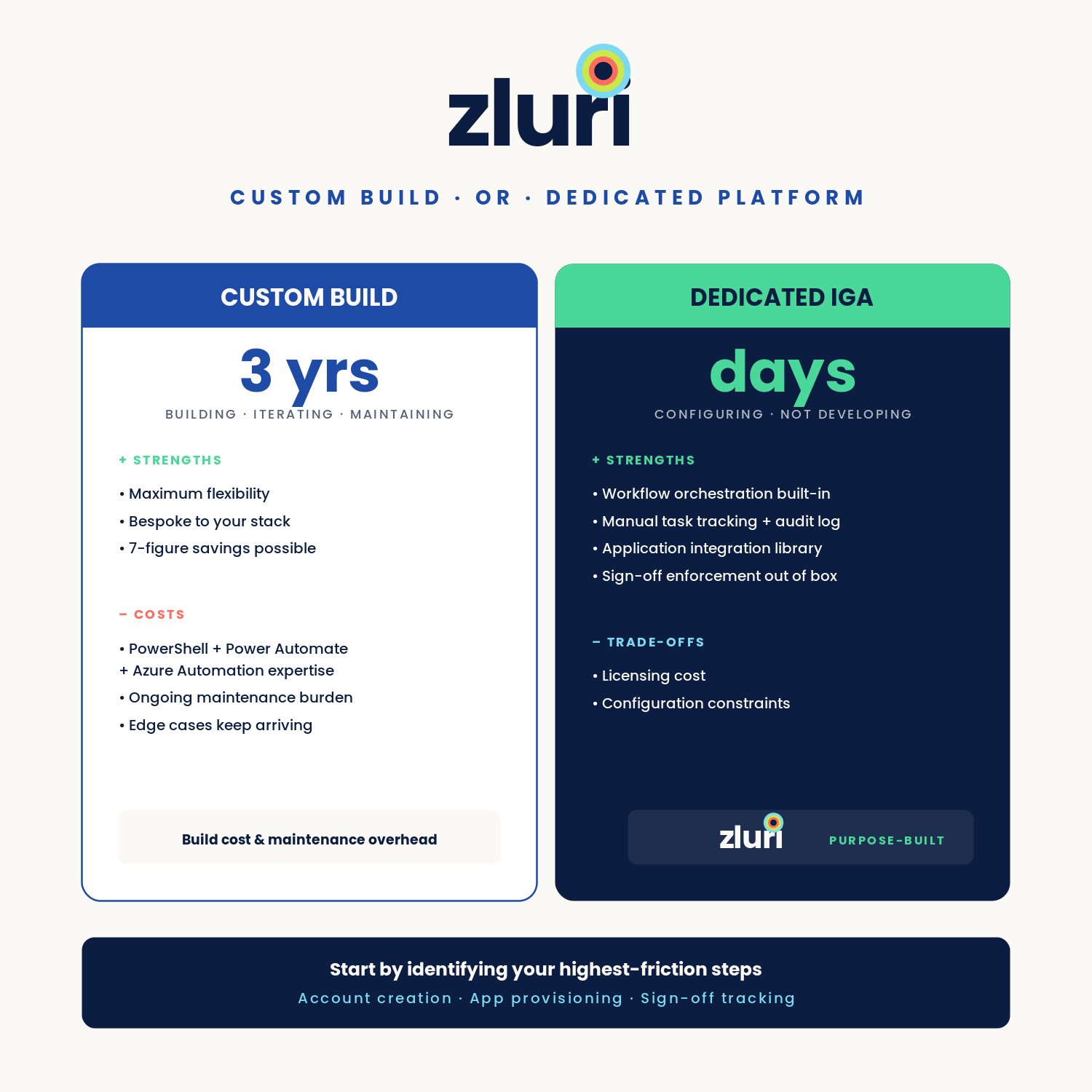
The commenter who saved seven figures with Power Platform and Azure Automation runbooks at a 10,000-user enterprise spent three years building, iterating, and maintaining that system. It works extremely well. It also required significant PowerShell expertise, Power Automate knowledge, Azure Automation familiarity, and ongoing maintenance as systems changed. His current initiative is moving event triggering to Dataverse to resolve edge cases and improve reporting — three years in, the system is still being refined.
For teams without that expertise or maintenance capacity, the trade-off is the same one that shows up in every custom-build versus SaaS decision: build cost and maintenance overhead versus licensing cost and configuration constraints. A dedicated IGA platform provides the workflow orchestration, manual task tracking, audit trail, and application integration library without requiring the team to build and maintain each component separately. The configuration work — defining roles, mapping applications, setting approval flows — is still required, but it's configuration rather than development.
The right starting point for most teams: identify the highest-friction steps in the current manual process (typically account creation, application provisioning, and the sign-off tracking that currently lives in email), and evaluate whether the tooling gap is best addressed by building on Power Automate, adopting a purpose-built platform, or some combination of both.
Frequently Asked Questions
What software handles onboarding and offboarding with step-by-step sign-off workflows?
IGA platforms like Zluri build explicit sign-off requirements into the workflow architecture — each manual task step requires the assigned owner to confirm completion before the workflow advances. Power Automate with approval cards handles this for Microsoft-stack environments. Adaxes handles it for AD-centric environments with CSV-based HR integration. The right choice depends on existing stack and how much custom build work the team can maintain.
How do you make HR kick off the onboarding process without using the HR platform's native workflows?
Connect the HRIS to your provisioning platform as an event source only — HR creates the new hire record as they normally would, and the provisioning platform detects that event via webhook or API and triggers the IT workflow. The HRIS doesn't need to own the provisioning logic; it just owns the employment event. This approach is portable if HR changes HRIS platforms.
Is Power Automate a good choice for onboarding and offboarding automation?
Yes, particularly for Microsoft-365-heavy environments. The combination of Power Automate for workflow orchestration and PowerShell via Azure Automation runbooks for AD provisioning handles a wide range of onboarding complexity. The ceiling is maintainability as the application stack grows and the need for structured access reviews and audit trails beyond what Power Automate flows provide natively.
What is the difference between HRIS-native onboarding and a dedicated provisioning platform?
HRIS-native onboarding handles HR-facing steps well (paperwork, document signing, new hire forms) but typically can't reach AD provisioning, license assignment, or application access. A dedicated provisioning platform uses the HRIS only as an event source and handles the full IT provisioning sequence — accounts, licenses, applications, device configuration — with the sign-off tracking and audit trail that HRIS platforms don't provide.
How do you avoid onboarding steps falling through the cracks when multiple people are responsible?
Centralized task tracking where each assigned owner must explicitly confirm completion — rather than relying on email follow-up — is the standard solution. Platforms that route tasks via Slack or ITSM tickets and require a "mark complete" action within the system provide an audit trail and prevent the workflow from closing with outstanding items. Email-based coordination has no enforcement mechanism; task-tracking platforms do.
See How Zluri's Workflow Sign-Off Architecture Works for Your Environment
Most teams that are handling onboarding through email chains and manual checklists know that things fall through the cracks — they just don't have visibility into when it happens. See how Zluri's manual task tracking and playbook sign-offs handle your specific workflow requirements — including the step-by-step sign-off structure and centralized task dashboard.



.svg)













