
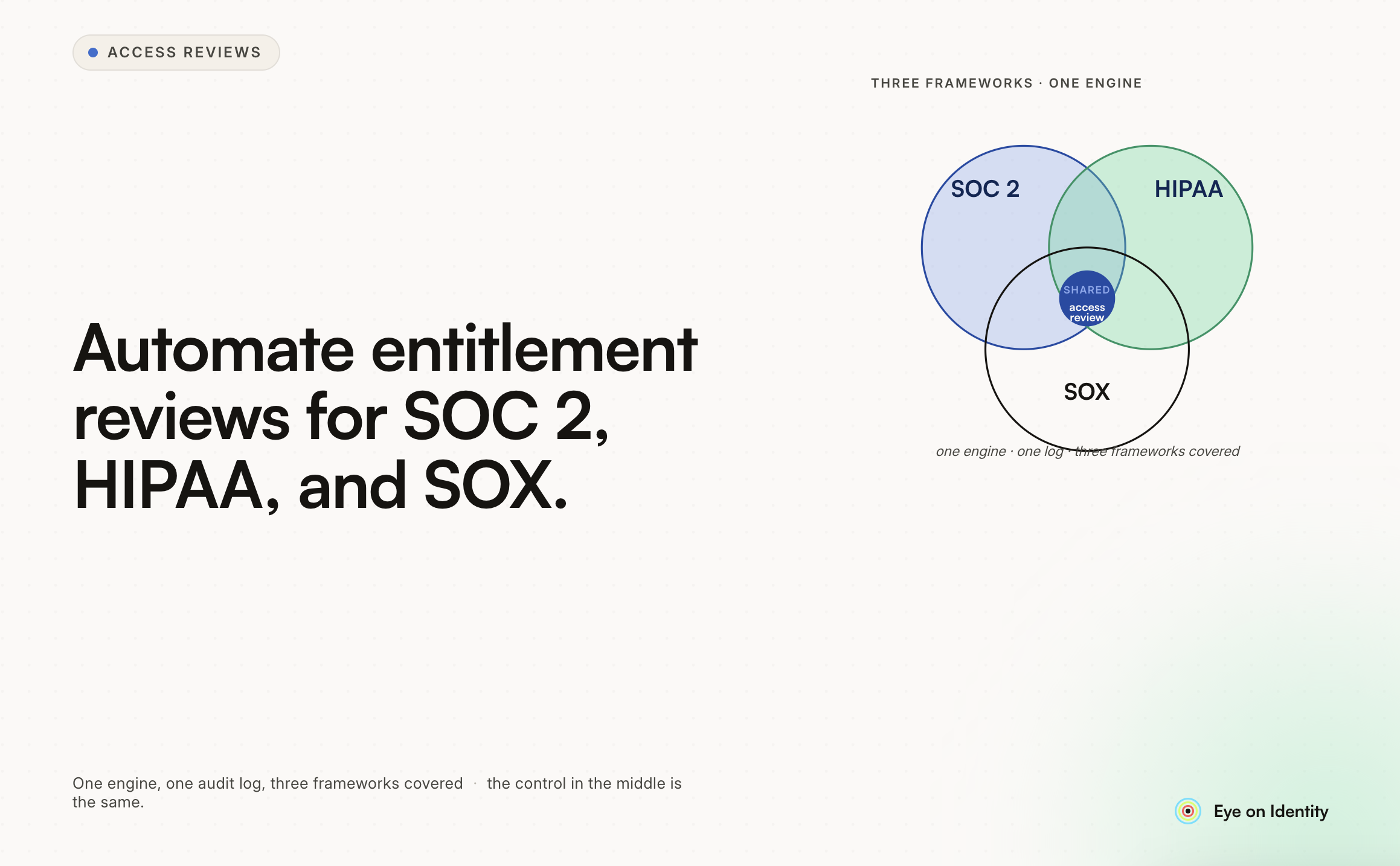


Manual access and entitlement reviews — exporting user lists, distributing spreadsheets to managers, chasing responses, manually revoking access for flagged users, and then trying to produce evidence that satisfies auditors — are a significant operational burden that compounds as the application estate grows. The organizations that have moved past this model have replaced the manual steps with automation that produces better evidence, runs more consistently, and requires less human effort at each cycle. Here’s what the automation actually looks like and what to evaluate when choosing a tool.
What Are the Specific Steps That Automation Replaces? The manual access review process has five distinct steps, each with its own failure mode. Understanding which steps benefit most from automation helps evaluate tools based on what they actually address. Step 1: Data Collection (Export the User List) Manual: Export user lists from each application separately, pull HRMS data, pull IdP data, reconcile across sources in a spreadsheet. This is the most time-consuming step and the one that produces the most errors — exports are stale by the time they’re distributed, different sources use different user identifiers, and the reconciliation is manual and error-prone. Automated: A governance platform pulls current access data from connected applications via API in real time at the start of a review campaign. The data is always current, it’s reconciled automatically against HR records, and the application inventory covers not just SSO-connected applications but the full estate discovered through browser agents, financial data, and direct integrations. Step 2: Reviewer Assignment Manual: Identify the right reviewer for each application or user population, email them a spreadsheet, track who’s responded. No mechanism to escalate when reviewers don’t respond. Automated: Reviewer assignment is configured by rule — the user’s direct manager for user-level reviews, the application owner for application-level reviews. The platform sends structured review tasks via email or Slack integration. Reminders go out automatically as the deadline approaches. Unresponsive reviewers are escalated to fallback reviewers automatically after a defined window. Step 3: Review Execution Manual: Manager opens spreadsheet, clicks through names with no context, approves everything because they don’t know what access each name represents. Automated: Reviewer sees each access record with context: last login date, assigned role, usage frequency, peer comparison. The decision interface requires a formal choice for each record — approve, modify, or revoke — and can require a written justification for revocations. Reviews can’t be submitted without covering each record. Step 4: Remediation Manual: IT admin receives a list of revocations from the spreadsheet, manually removes access from each application one by one, no systematic tracking of whether all revocations were executed. Automated: When a reviewer marks access for revocation, the governance platform executes the deprovisioning action via API automatically. Completion is recorded with a timestamp. For applications without API access, a structured task is generated with an assigned owner, deadline, and required completion confirmation. Step 5: Evidence Generation Manual: After the review, someone compiles the spreadsheet responses, the email chain, and any deprovisioning confirmations into a document package that may or may not satisfy the auditor. Automated: At campaign close, the governance platform generates a non-editable report capturing all review decisions, reviewer attributions, timestamps, justifications, and remediation confirmations. The report is formatted for the specific compliance framework — SOC 2, HIPAA, SOX — and is available immediately without manual assembly.
What Are the Framework-Specific Requirements? SOC 2 Type II SOC 2 Type II auditors examine access reviews as part of the Logical and Physical Access Controls category. The specific evidence requirements: reviews must occur within the defined interval (typically quarterly for high-risk systems, annually for others), reviewer decisions must be documented per access record, revocations must be confirmed as executed, and the evidence format must demonstrate that it wasn’t modified after the review closed. The non-editable timestamp requirement is where manual processes most often fail SOC 2 audits. HIPAA HIPAA’s Security Rule requires covered entities and business associates to implement procedures to review information system activity records and to authorize access to ePHI. Access reviews for systems that process, store, or transmit ePHI need to cover the full user population with access to those systems, including workforce members, contractors, and business associates. Automation for HIPAA-relevant systems needs to handle the population of users who may not be in the primary HR system — contractors, third-party access, business associate personnel — which manual processes consistently miss. SOX SOX access reviews focus on financially significant systems — ERP, financial consolidation, reporting tools — and have the strongest requirement for reviewer qualifications and decision documentation. SOX auditors look for evidence that reviews are conducted by individuals with appropriate authority and knowledge (application owners, business process owners, not just IT), that decisions are made with genuine evaluation rather than rubber-stamping, and that segregation of duties violations are identified and remediated. The activity data that automation provides to reviewers is particularly valuable for SOX, because it gives reviewers a basis for meaningful decisions rather than requiring them to evaluate names on a list with no context.
What Should You Look for in an Access Review Automation Tool? Multi-Source Discovery, Not Just IdP Export A tool that only pulls data from your IdP is missing the 40-60% of applications that aren’t connected to SSO. The discovery question — how does the tool know about applications outside your formal SSO perimeter? — is the first evaluation criterion. Browser agents, financial data integration, and direct application APIs are the signal sources that close this gap. Real-Time Data, Not Snapshots A review based on a snapshot taken at campaign launch is already out of date by the time reviewers respond. Look for tools that pull live data from connected applications at the point of reviewer action rather than distributing a static export. Permission-Level Detail, Not Just Account Existence For SOX and HIPAA purposes especially, the tool needs to surface what users can do within an application, not just that they have an account. Salesforce permission sets, GitHub repository permissions, AWS IAM role assignments — the entitlement layer matters as much as the access layer. Automated Deprovisioning With Confirmation Verification that revocations were actually executed, not just decided, is what closes the audit loop. Look for tools that confirm deprovisioning completion via API and generate a record that links the review decision to the confirmed execution. Non-Editable Evidence Format The report format needs to be one that auditors accept as tamper-evident. System-generated PDFs with digital signatures or immutable audit logs meet this bar. Spreadsheets and email chains don’t.
What’s the Realistic Implementation Path? For organizations moving from manual reviews to automated: Start with the highest-risk, highest-compliance-priority applications. Getting SOX-scoped applications and HIPAA-covered systems automated first produces the most compliance value and builds operational familiarity with the platform. Get the reviewer workflow right before expanding scope. The reviewer experience — how tasks are delivered, what context is provided, how decisions are captured — determines whether reviewers engage meaningfully or rubber-stamp. Iterate on this before adding more applications to the scope. Verify evidence format with your auditors before the first automated review cycle closes. The last thing you want is to run a full automated review and discover that the output format doesn’t satisfy your specific auditor’s expectations. Run one cycle manually in parallel with the first automated cycle. This is extra work, but it lets you verify that the automated process produces accurate results before you rely on it exclusively for compliance evidence.



.svg)











