
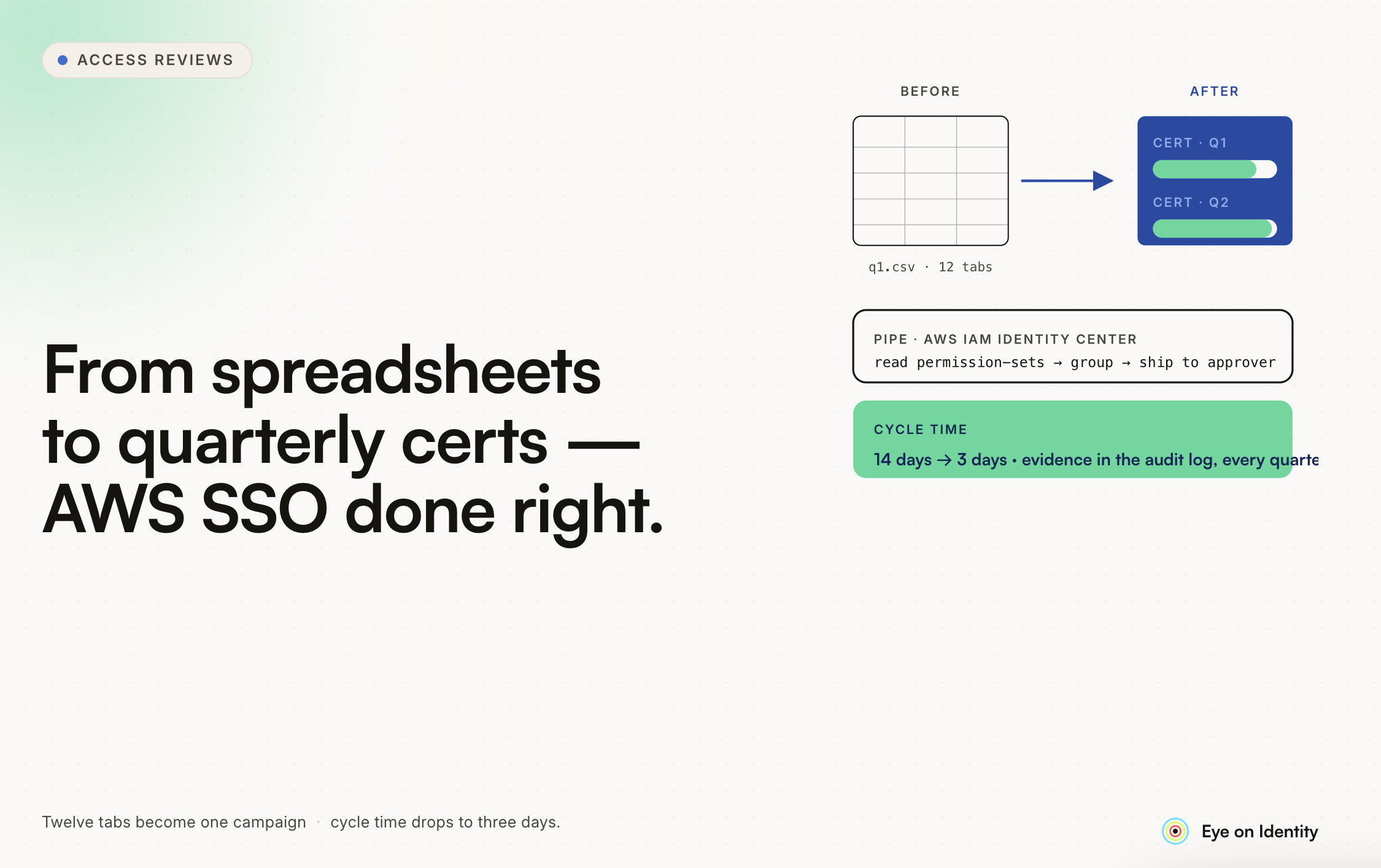


If you've just finished a manual AWS SSO access review — cross-referencing spreadsheets of users, departments, job titles, account assignments, and permission sets — and you've been told it's going to be quarterly from now on, the instinct to find a better way is exactly right.
The manual approach doesn't just feel painful; it produces reviews that are less accurate and less defensible than they should be. Spreadsheets go stale the moment you export them, the cross-referencing between user metadata and AWS entitlements is error-prone at scale, and the evidence you're producing doesn't clearly demonstrate to auditors that a meaningful review occurred rather than a data processing exercise.
Here's what automating this actually looks like.
Why AWS SSO Reviews Are Particularly Manual Without Tooling
The specific challenge with AWS IAM Identity Center is that meaningful access review requires combining data from multiple sources that don't naturally talk to each other.
Your identity provider or directory knows who your users are, what department they're in, and who their manager is. AWS IAM Identity Center knows which permission sets each user or group has assigned to which AWS accounts. Neither source alone answers the review questions you need to answer: does this user's department and job function warrant this level of access to this AWS account?
Answering that manually means exporting from both sources, joining the data, and then working through the combined view to make access decisions. The joining step is where the manual work lives — and it's the step that automation eliminates by doing the join continuously rather than as a periodic manual exercise.
Step One: Connect Your Identity Source and AWS
The foundation of automated AWS SSO reviews is connecting both data sources — your user directory and AWS IAM Identity Center — to a governance platform that can maintain a continuously updated, joined view.
For the user side, the connection is typically your identity provider (Okta, Entra ID) or your HRMS (Workday, BambooHR), which provides the attributes you need for meaningful review: department, job title, reporting manager, employment status. These attributes drive reviewer assignment (who reviews which users) and review context (what each user's function should suggest about their access).
For the AWS side, the connection uses a custom IAM role that grants the governance platform read access to discover users, group memberships, and permission set assignments across your AWS Organization. This pulls the entitlement data that currently lives in your spreadsheet export directly and continuously, rather than as a point-in-time snapshot.
Once both sources are connected, the platform maintains a joined view automatically. The department-and-job-title lookup that currently takes you hours of spreadsheet work is done continuously in the background.
Step Two: Set Up the Quarterly Campaign and Automate Reviewer Assignment
Once your data sources are connected, configuring the quarterly cadence is straightforward. The first campaign becomes the reference point — the platform uses it to automatically launch subsequent campaigns every three months, notify reviewers when a new cycle begins, and track completion against the defined schedule.
Reviewer assignment can be automated from the user metadata you've connected. Reviews route automatically to each user's reporting manager, so you don't manually determine who reviews which access — the organizational hierarchy from your directory drives the assignment. For AWS-specific reviews where the application owner or AWS account owner may be better positioned to evaluate access than the reporting manager, role-based assignment to the AWS account owner is an alternative routing option.
Step Three: Give Reviewers Context That Makes Decisions Fast
The mind-numbing quality of manual AWS SSO reviews comes from the combination of volume and context-switching: hundreds of rows, each requiring you to look up who the person is, what they do, whether their current access makes sense for their role, and whether they've even been using it.
Automated review interfaces change this by presenting all of that context in a single row alongside the access decision. The reviewer sees: user name, department, job title, which AWS accounts they're assigned to, which permission sets, when they last accessed AWS, and whether their access level is typical for others in their department.
The last-login data is particularly high-impact for AWS reviews. A user with Administrator access to a production AWS account who hasn't logged in for 90 days is a clear revocation candidate. A user who logs in daily and whose access matches their department's standard pattern is a quick approval. Surfacing this distinction in the interface rather than requiring the reviewer to derive it from a spreadsheet is what makes automated reviews faster and more accurate than manual ones.
Activity-based recommendations — "this access hasn't been used in 60 days, consider revoking" or "access matches peer patterns in this department, likely appropriate" — reduce the cognitive load on reviewers even further and concentrate manual decision-making on the access that genuinely warrants evaluation.
Step Four: Close the Loop Between Decision and Action
For your quarterly AWS reviews, the remediation step — actually removing access for users whose access is revoked — is where manual processes most commonly fail. Either it's a separate manual process that happens after the review (with the gap between "decided to revoke" and "access removed" being an audit risk), or it doesn't happen at all until the next audit catches the stale revocation decisions.
Automated remediation triggers the deprovisioning action via AWS API the moment a reviewer marks access for revocation. For AWS IAM Identity Center, this means removing the user from the relevant group or directly revoking the permission set assignment — executed immediately, logged automatically, and confirmed in the audit trail.
The evidence package at the close of the campaign — a non-editable, timestamped report showing who reviewed, what they decided, any justifications provided, and confirmation that revocations were executed — is what transforms your quarterly review from a compliance exercise into demonstrable control evidence. For SOC 2, ISO 27001, or any framework requiring periodic access reviews, this is the format auditors need.
What the First Automated Quarterly Review Looks Like
Implementation timeline for connecting AWS IAM Identity Center and setting up your first automated review campaign is typically measured in weeks rather than months — the integration uses a standard IAM role configuration, and the campaign setup is configuration work rather than custom development.
The first campaign establishes your baseline: all users with AWS SSO access, their current permission set assignments, and a review record that documents each decision. After that, the quarterly cadence is automated — the platform launches the next campaign, notifies reviewers, escalates for non-responses, and generates the evidence package at close.
What you stop doing: exporting spreadsheets, manually joining user metadata with AWS entitlement data, distributing review lists to managers and chasing responses, manually processing revocation decisions, and assembling evidence documentation after the fact.
What you start doing instead: reviewing the exceptions the platform surfaces, handling the edge cases that automated assignment doesn't resolve, and managing the governance program rather than executing each review cycle from scratch.
The difference in hours is significant. The difference in review quality — complete data, consistent reviewer context, closed-loop remediation, and audit-grade evidence — is what makes it worth the setup investment beyond just the time savings.



.svg)











