
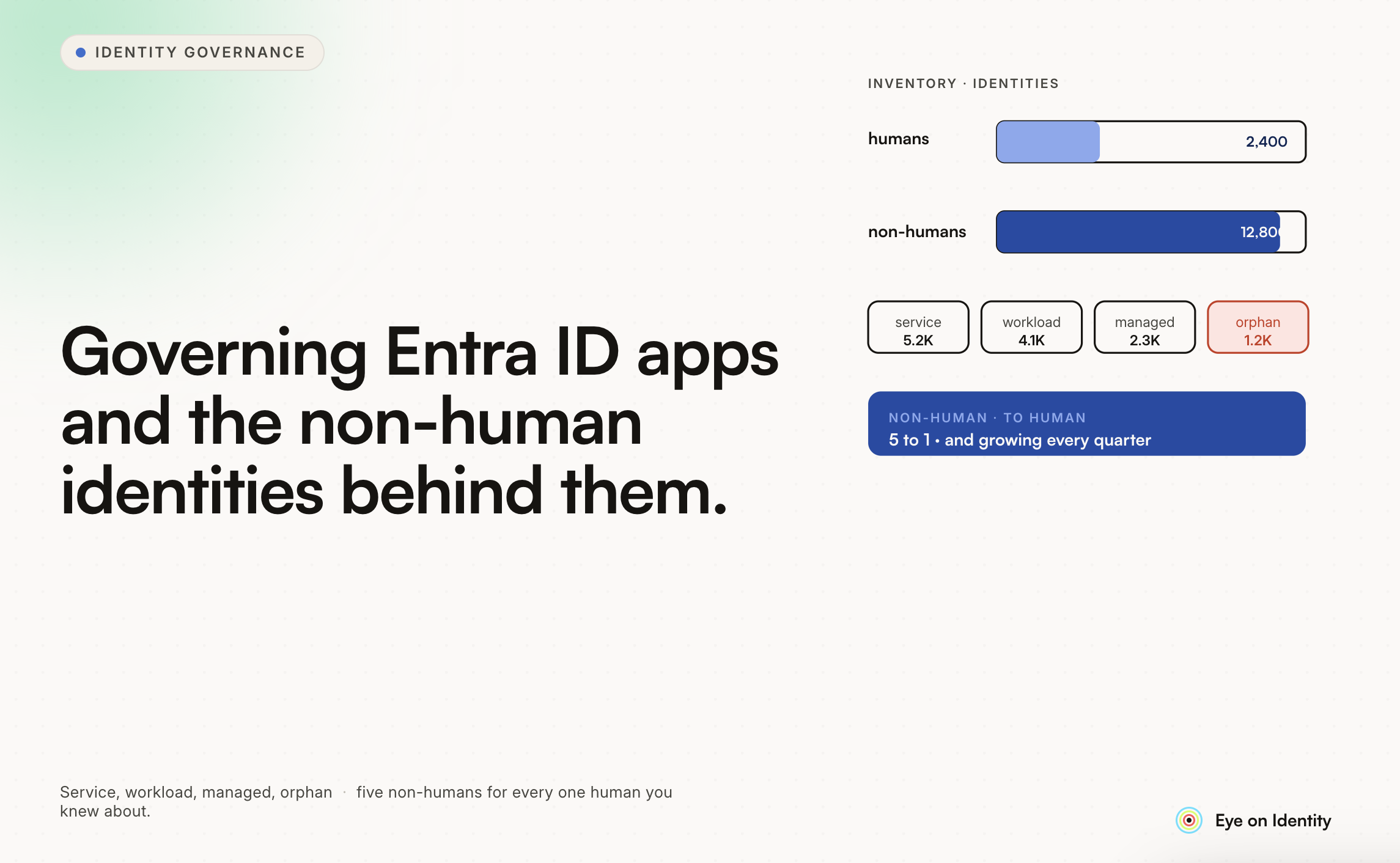


The visibility gap you're describing in Entra ID is more common than most organizations realize, and it's a genuine security blind spot. MFA, Conditional Access, and EDR are all designed around human identities and human interaction patterns. None of them are watching what applications registered in your tenant can do — what API permissions they hold, whether their secrets are expired or exposed, whether they're still actively used, or whether the permissions they were granted are proportionate to their actual function.
Application registrations and service principals in Entra ID accumulate over time in ways that user accounts don't. Every SaaS integration, every developer tool, every third-party connector that someone set up and forgot about leaves an application registration with whatever permissions were granted at setup. Those permissions don't expire by default, the application continues to exist even if the project it was created for ended years ago, and nobody typically reviews them unless someone specifically goes looking.
Here's what teams that have actually gotten governance over this do.
Start With a Complete Inventory
The first step is knowing what exists. In a tenant that hasn't been actively managed, the application inventory is typically larger than expected — and contains applications from several different categories that require different governance approaches.
Enterprise applications are the SaaS and third-party applications that have been granted access to your tenant, either through user consent or admin consent. These include legitimate, actively used business tools alongside forgotten integrations from past projects and applications that individual users connected to their own accounts.
Application registrations are the applications registered within your tenant — typically internal applications your developers have built, or applications used as service identities for automation and integrations. These often have client secrets that expire and need rotation, and they may have API permissions granted broadly at setup that were never right-sized.
Service principals are the identities that enterprise applications create in your tenant when they're given access. The service principal is what actually holds the permissions — and it persists even if the application is no longer in active use.
The fastest way to get an initial inventory is through Microsoft Graph API queries or PowerShell. For the enterprise application inventory: Get-AzureADServicePrincipal -All $true gives you the full list, and you can filter the output to surface applications with OAuth permission grants. For application registrations with expiring secrets: the Azure portal's App Registrations section shows credential expiry, though navigating this at scale requires scripting.
For ongoing visibility beyond a one-time snapshot, Microsoft Entra ID's built-in monitoring has improved significantly and is worth evaluating before adding external tooling — specifically the Application Management dashboard and the Workbooks for application credential activity.
Prioritize by Permission Scope
Once you have the inventory, the evaluation question for each application is whether the permissions it holds are proportionate to its actual function. This is where the security risk lives: applications with broad API permissions represent persistent access to your tenant's data that exists regardless of whether the application is actively used or whether the developer who set it up is still at the organization.
The Microsoft Graph API permissions to prioritize for review are the ones with .All in the name or that enable reading, writing, or deleting across the tenant:
- Files.ReadWrite.All — read and write access to all files in the organization
- Mail.Read or Mail.ReadWrite — access to email across the tenant
- User.Read.All — read all user profiles in the directory
- Directory.ReadWrite.All — read and write access to directory data
- Application.ReadWrite.All — ability to create, modify, and delete application registrations
Any application holding these permissions deserves scrutiny regardless of whether you recognize the application name. The question is whether the application's actual function requires tenant-wide access, or whether user-scoped permissions would serve the same purpose with less risk.
For application registrations you own: review whether the permissions granted match what the application actually uses. Microsoft's unused permissions analysis (available through the Azure portal for service principals) can show which permissions have been granted but haven't been exercised in the last 90 days — a starting point for right-sizing.
Enforce Ownership and Accountability
A significant part of the governance problem is that many applications have no clear owner — the person who created the registration or set up the integration has left, changed roles, or simply isn't tracking the application anymore.
Formally assigning owners to every application in your tenant is the prerequisite for meaningful ongoing governance. Without an owner, nobody reviews the application when it comes up in an access review, nobody notices when its secret is about to expire, and nobody can answer when a security team asks what the application is actually doing.
The practical approach for existing applications without owners: use the age of the application registration, the last activity date of the user who created it, and whether that user is still at the organization as a triage mechanism. Applications created by people who have left and showing no recent activity are prime candidates for investigation and potential removal.
For new applications: enforce the organizational policy that every application registration must have at least one owner specified before deployment, and that the owner's responsibilities include reviewing the application's permissions periodically.
Manage Secrets Before They Become Incidents
Expired application secrets are a common operational problem but also a security concern: secrets that have been rotated but not properly cleaned up, or that were generated and shared in ways that aren't tracked, represent persistent access risk.
The priority list for secret management:
Expired secrets that haven't been rotated: the application may no longer be functional, or it may be using a different secret mechanism. Either way, the expired credential in the registration is worth investigating.
Secrets with no expiry set: application secrets can be created with no expiration date, which means they persist indefinitely. Identifying these and establishing rotation policies is a baseline security hygiene step.
Secrets that have been rotated recently: secrets rotated but not updated in the consuming application will cause the application to fail — knowing about upcoming and recent rotations helps correlate incidents.
Microsoft Entra's credential activity report shows secret usage patterns per application, which helps identify secrets that were created but never used, or that were last used unexpectedly long ago.
Review High-Privilege Applications Regularly
The application inventory and permission review are a starting point. Keeping governance current requires recurring access certifications scoped to high-privilege applications — structured reviews where designated owners evaluate whether the application's permissions remain appropriate and whether the application is still actively used.
For applications with broad API permissions (any of the .All permissions listed above), quarterly review is appropriate. For standard business application integrations with user-scoped permissions, annual review is typically sufficient.
The review process for applications is different from reviewing user access: you're evaluating whether the application still has a legitimate business purpose, whether the permissions are proportionate to that purpose, and whether the secrets are properly managed. Application owners who don't interact with these registrations daily need context to make meaningful review decisions — specifically, last activity data, what the application does, and what permissions it holds.
Automate What You Can
The gap between knowing about risky configurations and actually remediating them is where many governance programs stall. Manual remediation of a large application inventory is slow, and the risk exists from the moment of discovery until the remediation is complete.
For high-confidence remediation (expired and unused applications with no recent activity and no current owner), automated remediation can safely remove applications that meet defined criteria. For applications with active usage or current owners, automated alerting that triggers a review workflow is more appropriate than direct removal.
Microsoft Entra lifecycle workflows can automate some credential rotation reminders and expiry notifications. For more comprehensive automation — policy-driven remediation, access certification campaigns for applications, and governance workflows that trigger from risk signals — dedicated identity governance platforms provide the workflow layer that native Entra tools don't.
The Ongoing State
Getting initial visibility is a one-time project. Keeping governance current is an ongoing operational capability that requires:
- Regular discovery runs to catch new applications added outside formal processes
- Recurring reviews of high-privilege applications
- Automated alerting for new admin-consent grants
- Secret rotation monitoring with defined response SLAs
- Owner accountability mechanisms that ensure reviews actually happen
The organizations that have gotten real governance over their Entra application estate have treated it as an operational program rather than a one-time audit — with defined ownership, scheduled reviews, and monitoring that surfaces new issues as they emerge rather than discovering them during the next annual assessment.



.svg)











