
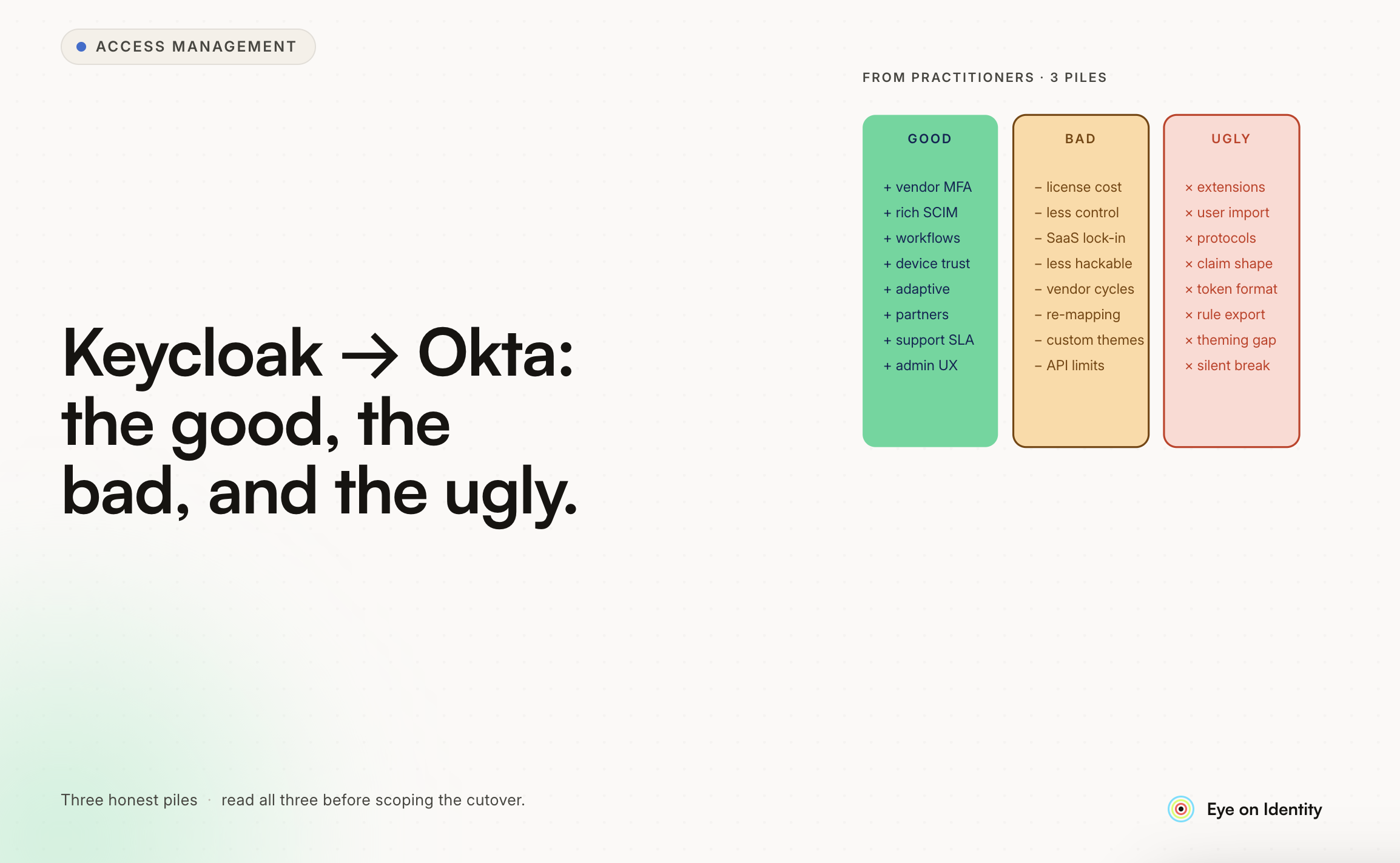


Migrating from a self-hosted Keycloak setup to Okta is a significant architectural decision, and the right answer depends heavily on what's actually causing you pain versus what's working fine. Your situation — stable but clickops-heavy, no automation, no audit trail, running on EC2 instances — describes the classic case where Okta's value proposition is real. But the specifics of your stack (Terraform-first, Kubernetes-heavy, LDAP integration) are worth examining against what Okta actually provides.
Here's an honest breakdown based on what engineering teams consistently report.
The Good
API-First Architecture That Works With Terraform
This is Okta's strongest alignment with your existing workflow. Okta is designed as an API-first platform, and the Terraform provider (maintained by Okta) is mature and well-documented. If your team is managing hundreds of Terraform repositories and treating infrastructure as code, Okta fits naturally into that model in a way that Keycloak simply doesn't.
Practically what this means: Okta resources — applications, groups, policies, authorization servers, users — are fully manageable through Terraform. Initial configuration, application onboarding, policy changes, group management — all of it can be code-reviewed, version-controlled, and applied through your existing GitOps workflow. The shift from clickops to code is genuine, not just marketing.
The machine-to-machine (M2M) authentication model for service-to-service connections is also well-suited to Kubernetes and microservices environments. OAuth 2.0 client credentials flow for service accounts is clean and doesn't depend on any specific admin user's session — which matters when you're running automated deployments that need stable, user-agnostic credentials.
Elimination of Infrastructure Maintenance
Running Keycloak on EC2 instances means patching, scaling, monitoring uptime, managing the Java runtime, and handling Keycloak upgrades — all work that doesn't directly add identity capability, it just maintains the platform you're already running. Moving to Okta as a SaaS platform eliminates this maintenance layer entirely. Okta handles uptime, redundancy, and platform upgrades. You're paying for identity capability, not for the privilege of managing the infrastructure that provides it.
For a team that's already stretched managing substantial Kubernetes infrastructure via Terraform, eliminating a separate system to run and maintain has real operational value.
Near-Real-Time Lifecycle Events
Okta supports webhook-based event triggers for lifecycle events — user creation, deactivation, group membership changes. This is meaningfully different from scheduled polling syncs. For automated systems that need to respond quickly to identity changes (access changes propagating to downstream systems, onboarding workflows triggering off a hire event), webhook triggers enable near-real-time response rather than waiting for a sync cycle.
The Bad
API Token Management Has Footguns
This is a well-documented pain point that teams hit early in Okta deployments. Okta API tokens are tied to the admin user account that created them — they inherit that user's permissions, and they become invalid if the admin account is deactivated, locked, or the password is reset under certain conditions.
In practice, this means: if the engineer who set up your Okta integrations leaves, and their Okta account gets deactivated as part of offboarding, every integration using a token they generated breaks simultaneously. In a Terraform-heavy environment where you have integrations set up across many services, this can be a significant incident.
The mitigation is to use Okta service accounts specifically for API token creation — accounts that aren't tied to any individual person, won't be deprovisioned when an employee leaves, and have a managed credential lifecycle. Setting this up correctly from day one avoids the problem; discovering it after the fact is painful.
OAuth 2.0 service applications (the alternative to API tokens for many use cases) don't have this limitation and are the preferred approach for new integrations. The Terraform provider documentation is clear about which authentication method is appropriate for which scenario.
Okta's Governance Features Have Limits
Okta has been expanding into identity governance with access request workflows, access certifications, and lifecycle management features. These are real and improving. But for organizations with stringent audit requirements — SOC 2 Type II, ISO 27001, or regulated industry compliance — the limitation is architectural: Okta is the system that grants access, and using it as the primary platform to certify whether that access is appropriate creates a maker-checker independence gap.
For compliance auditors evaluating access review controls, the system certifying access and the system provisioning access being the same platform is sometimes accepted and sometimes flagged, depending on the auditor and the framework. If this matters for your compliance posture, a separate governance layer (SailPoint, Saviynt, or next-gen alternatives) provides the independence that makes the access certification evidence cleaner.
Visibility Into Non-Okta Applications
Okta knows about the applications that are configured in Okta. It doesn't know about applications your team or employees are using that haven't been formally onboarded — personal AI tools, SaaS subscriptions purchased by individual teams, legacy systems with local authentication. If you're not planning to onboard all your applications through Okta SSO, the applications that stay outside Okta are invisible to Okta's lifecycle management and access governance.
For a small engineering team with a well-controlled application estate, this is manageable. For organizations with active SaaS adoption outside IT control, it's a gap worth acknowledging up front.
The Ugly
Integration Complexity for Non-Standard Applications
Your specific pain point — the hundreds of emails with Visual Paradigm Online Teamwork — reflects a pattern that doesn't automatically disappear with Okta. For SaaS applications that have poor SSO documentation, inconsistent SAML or OIDC implementations, or vendor support teams who aren't experienced with Okta specifically, the integration work can still be challenging.
Okta's application catalog is large and many common SaaS applications have pre-built, tested integration templates (OINs). Popular applications like Slack, AWS, GitHub, and similar tools are straightforward. Niche or specialty applications with limited Okta experience on the vendor side can still require significant back-and-forth — you're just doing that work with Okta as the IdP instead of Keycloak.
The general pattern is that Okta makes the configuration on your side significantly easier, but it doesn't change the quality of documentation or SSO support on the vendor's side.
Pricing Complexity
Okta's pricing model has multiple tiers, and the features you'll actually want are spread across them in ways that aren't always obvious from initial conversations. Lifecycle Management (the module that gives you HRMS-triggered provisioning and deprovisioning) is a separate add-on. Identity Governance features are additional. Device Trust and Conditional Access features have licensing dependencies.
Get explicit pricing for your specific use cases before signing — including the modules you'll need for automation, governance, and device access — rather than assuming the base Workforce Identity plan covers what you need.
Answering Your Specific Questions
Can You Get Rid of External LDAP?
Yes, in most cases. Okta's Universal Directory replaces external LDAP as the central user repository for modern applications. For legacy applications that specifically require LDAP queries (rather than OIDC or SAML), Okta provides an LDAP Interface that allows those applications to query Okta as if it were a standard LDAP directory. This lets you migrate your Keycloak + external LDAP setup to Okta without having to simultaneously modernize every legacy application that uses LDAP.
Since you mentioned newer applications are OIDC-based and LDAP is only used for legacy, the LDAP Interface gives you a clean migration path: new applications use OIDC via Okta, legacy applications use the Okta LDAP Interface, and you eventually retire the separate LDAP infrastructure as legacy applications are replaced.
What Services Are Actually Valuable?
Lifecycle Management (LCM) is consistently identified as the highest-value module for teams migrating from manual provisioning. The ability to connect your HRMS (or your own HR data source) as the trigger for onboarding and offboarding — creating accounts and provisioning access automatically on a new hire's start date, revoking access automatically on departure — eliminates a significant category of manual work. For a team that's already Terraform-proficient, the LCM configuration is approachable.
Device Trust / Conditional Access is valuable if you need to enforce that SaaS applications are only accessible from enrolled, managed devices. The integration with Jamf (for Mac) or Intune (for Windows/cross-platform) lets Okta Conditional Access policies reference device compliance state — blocking access from unmanaged personal devices. This is a common security requirement and is cleanly handled by the Okta + MDM combination.
Advanced Server Access (ASA) is worth evaluating if you have significant EC2 or cloud server infrastructure where SSH and RDP access needs to be governed. It's a separate product but integrates with Okta identity for server-level access control.
What's the Maintenance Reality?
Teams that have invested in Terraform for Okta management consistently report lower maintenance overhead than Keycloak — primarily because the infrastructure maintenance disappears and the policy/configuration work is code-manageable. You're not running a server; you're managing configuration.
A dedicated IAM administrator (or a partial allocation of an existing engineer's time) is typically sufficient for ongoing Okta management in organizations of your described scale. The maintenance is primarily policy updates, new application onboarding, group structure changes, and handling the occasional integration issue — not platform operations.
The Terraform-first approach pays dividends here: changes go through code review rather than direct UI changes, the history is in version control, and rollbacks are possible. Teams that use clickops for Okta management do report higher maintenance burden and more frequent configuration drift.
The Bottom Line
For a team with your profile, Terraform-native, Kubernetes-heavy, stability-focused but tired of clickops and the maintenance overhead of self-hosted Keycloak — Okta is a well-matched solution. The API-first architecture, mature Terraform provider, and LDAP Interface for legacy application compatibility address your specific constraints well.
The implementation investment is real: initial configuration, application migration, setting up API token management correctly, and integrating with your HRMS for lifecycle automation all take time. Teams that have done this migration report the upfront investment paying off within 3-6 months through reduced manual work and eliminated infrastructure maintenance.
If your compliance requirements eventually include independent access certifications, plan for a governance layer alongside Okta from the start — it's easier to design for it initially than to add it later.



.svg)











