
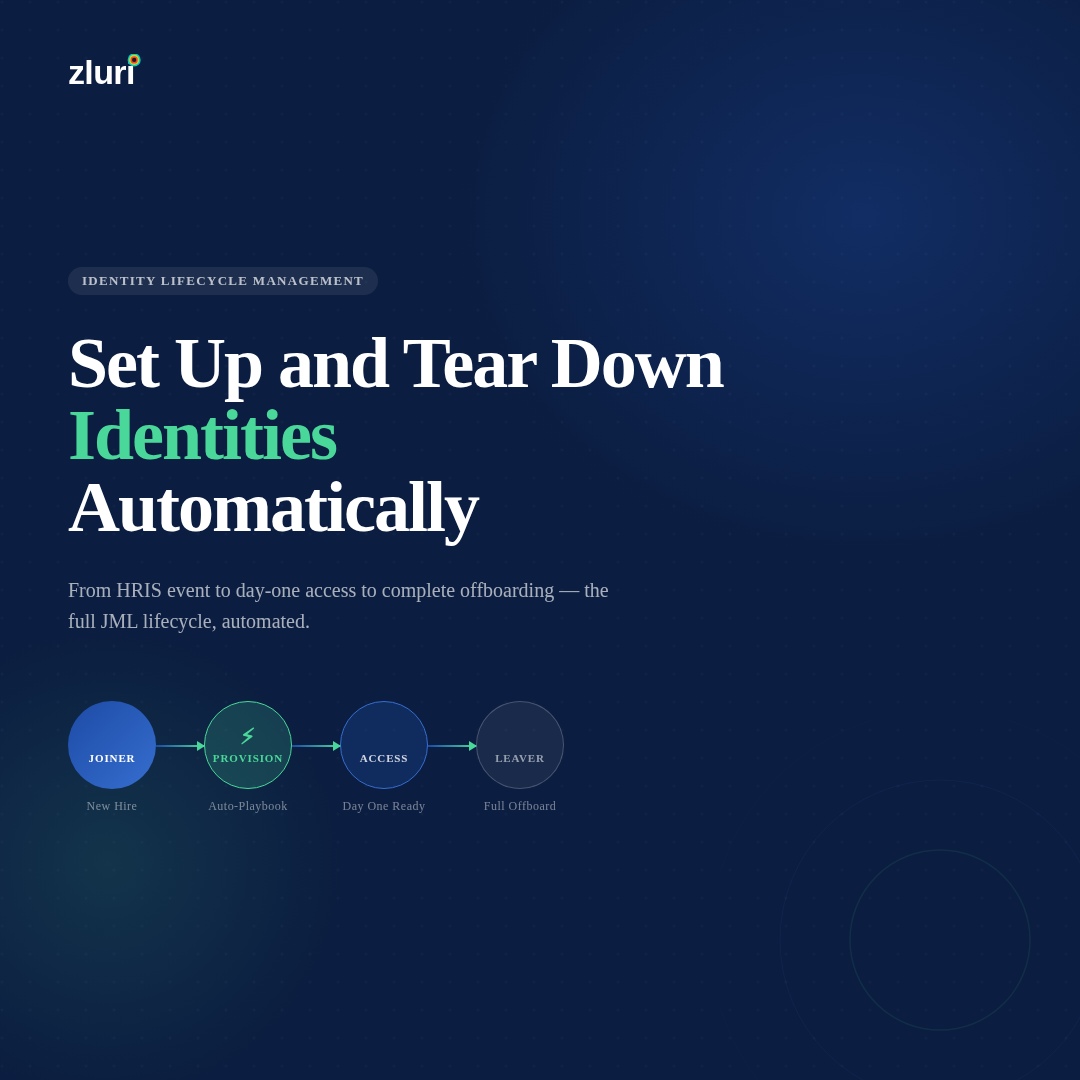


Setting up new employees and tearing down their access when they leave is one of the most time-consuming recurring tasks in IT, and it's one of those problems where the amount of effort involved is completely disproportionate to the value it creates. Nobody gets credit for a smooth onboarding. The manual work is invisible until something goes wrong — a new hire can't log in on day one, or a terminated employee still has access three weeks after they left. If your boss has given you authority to look into tools that could help, the category to look at is Identity Lifecycle Automation.
How IT Teams Are Actually Handling Provisioning Right Now
The r/sysadmin thread this question generated is worth reading in full, because it captures the realistic range of approaches in production. Almost nobody is doing this perfectly. Most teams are somewhere on a spectrum between "fully manual and chaotic" and "mostly automated with some manual gaps."
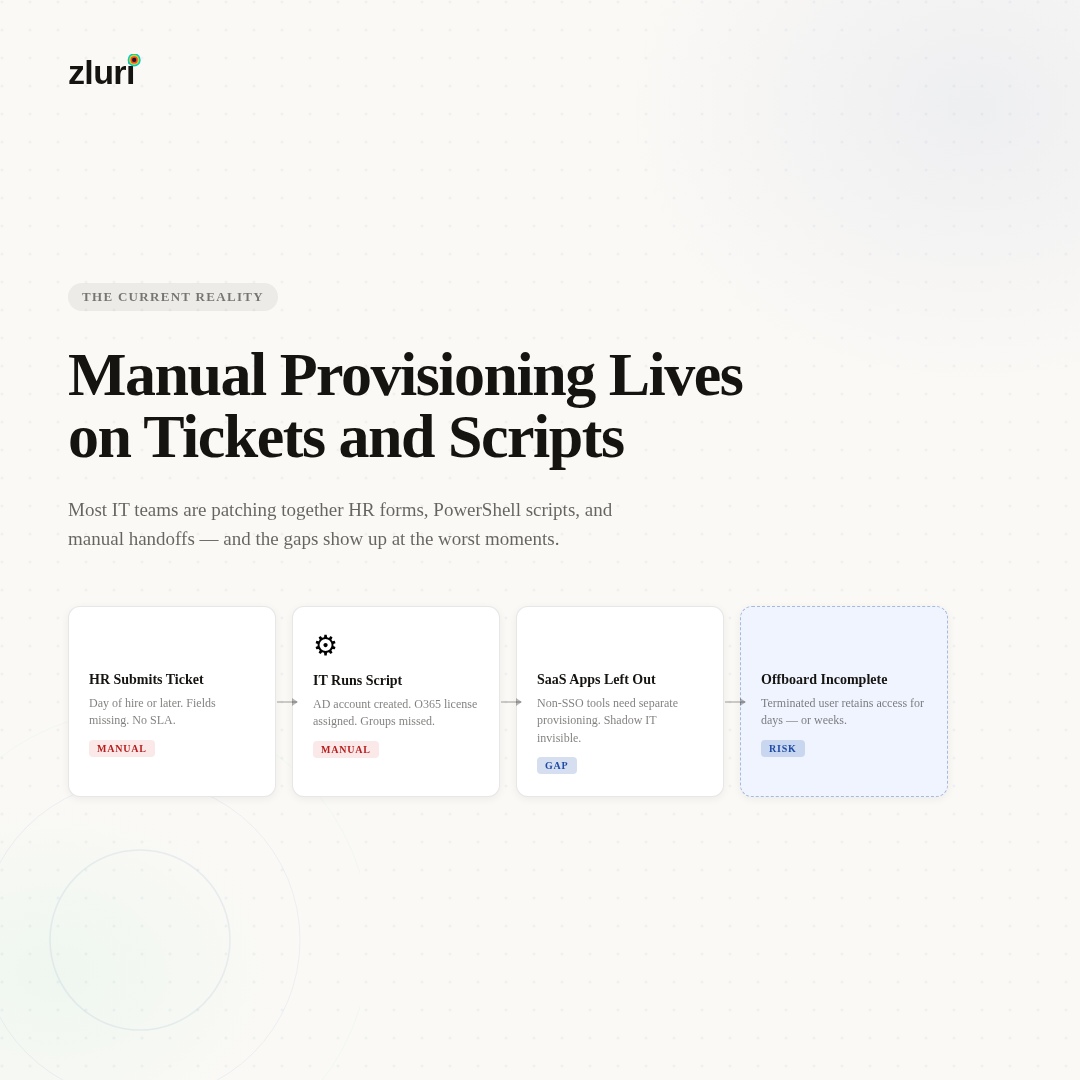
The most common setup described: HR submits a ticket (or an email, or fills out a form), IT receives it, someone runs a PowerShell script or manually creates the AD account, groups are assigned, O365 licensing is applied, and the rest of the provisioning happens either automatically via SSO group membership or manually via separate requests to each system owner. Terminations follow a similar path in reverse — usually slower, often incomplete.
One commenter described their streamlined version: HR fills out an MS Form, Power Automate kicks off a Spiceworks ticket with all fields pre-filled, and IT reviews before taking action. Another team went further — full automation up to AD account creation and E2 license assignment, with manual group assignment and OU move afterward. The consensus in the thread is that most teams are doing some combination of PowerShell, forms, and manual steps, and everyone is looking for the version that removes the manual steps they find most painful.
The commenter who cut through the noise most clearly said it plainly: this is Identity Lifecycle Automation, and the first step is understanding the concepts before sizing the tools. Then — critically — it's a conversation with HR, because automating the technical steps without including the business process is just faster PowerShell scripts that still depend on a human to trigger them.
Why PowerShell Scripts and MS Forms Only Get You Partway
PowerShell is powerful and genuinely solves part of the problem. Several commenters described robust scripts that create AD accounts, assign licenses, revoke Azure tokens, remove Intune device enrollments, give managers mailbox permissions, and send termination notices — all automatically. That's real automation and it saves significant time.
The ceiling on scripts is that they're triggered by humans and maintained by humans. A PowerShell script that runs when IT receives a ticket is still dependent on HR submitting the ticket, IT receiving it, and someone deciding to run the script. When HR doesn't submit until the day someone starts — a complaint that appears in nearly every thread on this topic — the script being fast doesn't solve the timing problem.
Scripts also don't handle the SaaS stack that doesn't touch AD. One commenter noted that their SSO setup meant disabling an AD account covered a lot of the offboarding work automatically — every app connected through SSO is cut off when the identity provider account is disabled. That's the right approach for federated apps. The remaining problem is the apps that aren't federated: the ones that use separate credentials, the legacy systems managed by DBAs, and the shadow IT tools that employees adopted without IT involvement. Those don't get covered by an AD script.
Okta came up repeatedly as a significant step up from pure script-based provisioning. With Okta's provisioning agent and SCIM integrations, onboarding and offboarding can become nearly invisible for the service desk — one commenter noted that their helpdesk has nothing to do with onboarding anymore, except for legacy apps that can't sync with Okta. That's a meaningful improvement. The remaining gap is the non-SCIM apps and the absence of a discovery mechanism to catch shadow IT at offboarding.
BetterCloud, Adaxes, ADManager Plus, and GAT Flow (for Google Workspace environments) all got mentions as tools that handle specific parts of the problem well. Microsoft Identity Manager came up as a concept more than a recommendation — most commenters noted that the implementation complexity is high and the documentation is Microsoft-level dense, which has pushed teams toward PowerShell and third-party tooling instead.

What Full Identity Lifecycle Automation Actually Looks Like
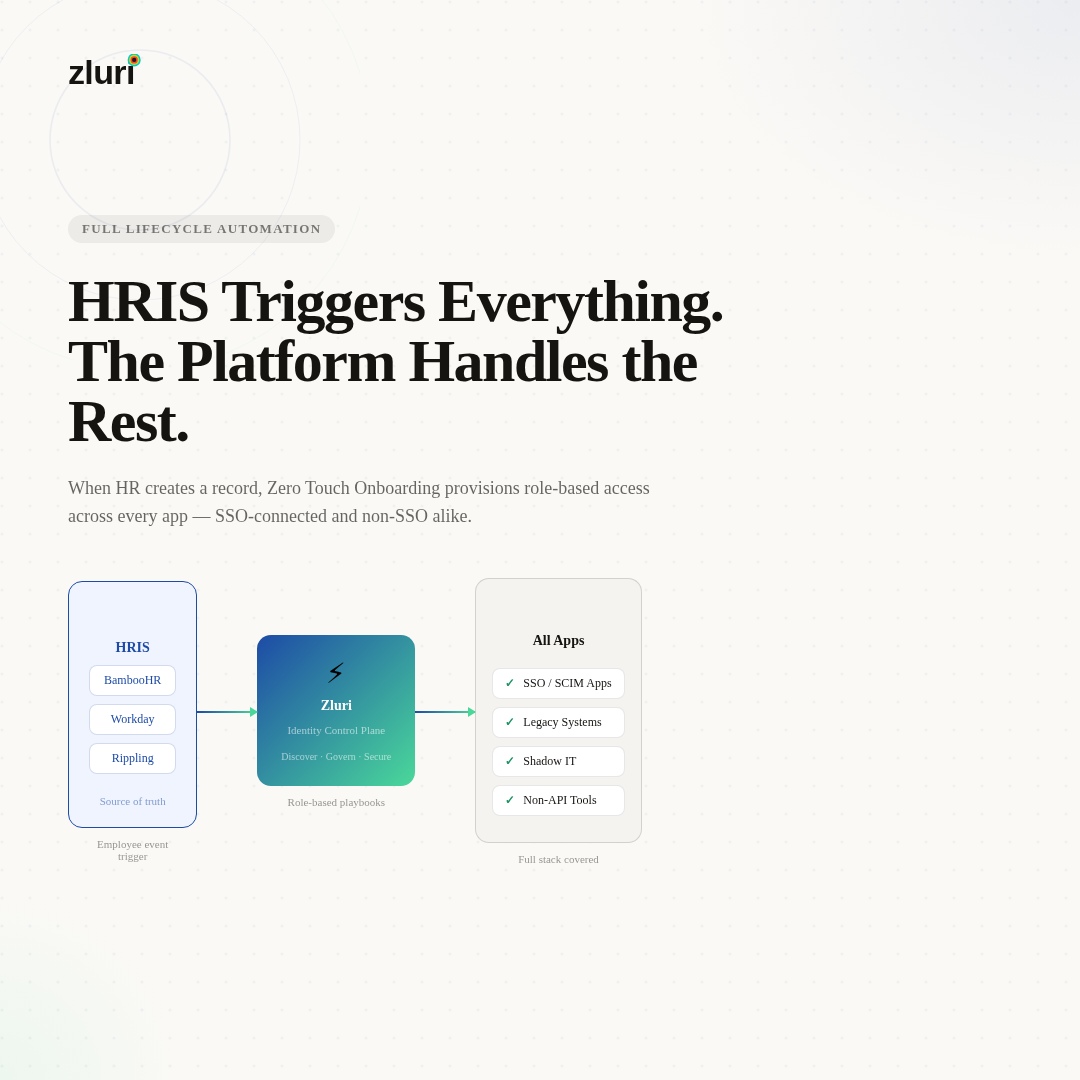
The architecture that eliminates most of the manual work connects an authoritative source — the HRIS, the IdP, or both — to a provisioning platform that handles the full JML sequence automatically.
The source of truth question matters before anything else. Multiple commenters in the thread made the same observation independently: without HR as the trigger for provisioning events, you're still dependent on someone remembering to submit a ticket. The moment HR adds a new hire to the HRIS, that event should trigger provisioning. The moment HR marks someone as terminated, that event should trigger offboarding. The business process and the technical process run as one, not as two separate workflows that someone has to coordinate.
Zluri connects to HRIS platforms (BambooHR, Workday, and others) and to identity providers like Okta and Entra ID as the source of truth. When a new hire is detected, Zero Touch Onboarding triggers automatically — role-specific playbooks provision the accounts, licenses, and application access the employee needs based on their department, role, and location. Before their first day, the standard access set is in place without an IT ticket.
For applications that support API integration, provisioning and deprovisioning happen automatically as part of the playbook. For legacy systems and non-API applications — the category that PowerShell and Okta leave as manual gaps — Zluri generates tracked manual tasks routed automatically to the right person (DBA, app admin, system owner), delivered via Slack, email, or an ITSM ticket. The task owner marks it complete; the action is logged alongside the automated steps. Nothing falls through because someone forgot to forward a notification.
The offboarding side benefits specifically from Zluri's discovery engine. Because it monitors the full SaaS environment — not just what IT provisioned, but what employees are actually accessing — the offboarding playbook is populated with the complete access picture rather than the partial picture any single system would produce. That's the coverage gap that matters most for terminated employees: the apps IT didn't know they had access to.
Getting HR Into the Process (The Part That's Actually Hard)
Several commenters noted that the technical automation is the easier part — the organizational challenge is getting HR to submit information early enough and in the right format for the automation to trigger correctly.
One commenter described the change they made when they got senior-level authority: HR is required to submit a new user form at least two to three business days before the start date, no exceptions. Late submissions go through a case management review and are treated as non-urgent. Exit notifications are required within 24 hours; delays trigger disciplinary review under the policy. The initial pushback was significant. The long-term result was a functioning process.
The key insight from the thread: the policy change and the technical change need to happen together. Better tooling doesn't fix a process where HR can walk up to IT on the morning someone starts. And a better process with no tooling still relies on manual execution. The combination — HR owns the trigger, the system owns the execution — is what actually removes the manual work.
Frequently Asked Questions
What is the best way to automate employee onboarding and offboarding provisioning?
Connect your HRIS as the event source so provisioning triggers the moment HR creates or updates an employee record. Role-based automation rules handle application provisioning based on department and job title. For API-integrated apps, provisioning runs automatically. For legacy systems, tracked manual task routing handles the step without letting it fall through. The combination covers the full stack, not just the SSO-connected applications.
How do you handle offboarding for applications that aren't connected to SSO?
Non-SSO applications require either direct API calls (if the app has an API), tracked manual tasks routed to the appropriate system admin, or a discovery process that identifies which non-SSO tools the employee was actually using. Disabling an SSO account covers federated apps; everything else requires a separate mechanism. IGA platforms handle this as part of the offboarding workflow rather than as a separate manual process.
Is Okta sufficient for managing the full identity lifecycle?
Okta handles the SSO and SCIM-connected applications well — with the provisioning agent and SCIM integrations, service desk involvement in routine onboarding can drop to near zero. The remaining gaps are non-SCIM legacy apps, shadow IT discovery at offboarding, and the access review / certification workflow. An IGA platform sits above Okta and extends governance to the full stack.
How do you stop getting last-minute provisioning requests from HR and managers?
Policy and tooling together. Requiring HR to submit provisioning requests a defined number of days before the start date, with clear consequences for late submissions, is the standard approach. A web form that HR owns — rather than a ticket they submit to IT — shifts the responsibility to the right team. The form feeds the automation; IT reviews exceptions rather than executing every provisioning step.
What tools do IT teams use for identity lifecycle management beyond PowerShell?
Okta (SSO and SCIM provisioning), Adaxes (AD-centric automation), BetterCloud (SaaS management), ADManager Plus, and GAT Flow (Google Workspace) all get used for specific parts of the problem. IGA platforms like Zluri cover the full lifecycle including non-SCIM apps, access reviews, and discovery-based offboarding. The right tool depends on environment size, existing stack, and how much of the problem is AD-centric versus SaaS-centric.
See How Zluri Handles Identity Setup and Teardown for Your Stack
Most IT teams that are still running provisioning on scripts and tickets know the process has gaps — they surface at the worst moments. See how Zluri automates the full JML lifecycle — from HRIS event to day-one access to complete offboarding — including the legacy apps and shadow IT that scripts and SSO leave uncovered.



.svg)













