
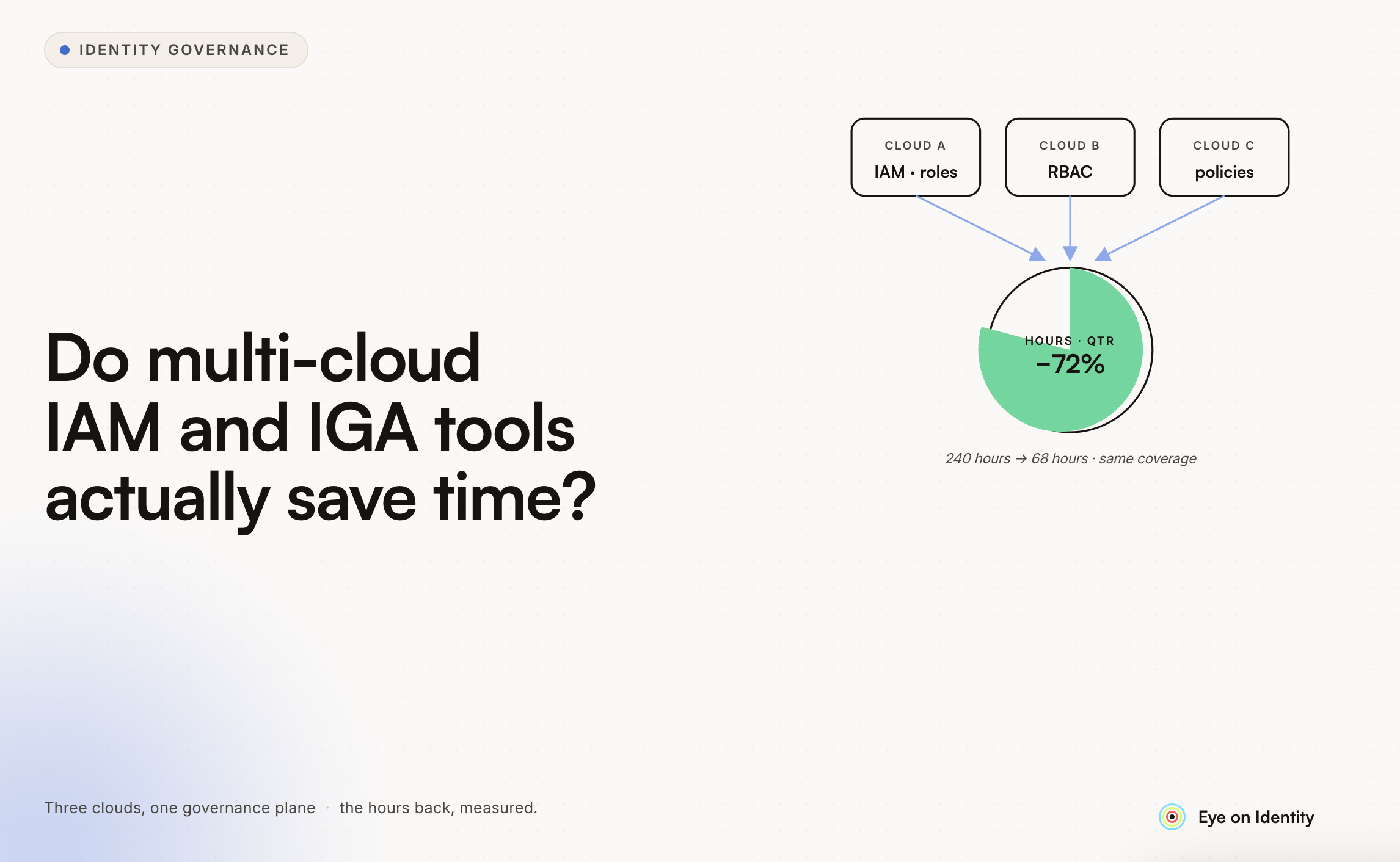


The question of whether identity governance tooling actually saves meaningful time — versus adding another platform to manage — is worth asking directly. The honest answer from practitioners who've made the switch is yes, but the time savings are concentrated in specific areas, and the magnitude depends on how manual your current process is.
Here's what the time savings actually look like and where they come from.
Where the Time Goes Currently
For most IT teams managing access manually, the hours accumulate in a few specific places:
Onboarding — creating accounts across 10 or more applications for each new hire, coordinating with application owners who manage systems outside SSO, and handling the inevitable day-one situations where a critical tool wasn't provisioned.
Offboarding — working through the list of applications for a departing employee, tracking down access in systems IT didn't know the person was using, and following up with application owners who manage their own user lists outside the central directory.
Access requests — receiving requests through Slack, email, or tickets, determining the appropriate approval chain, routing the request, tracking whether approval was received, and then executing the provisioning.
Audit preparation — gathering evidence that access reviews happened, that offboarding was completed, and that access is appropriate for each user. For SOC 2 or ISO 27001, this typically involves reconstructing logs from Slack threads, Jira tickets, and email chains into a format auditors will accept.
Shadow IT — the ongoing effort of discovering what applications employees are using that IT doesn't formally manage, and figuring out what access exists in those systems when someone leaves.
Each of these is a time sink that exists because the information is fragmented and the process is manual.
What Automated Tools Actually Eliminate
Lifecycle Management
The biggest single time reduction is in the provisioning and deprovisioning workflows. Organizations that move from manual provisioning to automated onboarding playbooks — triggered by a new hire record in the HRMS — report time savings of around 75% in lifecycle management. Per-user provisioning time that used to take 20-30 minutes across multiple manual steps drops to 1-2 minutes of exception handling for edge cases the automation doesn't cover.
Offboarding shows similar improvement. The version of offboarding that requires an IT admin to manually work through a list of applications, email each application owner, follow up when they don't respond, and then document what was done — versus an offboarding playbook that fires automatically on the exit date and generates a task record for each action — is a dramatic change in both hours and reliability.
Access Request Handling
Turnaround time on access requests drops significantly when the process moves from a ticket-based flow to a Slack-native request workflow with automated approval routing. The 8-hour average turnaround for access requests that several organizations report is primarily composed of wait time — waiting for the ticket to be noticed, waiting for the approval email to be responded to, waiting for IT to action the approval. Automated routing with in-Slack approval buttons eliminates most of that wait. Organizations that have made this transition report turnaround dropping to around 1 hour on average.
Audit Preparation
This is the area where practitioners consistently report the largest proportional time savings. The typical SOC 2 audit prep process for access reviews without governance tooling involves reconstructing evidence from multiple disconnected sources — Jira for tickets, Slack for approvals, email threads for access review responses — into a format that presents a coherent story to auditors. This commonly takes a full workday or more per audit cycle.
With automated certification campaigns that generate non-editable timestamped PDF reports at conclusion, that same evidence is available in about 30 minutes of setup and export. The evidence doesn't need to be reconstructed — it was created automatically as a byproduct of the review process itself.
Real Numbers From Organizations That Have Made the Switch
A few specific reference points from documented customer outcomes:
One organization (Guesty, a property management software company) reported saving over 15,000 hours annually after automating their identity lifecycle and access request workflows. That's roughly 300 hours per week across their IT organization — though this reflects a company at a specific scale and maturity, not a universal baseline.
Individual IT administrator time on manual access management — updating spreadsheets, tracking shadow IT, managing provisioning requests — commonly runs 4-8 hours per week before automation. After automation, the remaining manual work is primarily exception handling: edge cases the automation didn't cover, applications without API support that require manual action, and governance decisions that genuinely require human judgment.
For contractors specifically: the multi-identity challenge (different corporate identities across clients, different SSO setups, applications that exist outside any SSO) is a real complication that identity governance tooling addresses partially but not completely. A tool that gives you visibility into what applications are associated with each of your identities, surfaces access you may have left behind from past engagements, and helps you manage lifecycle events for your own contractor accounts has genuine utility. Whether that utility justifies the cost of enterprise tooling for an individual contractor is a different question — these tools are primarily designed for IT teams managing large populations, not individuals managing their own access.
What Doesn't Save Time (Honest Caveats)
Setup and Integration
The time savings are real once the tooling is configured and running. Getting there requires setup time: connecting each application via API or agent, configuring playbooks, setting up reviewer assignments, and building out the rule structure for automated decisions. For an organization with many applications, this is measured in weeks, not hours.
The payoff calculation is whether the ongoing time savings — measured annually — justify the setup investment and the recurring licensing cost. For organizations with significant manual process overhead across lifecycle management, access reviews, and audit prep, this math typically works out in the first year. For smaller organizations with lighter process overhead, it may take longer.
Applications Without API Support
Automation works well for applications with API support. For the tail of applications that don't — legacy systems, specialty software, custom internal tools — the automation falls back to manual task workflows: a structured work item that someone has to execute and confirm. This is better than the current process (there's a task record and a completion confirmation), but it's not fully automated. The time savings for this portion of the estate are smaller than for API-connected applications.
The Discovery Gap for Contractors
For a contractor with multiple corporate identities across different client environments, the tooling that helps is primarily available to the organizations you're working with, not to you individually. The IT team at each client can deploy identity governance tooling to manage what access you have within their environment. You, as the contractor, don't have visibility into what they're managing or an aggregated view across clients unless those clients choose to give you that visibility.
The personal identity management problem — keeping track of what accounts you have across clients, what access persists from past engagements, and what should be cleaned up — is not a problem these enterprise tools are designed to solve for individuals. Password managers with organizational features, tracking your own access in a personal spreadsheet, and being proactive about requesting account deactivation when engagements end are more practical approaches for the individual contractor.
The Honest Summary
Identity governance tooling genuinely saves significant IT team time — primarily in lifecycle management, access request handling, and audit preparation. The reported savings range from meaningful (hours per week per admin) to large (thousands of hours annually for organizations at scale).
The savings are not universal: they depend on how manual your current process is (more manual = more to save), how many applications are in scope (more applications = more automation leverage), and whether your application estate is API-accessible (fully API-supported estate = maximum automation benefit).
For an IT team managing access for hundreds or thousands of users across many applications using manual processes, the time savings justify the investment. For smaller environments or individual contractors trying to manage their own multi-identity complexity, the tools are primarily designed for organizational use cases and the fit is less direct.



.svg)











