


Designing privileged access for a cloud-first Entra ID environment is a different problem from designing it for on-premises Active Directory, and the frameworks that worked for one do not translate cleanly to the other.
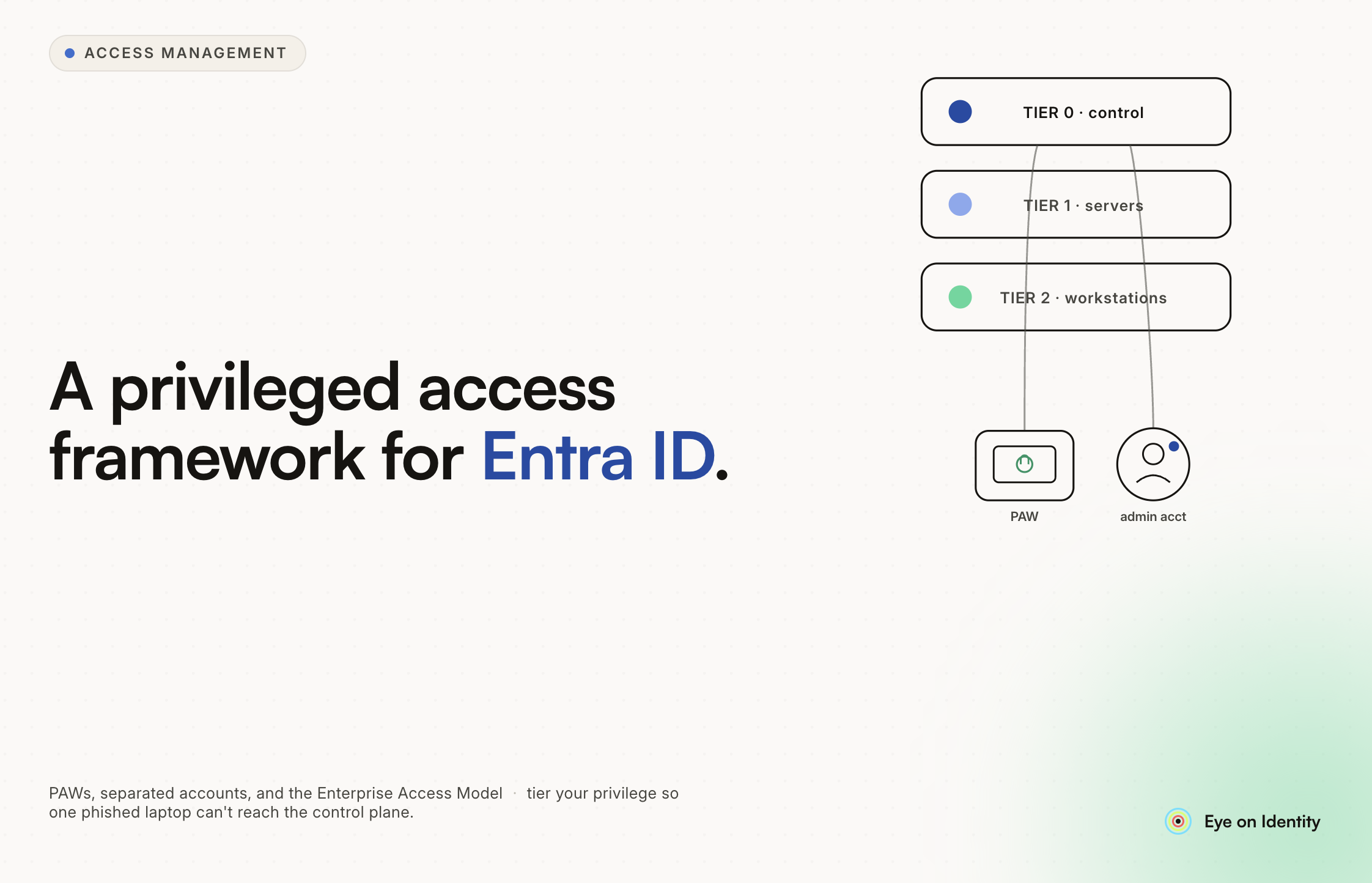
The traditional ADDS Tier Model (Tier 0, Tier 1, Tier 2) was built around network segmentation: physical and logical separation between administrative tiers, with jump servers and dedicated networks enforcing the boundaries. In a cloud environment where the control plane is accessible from anywhere and the concept of a "trusted network" is increasingly irrelevant, that architecture requires significant rethinking.
This guide covers what a modern privileged access framework looks like in a cloud-first Entra ID environment: the replacement for the tier model, how separated accounts and PAWs work together, the case for FIDO2 authentication, and how identity governance fits above the enforcement layer.
The Enterprise Access Model: Replacing the Tier Hierarchy
Microsoft has moved away from the ADDS Tier Model for cloud environments in favor of the Enterprise Access Model (EAM), which reorganizes the same core idea around identity context rather than network segments.
The three planes of the EAM:
Control Plane. The highest-impact resources: Entra ID global administration, root Azure management groups, and anything that controls the infrastructure itself. Compromise at this level means full tenant control. Access here requires the most stringent controls: separated cloud-only accounts, FIDO2 authentication, Conditional Access enforcement, and PIM with peer approval.
Management Plane. The tools and services that manage the environment: MDM platforms like Intune, IGA platforms, security tooling, monitoring infrastructure. These have significant lateral movement potential and require elevated controls, though typically somewhat less stringent than control plane access.
Data/Workload Plane. The actual applications and data: business applications, SaaS tools, user data. Standard user access applies here, governed by normal role-based access controls.
The practical implication is the same as the tier model: keep clear boundaries between high-impact and low-impact access, minimize who can reach the control plane, and ensure that compromise at lower levels does not automatically grant access to higher levels. The difference is that the enforcement mechanism is identity and device context rather than network segmentation.
Separated Accounts: The Non-Negotiable Foundation
The consensus across the practitioner community is consistent and clear: never use a daily-driver account for privileged work. Separated accounts are not optional in a mature privileged access framework.
The standard model:
A user who has administrative responsibilities has two accounts. Their standard account (typically firstname.lastname@domain.com) handles email, Teams, collaboration, and daily work. Their administrative account (typically admin.firstname.lastname@domain.com) is used exclusively for administrative portals and tasks.
The administrative account should be cloud-only, not sourced from on-premises Active Directory. The reason is isolation: if your on-premises AD is compromised, federated cloud accounts are potentially reachable through that compromise. A cloud-only admin account with no AD tie-in cannot be reached through an on-premises attack path.
On the administrative account itself: zero standing privileges, with all elevated roles assigned as Eligible through PIM rather than Active. The administrative account looks like a normal user until a role activation is requested and approved.
For the most sensitive roles, adding a second layer of account separation is worth considering: a dedicated cloud admin account used only for control plane work (Entra and M365 administration), distinct from accounts used for management plane work (Intune, Azure subscription management).
Privileged Access Workstations: Adapted for Cloud
The Privileged Access Workstation concept has a long history in on-premises PAM. In cloud-first environments, the implementation changes but the principle holds: administrative sessions should originate from a known, controlled, trusted device rather than from whatever device the administrator happens to be using.
The scaling challenge with physical PAWs is real: deploying and maintaining dedicated hardware for every administrator is expensive and operationally heavy. The cloud-era adaptation is a virtual PAW using Windows 365 Cloud PCs.
The architecture: create a dedicated Cloud PC environment configured to strict security standards (no general web browsing, locked-down software list, FIDO2 authentication required). Use Conditional Access policies to require that privileged role activations originate from a compliant device in this environment. Administrators connect to the Cloud PC from their regular workstation, and all administrative actions happen within the isolated Cloud PC session.
This preserves the isolation principle of a physical PAW (the administrative session is separated from the general-purpose device) while eliminating the hardware management overhead.
One important nuance raised by practitioners: if you use a general-purpose device as a terminal to connect to the virtual PAW, you need to be clear about where the trust boundary is. The security guarantee comes from the Cloud PC's isolation, not from the terminal device. A keylogger on the terminal device could potentially capture credentials used to authenticate to the Cloud PC. FIDO2 hardware keys help here: FIDO2 authentication is phishing-resistant and the hardware key cannot be silently replicated by malware on the terminal device.
Authentication: The Case for FIDO2 at the Privileged Layer
Phishing is the dominant initial access technique against privileged accounts. TOTP-based MFA, while better than password-only authentication, is phishable: an attacker who controls a man-in-the-middle site can capture a TOTP code in real time and replay it before it expires.
FIDO2 hardware security keys (YubiKey and equivalents) provide phishing-resistant authentication: the key performs a cryptographic challenge-response that is bound to the specific origin domain. A phishing site cannot capture a FIDO2 response that will work on the legitimate portal because the origin does not match.
For privileged accounts, the Conditional Access policy should require phishing-resistant MFA for PIM activation. This means an attacker who obtains an administrator's password cannot activate a privileged role without physical possession of the FIDO2 key.
One additional consideration flagged by the community: token theft attacks. An attacker who captures a valid session token after successful MFA can potentially use that token to activate a privileged role without re-authenticating. Requiring a device-bound credential (hardware key, hardware-bound passkey) and enforcing token binding through Conditional Access mitigates this risk.
Is the Tier Model Completely Obsolete?
The tiered resource classification idea is not obsolete: the concept of categorizing resources by impact level and controlling what can reach which tier is still valuable. What is obsolete is implementing it through network segmentation and jump server architecture in environments where those controls are either not possible or not primary.
The modern equivalent is identity-tier thinking: classifying access levels by the impact of compromise, enforcing separation through identity and device context rather than network position, and using PIM to ensure that higher-tier access requires explicit, auditable elevation rather than being available implicitly based on account membership.
Organizations running hybrid environments (on-premises AD with cloud federation) may retain elements of the traditional tier model for on-premises resources while applying the EAM framework to cloud resources. The key constraint the community emphasizes: AD-sourced accounts should not have standing privileged access to Entra or M365, because an on-premises AD compromise should not automatically translate to cloud tenant compromise.
How Identity Governance Sits Above the Enforcement Layer
PIM, Conditional Access, separated accounts, and PAWs form the enforcement layer: they control how privileged access works at the technical level. Identity governance sits above this, managing who is in the privileged groups, ensuring the lifecycle of privileged accounts is maintained, and producing the audit evidence that compliance requires.
Zluri connects to Entra to provide the governance layer above the PIM infrastructure.
Automated provisioning of separated accounts. When a user is onboarded to a senior IT role, Zluri can automatically provision both their standard account and their separated administrative account as part of the onboarding playbook, assigning appropriate base licenses and configurations without manual IT work.
Protecting privileged accounts from automated cleanup. Governance automation that deactivates inactive accounts should never touch break-glass or dedicated administrative accounts. Zluri allows explicit exclusion rules that prevent automated workflows from acting on accounts in designated organizational units or groups.
Access reviews scoped to PIM-eligible groups. Certifying who should be eligible for privileged role activation is an ongoing compliance requirement. Zluri runs access certification campaigns scoped specifically to privileged Entra groups, prompting a designated senior reviewer to certify membership on a defined cadence. If an administrator no longer needs a role, the reviewer can flag it and Zluri executes the removal automatically.
SoD detection for privileged roles. Zluri's SoD module (currently in development) will flag toxic access combinations across environments. If a user is inadvertently eligible for both a high-privilege Entra role and an elevated financial system role, the combination can be surfaced for review and remediation before it becomes a compliance finding.
Extending the framework to SaaS. The privileged access framework described above governs Microsoft infrastructure. The same principles should apply to administrative access in SaaS applications. Zluri provides time-bound access for SaaS administrative roles with automated deprovisioning, extending the zero standing privilege principle beyond what Entra PIM can reach.
Building the Framework: A Practical Sequence
For organizations starting from scratch or transitioning from a less mature setup:
Start with separated accounts. This is the most foundational change and does not require any additional licensing. Cloud-only admin accounts, no AD sourcing, zero standing privileges.
Add PIM with appropriate controls. Eligible assignments for all privileged roles, MFA required for activation, peer approval for the highest-impact roles, time-bound activations.
Enforce FIDO2 for privileged activations. Conditional Access policy requiring phishing-resistant MFA for PIM activation protects against the most common attack vector against privileged accounts.
Implement device requirements for administrative sessions. Either physical PAWs, virtual PAWs via Windows 365, or Conditional Access requiring compliant devices for privileged access. The specific implementation depends on scale and operational capacity.
Add governance above the enforcement layer. Access reviews for privileged groups, lifecycle management for admin accounts, audit trail production for compliance.



.svg)











