


Before building a user access review tool from scratch, it’s worth understanding what already exists in the market — because the problem you’re describing (gathering access data from multiple systems, presenting it to reviewers, capturing decisions, executing revocations, producing evidence) is one that a significant number of organizations have already solved, with varying degrees of completeness. Here’s an honest look at the open source landscape, what enterprise tools provide, and what the custom build path actually requires.
What Does the Open Source Landscape Look Like? The open source options for access review tooling are limited compared to the market for adjacent tools like identity providers or directory services. A few projects exist that address specific parts of the problem. Granted is one of the more complete open source access review tools available. It’s designed for requesting and approving access to specific systems, with an approval workflow and basic audit logging. It handles the request and approval flow reasonably well but doesn’t have a certification campaign model — the periodic “review all existing access and confirm it’s appropriate” workflow that compliance frameworks require. Teleport has an access request and review workflow built into its infrastructure access management product. It’s purpose-built for privileged access to servers, Kubernetes, and databases, and includes peer review capabilities for access requests. It doesn’t cover application-layer access to SaaS tools. AccessBot is a Slack-based access request tool that routes approval workflows through Slack. It’s lightweight and easy to deploy but is fundamentally a request workflow rather than a certification workflow — it doesn’t address the periodic review of existing access. The honest assessment of the open source landscape: there isn’t a mature, maintained open source tool that handles the full certification campaign workflow (periodic review of all existing access, structured reviewer assignments, deadline enforcement, automated revocation, non-editable evidence generation) across a heterogeneous application estate. The open source tools that exist address parts of the problem — access requests, privileged access, approval workflows — without covering the compliance-oriented certification use case end-to-end.
What Do Enterprise Tools Provide? Enterprise access review tools address the full certification workflow, but they vary significantly in approach and in which part of the market they serve. Legacy IGA platforms (SailPoint, Saviynt) provide the most complete feature set for large enterprises with complex entitlement structures: deep role mining, policy-based access control, comprehensive connector libraries for enterprise applications, and mature certification campaign workflows. The operational reality is six-to-twelve month implementation timelines, significant professional services dependency, and pricing that starts in the low six figures. These are the right tools for organizations with dedicated IGA teams, complex on-premises environments, and the budget and timeline to execute a full implementation. Next-generation governance platforms take a cloud-native, no-code approach: faster deployment (four to twelve weeks), broader discovery (browser agents, financial data, HRMS integration for shadow IT), and activity-driven review context rather than static role profiles. The tradeoff is less depth in complex on-premises role mining scenarios. For cloud-first or SaaS-heavy environments where the priority is time-to-value and compliance coverage, these platforms provide faster ROI with lower operational burden. Compliance-adjacent tools (Drata, Vanta, Secureframe) include lightweight access review capabilities as part of broader compliance automation platforms. These are appropriate for smaller organizations running their first SOC 2 or ISO 27001 program who need a “good enough” access review alongside other compliance controls. They’re not appropriate for organizations with complex access estates, high-frequency review requirements, or multi-framework compliance obligations where review depth matters.
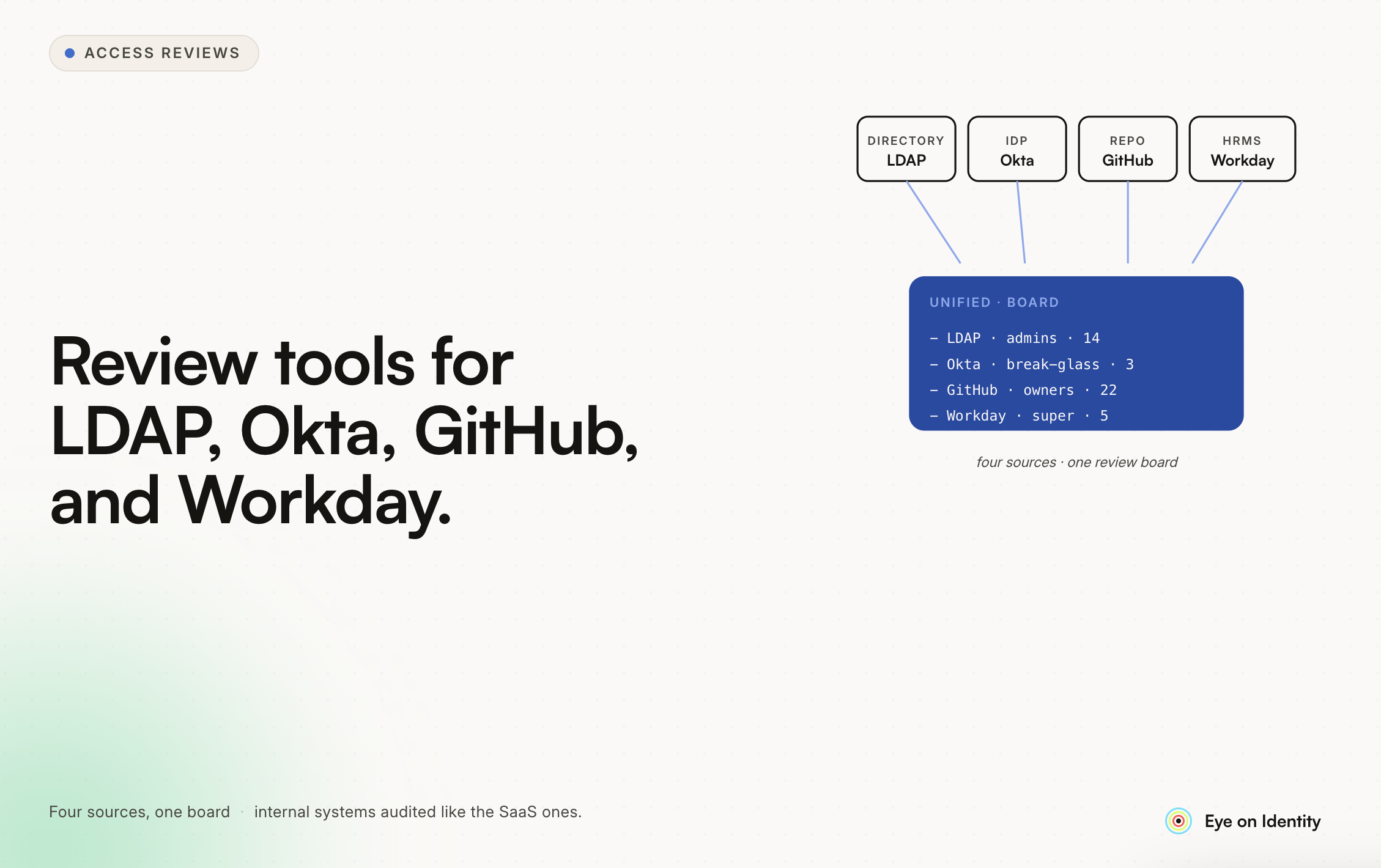
What Does the Custom Build Path Actually Require? If you’re building your own tool for LDAP, Okta, GitHub, Workday, and internal systems, the components are: Data Collection Layer Connectors for each data source: LDAP/Active Directory via LDAP protocol or AD APIs, Okta via REST API, GitHub via GraphQL API (for repository and organization permissions), Workday via its integration APIs (typically requiring Workday Studio or a pre-built connector), internal systems via whatever API or database access is available. Each connector needs to handle authentication, pagination, rate limiting, error handling, and incremental sync (not pulling the full dataset on every review cycle). This is the most underestimated part of the custom build — building reliable, maintained connectors for five different systems is a significant engineering investment, and each system will have quirks that require ongoing maintenance. Review Workflow Engine The engine that presents access records to reviewers, captures decisions, enforces deadlines, escalates to fallback reviewers, and tracks completion state. This is a non-trivial web application with state management, notification infrastructure (email and/or Slack), and a data model that can represent reviewer assignments, decision states, and escalation chains. Evidence Generation Producing non-editable, timestamped reports at campaign close. The “non-editable” requirement is what makes this harder than a standard export: the report needs to be generated at a point in time and stored in a way that demonstrates it wasn’t modified afterward. Common approaches include signed PDFs, immutable storage (S3 with object lock), or hash verification. Remediation Execution Calling the deprovisioning APIs for each system when a reviewer marks access for revocation, handling failures gracefully, and recording completion status. For systems without API access (your internal systems), generating structured manual tasks with assignment, deadline, and completion confirmation. Audit Trail An immutable log of every action in the system: data pulls, reviewer decisions, remediation actions, evidence generation. This is separate from the evidence report — it’s the operational record that supports the report.
Build vs. Buy Decision Framework The decision to build versus buy for an access review tool comes down to a few questions: How much of the problem do you actually need to solve? If your compliance requirement is a single annual SOC 2 review covering five applications, a compliance-adjacent tool or even a well-documented manual process may be adequate. If you need quarterly certification across 50 applications for SOC 2, HIPAA, and SOX simultaneously, you need either a purpose-built enterprise tool or a significant engineering investment. Do you have connector maintenance resources? The connectors for Okta, GitHub, LDAP, Workday, and internal systems will need to be updated as those systems evolve. APIs change, authentication methods update, data models shift. The ongoing maintenance cost of connectors is the most underestimated component of custom build projects. What’s the evidence format your auditors require? If your auditors have specific format requirements, validate that a custom build can produce them before committing to the project. What’s the total cost of the custom build over three years, including initial development, ongoing maintenance, and the opportunity cost of engineering resources? Compare this honestly against the licensing cost of a purpose-built tool. Organizations that have built and then replaced custom review tools consistently report that the initial build cost was lower than anticipated but the ongoing maintenance cost was higher — and that the comparison against commercial tooling became more favorable over time as the commercial tools added capabilities the custom build couldn’t easily replicate.



.svg)











