.png)

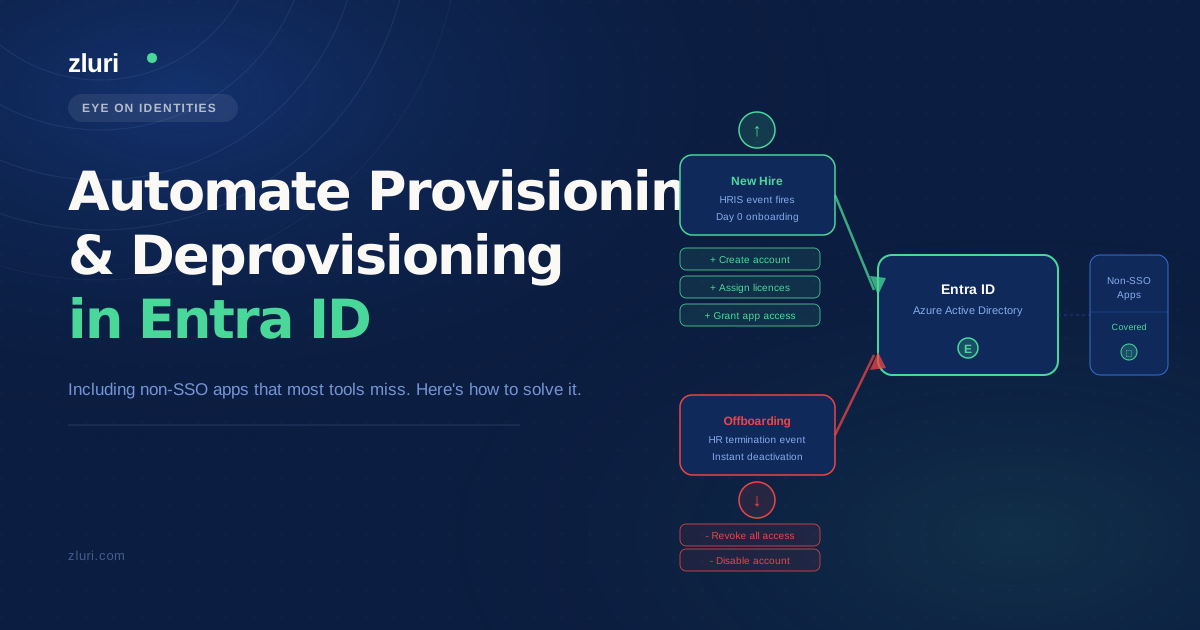


Your Entra ID deprovisioning works fine for the 60% of your stack that supports SSO. It's the other 40% — the invoicing tool finance added last year, the project app that never got federated, the vendor portal with no SCIM support — where access lingers after someone leaves. Automating user provisioning and deprovisioning in Entra ID is straightforward when apps play along. The problem is the ones that don't. That's where most IT teams are still doing things manually, and where orphaned accounts quietly accumulate.
Why Entra ID Alone Can't Handle Offboarding for Non-SSO Apps
Entra ID is excellent at what it does. For any app connected via SAML or SCIM, deprovisioning is clean and automatic. Disable the account in Entra ID and access is revoked across your federated stack. The problem is that most environments — even mature Entra ID shops — have a significant portion of their SaaS stack that never gets federated. These are the apps that still exist outside SSO coverage.
When someone leaves, the Entra ID-native offboarding flow handles the SSO-connected apps. Everything else is a manual checklist item, and manual checklist items get missed. This isn't a process failure — it's a structural gap. Entra ID was built to manage identity for apps that speak its language. It was never designed to reach into a tool that only supports username and password login, send a deprovisioning signal to a SaaS product with no public API, or track whether a manual revocation actually happened.
The "hodgepodge" — as r/sysadmin threads tend to call it — is where the real offboarding risk lives. An employee's Salesforce access gets cut the moment they're offboarded in Entra ID. Their access to the procurement tool they used daily? That depends on whether someone remembered to submit a ticket.
What IT Teams Tried First (And Why It Didn't Scale)
If you're reading this, you've probably already worked through some of the obvious options. Most Entra ID shops dealing with non-SSO app coverage go through a predictable progression:
Relying on SSO coverage alone is the first assumption — if an app isn't connected to SSO, it probably isn't important enough to worry about. That assumption breaks down fast when you realize finance, legal, and operations tend to run on exactly the kinds of tools that resist federation. The apps that don't support SSO are often the ones handling sensitive data.
Manual IT offboarding checklists are the next step. They work until they don't — a departing employee's last day falls on a Friday, the IT manager is out, and the checklist sits in a shared doc that nobody opened. At scale, even disciplined teams skip items. The checklist also has no enforcement mechanism: there's no record of whether the manual step happened, and no audit trail if it didn't.
PowerShell scripts per app come up frequently in this discussion. One commenter on the original thread mentioned they could build something using Entra's inbound provisioning API, Logic Apps, and Power Automate to read joiner/mover/leaver events from UKG. That works for technically capable teams — but it's a custom build, and every non-SSO app needs its own script. Maintaining 20 scripts across a changing SaaS stack is a part-time job.
SailPoint and similar IGA platforms get recommended often. They're legitimate tools for enterprises with the implementation budget and runway to match. For mid-market Entra ID environments running UKG as their HRMS, the integration complexity and cost of an enterprise IGA deployment is frequently disproportionate to the problem.
AccessOwl and similar lightweight tools address provisioning without SCIM, but coverage varies by IdP. Some tools don't support Entra ID at all, or are still building it out.
The pattern here is consistent: tools that handle the SSO side well tend to leave non-SSO apps unaddressed, and tools that address non-SSO apps require significant custom build or enterprise-level implementation.
How to Use Your HRIS as the Identity Source of Truth for Provisioning
The core architectural shift that makes automated provisioning work is treating your HRMS — UKG, BambooHR, Workday — as the authoritative record for who should have access to what, not Entra ID. Entra ID becomes a downstream system that reflects HR status rather than the system of record for employment.
When a new hire is added to UKG, that event triggers provisioning. When a termination is processed, that event triggers deprovisioning. The HR system owns the lifecycle event; the identity platform and downstream applications execute on it. This is what most people mean by "HRIS as source of truth identity provisioning."
In practice, connecting an HRMS to Entra ID directly handles the identity layer. But it still doesn't solve the non-SSO app problem — Entra ID can create and disable accounts, but it can't reach into apps that don't speak SCIM or SAML. The gap between "the Entra ID account is disabled" and "access is actually revoked across the full stack" is where a platform like Zluri operates.
Zluri connects directly to Entra ID and to HR systems, establishing the HRIS as the trigger for the full provisioning workflow — not just the identity layer. When HR marks a new hire in the connected HRMS, Zluri detects that status change and triggers role-specific provisioning playbooks automatically. The same logic runs in reverse at offboarding: termination in HR triggers a deprovisioning sequence that covers both SSO-connected apps and everything outside SSO.
For UKG specifically, the connection runs through Zluri's SDK rather than a pre-built native connector (native connectors exist for BambooHR and Workday out of the box). SDK-based setup is a configuration task — typically a few days if UKG's API is accessible — not a multi-month implementation project.
How to Deprovision Non-SSO Apps (The Part Most Tools Get Wrong)
This is where the actual complexity lives, and it's worth being specific about the approaches that work.
Custom API actions for apps with basic API access. Many non-SSO apps have an API even if they don't support SCIM or SAML. Zluri's playbooks can send custom HTTP requests directly to these apps as part of an offboarding sequence — suspending or deleting accounts without requiring SSO federation. If the app has any API surface at all, this is usually the fastest path to automated deprovisioning.
SDK-based connections for internal or non-standard apps. For applications with custom endpoints or unusual authentication patterns, Zluri's integration SDK lets you connect those endpoints into the provisioning workflow. This handles the category of apps that aren't in any standard integration library but still have some programmatic interface.
Automated task assignment for apps with no API. For applications with absolutely no API or SSO support — the legacy tools, the vendor portals, the apps that are what they are — Zluri generates an automated task as part of the offboarding playbook. That task is routed to the specific app owner, tracked to completion, and logged. The deprovisioning step doesn't fall through the cracks; it becomes a tracked, documented workflow item rather than a checklist entry that may or may not have been completed.
What this means in practice: when an employee is offboarded, a single playbook runs across the full SaaS stack. Apps with SCIM support get deprovisioned automatically. Apps with a basic API get deprovisioned via HTTP request. Apps with no API get a tracked manual task routed to the right person. Every action is logged, which matters specifically when an auditor asks who had access to which tools in Q3 and you need to produce that in under an hour.
How Zluri Handles the Full Joiner-Mover-Leaver Cycle in Entra ID
The architecture Zluri runs on is worth walking through end-to-end, because the value isn't just in offboarding — it's in the fact that the same system handles the full identity lifecycle.
When a new hire is detected in the connected HRMS, Zluri triggers a zero-touch onboarding playbook. Day-one access — the apps, licenses, and permissions specific to that person's role — is provisioned before the employee shows up. No IT ticket required, no manual access request queue. The playbook is role-based, so a new hire in finance gets a different provisioning sequence than a new hire in engineering.
For internal transfers — promotions, department changes, role shifts — Zluri tracks the change synced from the HRMS and executes a single automation that simultaneously deprovisions access tied to the old role and provisions the specific apps required for the new one. This is the "mover" case that most provisioning setups handle poorly, either by leaving old access in place or requiring a separate manual adjustment.
At offboarding, the deprovisioning playbook runs across the full stack using the tiered approach described above. Every action Zluri takes is logged — which app, which user, which timestamp, which method. That audit trail covers both SOC 2 and GDPR requirements without a separate reporting workflow.
The Machine-to-Machine connection to Entra ID means all of this operates without requiring an admin to log in and push changes manually. Status changes in HR flow through to Entra ID and to every connected app automatically.
Frequently Asked Questions
How do you deprovision non-SSO apps in Entra ID?
Entra ID natively handles deprovisioning for SCIM and SAML-connected apps, but doesn't reach apps outside SSO coverage. For non-SSO apps, the options are custom API calls (if the app has an API), SDK-based integrations for custom endpoints, or automated task assignment with tracking for apps with no programmatic interface. A platform like Zluri handles all three within a single offboarding playbook.
What is the best tool for automating employee offboarding in Microsoft Entra?
The answer depends on your non-SSO app coverage. If your full stack supports SCIM, Entra ID's native provisioning handles most of it. If you have apps outside SSO — which most environments do — you need a layer above Entra ID that can reach those apps via API, SDK, or tracked manual task. IGA platforms like Zluri sit in that layer and integrate directly with Entra ID via a Machine-to-Machine connection.
How do you connect an HRIS to Entra ID for automatic provisioning?
Entra ID supports inbound provisioning APIs that can receive joiner/mover/leaver events from an HRMS. For tools like BambooHR and Workday, native connectors exist in platforms like Zluri. For UKG, an SDK-based connection handles the integration — a configuration task that scopes to a few days rather than a multi-month implementation.
What happens to non-federated apps when an employee is offboarded?
Without a dedicated IGA or automation layer, non-federated apps typically aren't included in the automated offboarding flow. Access lingers until someone manually submits a ticket or the app owner notices. With a platform that covers non-SSO apps, those apps are either deprovisioned via API, handled through automated task assignment, or caught by a discovery engine that identifies every app the user had access to — not just the ones behind SSO.
See Which of Your Non-SSO Apps Zluri Can Deprovision Automatically
Most Entra ID environments have a longer tail of unmanaged app access than IT realizes — tools discovered only when someone leaves and the offboarding checklist turns up accounts nobody knew about. See how Zluri handles non-SSO deprovisioning for your specific stack and find out which of your apps can be automated from day one versus which require the SDK or task-based approach.