.png)



If your current process is HR opening a ticket, IT receiving it, and someone manually creating the account — you're not behind. You're in the majority. A surprising number of organizations, including some with headcounts in the tens of thousands, still run identity provisioning as a manual, ticket-driven workflow. What's changed is that the tooling to automate it has become accessible enough that the gap between where most IT teams are and where they could be is now mostly a question of architecture, not budget or technical complexity.
How HR-Driven Provisioning Actually Works (And Why Most Shops Don't Have It)
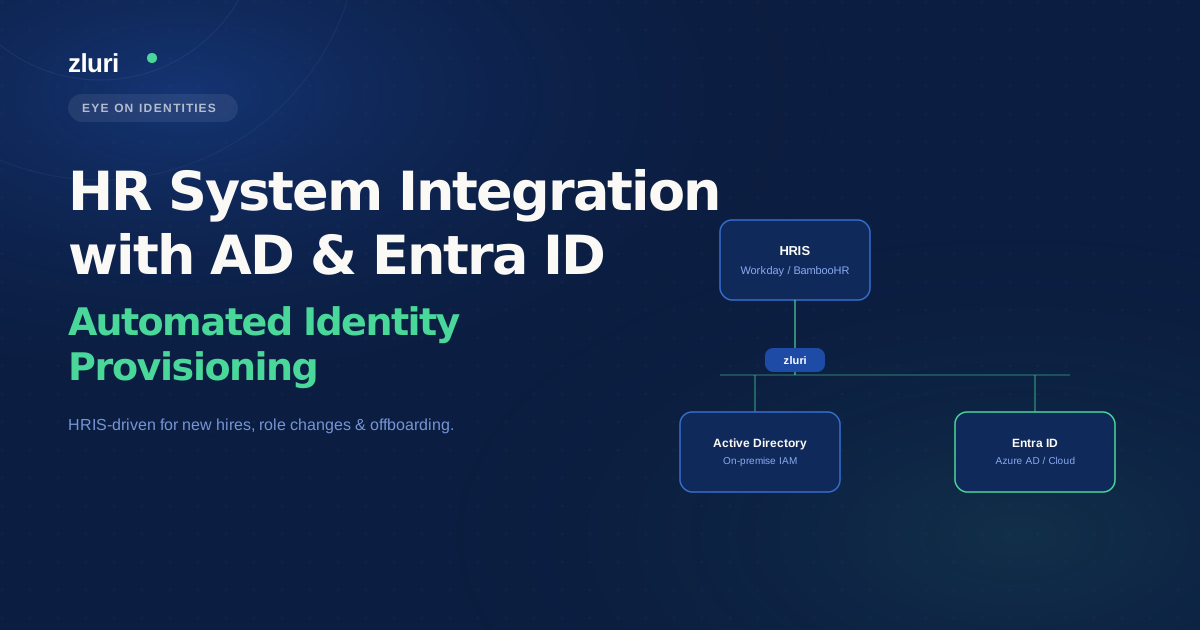
The premise in Microsoft's identity provisioning documentation — that an account is provisioned after a user is entered into the HR system — describes an automated flow where the HR system is the event source. A hire is recorded in Workday or BambooHR, and that record creation triggers account creation in AD or Entra ID. No ticket, no manual step, no IT admin clicking through the directory.
This is standard at large enterprises, but "large" is relative. One commenter in the original thread noted they'd seen 50,000 to 100,000 person organizations running fully manual provisioning — in one case because automating it would have eliminated union jobs and the union blocked it. The point is that manual provisioning persists not because the automation doesn't exist, but because organizational factors prevent adoption. Knowing the architecture is possible is different from having a path to implement it.
The direction of the provisioning flow matters as much as the automation itself. The older pattern — AD as the source of truth, syncing outward to other systems — puts IT in the business of maintaining identity data that HR already owns. Reversing that flow, so the HRMS feeds Entra ID and downstream applications, means that when someone gets married and changes their name, the update happens once in HR and propagates everywhere. When someone is terminated, the HR status change triggers the offboarding sequence. IT stops being the system of record for employment data and starts being the consumer of it.
One commenter described implementing exactly this reversal over six months — moving from AD → Okta → downstream apps to Workday → Okta → AD and downstream apps. After three weeks live, they described it as working well. The six months of architecture and implementation work is the honest framing: this isn't a one-afternoon project, but it's also not a multi-year enterprise IT initiative.
Which HR Systems Integrate with AD and Entra ID
The short answer: most of them, through some combination of native connectors, API-driven provisioning, and file-based ingestion.
Microsoft's own Entra ID provisioning service has pre-built connectors for Workday and SAP SuccessFactors. For other HR systems — Oracle HCM, BambooHR, and others — Entra's API-driven inbound provisioning accepts SCIM bulk payloads, meaning any HR system that can generate and send a structured data payload can feed the provisioning flow. For systems without API access at all, Entra supports data ingestion from CSV exports, Excel files hosted in SharePoint, and SQL staging tables.
Platforms like Zluri extend native HRMS integration to a broader set of systems: Workday, BambooHR, Personio, HiBob, SuccessFactors, and Keka, among others. The connection is typically via webhook or periodic sync depending on the HR system's capabilities — webhook-based integration means provisioning triggers the moment the HR record is created or updated, rather than waiting for the next scheduled sync window.
The write-back question — whether information determined by Entra ID (like a generated corporate email address) flows back into the HR system — is handled differently depending on the tool. Entra ID provides write-back automation natively for Workday and SuccessFactors. For other systems, the mechanism depends on the integration configuration. Zluri handles this as part of the onboarding workflow: when HR creates a new hire profile using a personal email address (because the corporate email doesn't exist yet), Zluri generates the corporate email in Entra ID and writes it back to the HR system automatically. Every subsequent provisioning step uses the correct corporate identity rather than the personal email that was in the HR record at hire time.
How Attribute Updates, Terminations, and Rehires Work in Automated Provisioning
The three scenarios that come up most often when people are evaluating whether to move from manual to automated provisioning — because they're the ones where manual processes break down most visibly.
Attribute updates (the "mover" case). When an employee's name changes, department changes, or role changes, the HR system is updated first. In an automated provisioning setup, that attribute change triggers downstream updates across connected systems. Attribute mapping configuration — which HR fields map to which AD or Entra ID attributes, and which of those attributes propagate to which downstream applications — determines how granular the automation gets. In a well-configured setup, a department change in the HR system simultaneously adjusts application access: deprovisioning tools tied to the old role, provisioning tools required for the new one. This is the access drift prevention that manual processes can't reliably deliver — every role change generates a manual review task that either gets done or gets skipped.
Terminations. The standard pattern is: HR marks the employee as terminated, that status change propagates to Entra ID, the account is disabled, and downstream application access is revoked. Zluri's offboarding playbook runs automatically when the termination status appears in the HR system — including support for future-dated terminations, where the departure date is logged in advance and the offboarding sequence executes on that exact date without requiring IT to be notified separately. For emergency terminations, the process can be manually triggered while still letting the HR system event kick off the automated downstream actions. Every deprovisioning action is logged, which covers the audit trail requirement without requiring someone to reconstruct it from tickets and emails after the fact.
Rehires. This is the scenario that surprises people who haven't thought through the full identity lifecycle. When an employee leaves, deleting the account immediately is typically wrong — the account holds group memberships, license history, and audit trail data that may be needed for compliance or for the rehire scenario. Most implementations use a soft deactivation: the account is disabled and archived rather than deleted, preserving the historical record. If the employee is rehired, the previously archived profile can be reactivated and the provisioning flow processes the new active HR record, reinstating access based on the new role rather than blindly restoring old permissions. Rehire handling can be configured to trigger slightly different workflows than a brand-new hire — one commenter described using a Workday "rehire boolean" attribute to route returning employees through a different onboarding sequence that generates a ticket and manager notification rather than treating them as net-new users.
What Moving from Manual Tickets to HRIS-Driven Provisioning Actually Requires
The OP's situation — no HRIS connection, HR submitting tickets for new users, changes, and terminations — is the most common starting point, and it's worth being honest about what the transition involves.
The first question is whether an HRIS exists and whether it has reliable, structured data. Connecting an identity provisioning platform to an HR system that has incomplete records, inconsistent attribute formatting, or no API access is a data quality project before it's an integration project. The provisioning automation is only as reliable as the HR data feeding it. Garbage-in means provisioned accounts with wrong names, wrong departments, and wrong access assignments.
The second question is the direction of the provisioning flow. If the current state is IT-owned and ticket-driven, moving to HRIS-driven provisioning requires a process agreement with HR: HR owns the employment record, IT configures the automation that consumes it, and the trigger for provisioning is the HR system event rather than an IT ticket. This is an organizational change as much as a technical one.
The technical implementation — connecting the HRIS to Entra ID, configuring attribute mapping, setting up provisioning playbooks, and defining the access logic for different roles and departments — is the part that a platform like Zluri handles. The HRIS events drive the workflow. IT configures the rules once and monitors exceptions rather than executing provisioning manually for each new hire, change, and departure.
Frequently Asked Questions
What HR systems integrate with Active Directory and Entra ID?
Entra ID has pre-built connectors for Workday and SAP SuccessFactors, and supports API-driven inbound provisioning (via SCIM bulk payloads) for other systems including Oracle HCM and BambooHR. CSV, Excel, and SQL-based data ingestion is also supported for systems without direct API access. Platforms like Zluri add native integrations for Personio, HiBob, Keka, and others.
Does the HR system automatically update Active Directory when employee attributes change?
Yes, in an automated HRIS-driven provisioning setup. Attribute mapping configuration determines which HR fields propagate to which AD or Entra ID attributes and downstream applications. A name change, department transfer, or role update in the HR system flows through to connected systems based on those mappings — no manual IT update required.
How does employee termination work in automated identity provisioning?
When HR marks an employee as terminated, the status change triggers an offboarding playbook that disables the Entra ID account and revokes downstream application access automatically. Future-dated terminations can be scheduled so the offboarding sequence executes on the departure date without a manual IT trigger. Every action is logged for audit purposes.
What happens to AD accounts when employees are rehired?
Most implementations use soft deactivation at offboarding — accounts are disabled and archived rather than deleted, preserving the audit trail. When an employee is rehired, the previously archived profile can be reactivated and provisioned based on the new role. Rehire workflows can be configured separately from new-hire workflows to handle the account reinstatement differently.
Is HRIS-driven provisioning only for large enterprises?
No, though it's more common in larger organizations. The tooling has become accessible enough for mid-market IT teams. The main prerequisites are having a reliable HRIS with structured data and an organizational agreement with HR that the employment record — not the IT ticket — is the trigger for provisioning actions.
See How Zluri Connects Your HRIS to AD and Entra ID
Most IT teams that run manual ticket-based provisioning know the process is fragile. The question is usually where to start. See how Zluri's HRIS-driven provisioning handles the full JML lifecycle — from the moment HR enters a new hire to the moment a termination is processed — and what the transition from ticket-based to event-driven provisioning looks like for your specific HR system.