.png)

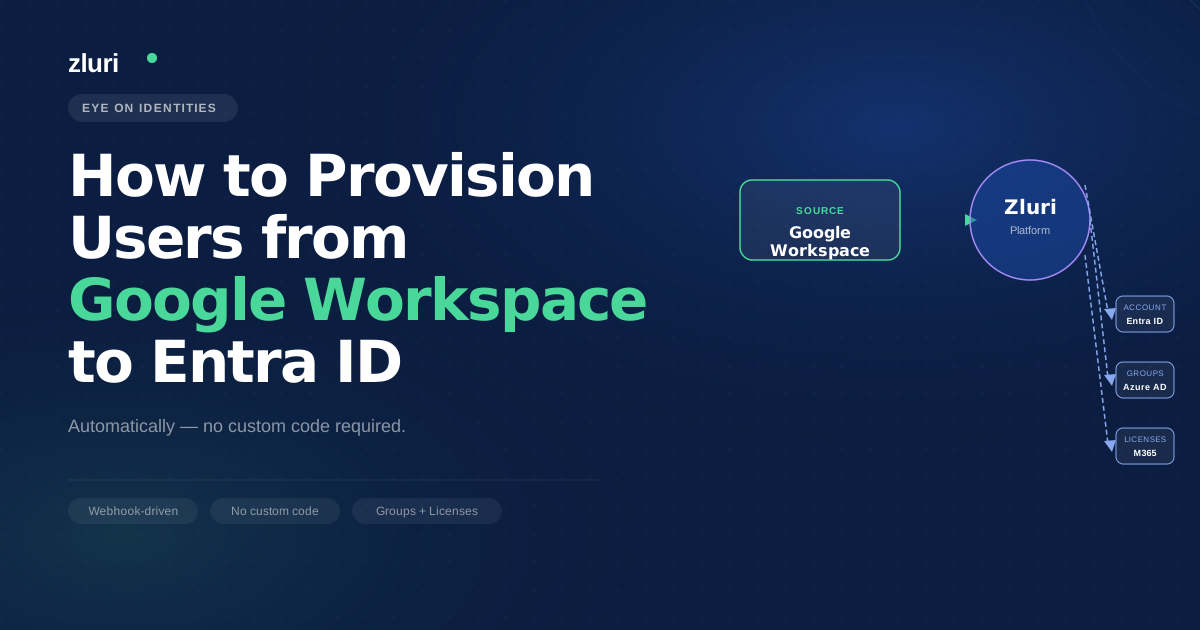


If you're a Google Workspace shop that uses Microsoft 365 for a handful of teams, you've probably hit this wall: every time someone joins one of those teams, someone in IT manually creates an Entra ID account. Everything flows neatly in the other direction — Microsoft's native connectors push users from Entra ID into Google Workspace — but the reverse isn't documented clearly, and the few approaches that exist are either awkward, unsupported, or require custom code. You're not missing something obvious. The tooling gap is real.

Why Provisioning from Google Workspace to Entra ID Is Harder Than the Other Direction
Microsoft's identity provisioning ecosystem is built around Entra ID as the source of truth. The native connectors, the documentation, the recommended architecture — all of it assumes Entra ID is the primary directory and Google Workspace is a downstream application. For organizations where Google Workspace is the primary identity system and Entra ID is the downstream one, you're working against the grain of how Microsoft designed the integration.
The thread surfaced the available native options clearly. The Google Cloud / G Suite Connector by Microsoft provisions users from Entra ID into Google Workspace — not the other way. Google's Cloud Identity product (part of BeyondCorp, not Google Workspace itself) can be configured to act as an IdP toward Entra ID, but it's not well-documented, not actively promoted, and introduces a second IdP into an environment where one is already present. The consistent advice in the thread from people who know the architecture: don't run two IdPs. Pick one and treat the other as a downstream application.
Microsoft's API-driven inbound provisioning is the most technically sound native path — create a provisioning app in Entra ID, get a bulkUpload API endpoint, and send user data from Google Workspace as a SCIM bulk payload. It works, but it requires building and maintaining the pipeline that pushes data from GWS to that endpoint. One commenter also noted a meaningful gap in the Microsoft Office 365 auto-provisioning feature in GWS: it syncs users but not group memberships, which meant writing a separate Python script using the Google SDK and Graph API to read GWS groups and replicate memberships in Entra ID. It works, but it's a custom build with ongoing maintenance.
What Teams Are Actually Doing to Bridge the Gap
The approaches in the thread fall into three categories, and it's worth being specific about the tradeoffs of each.
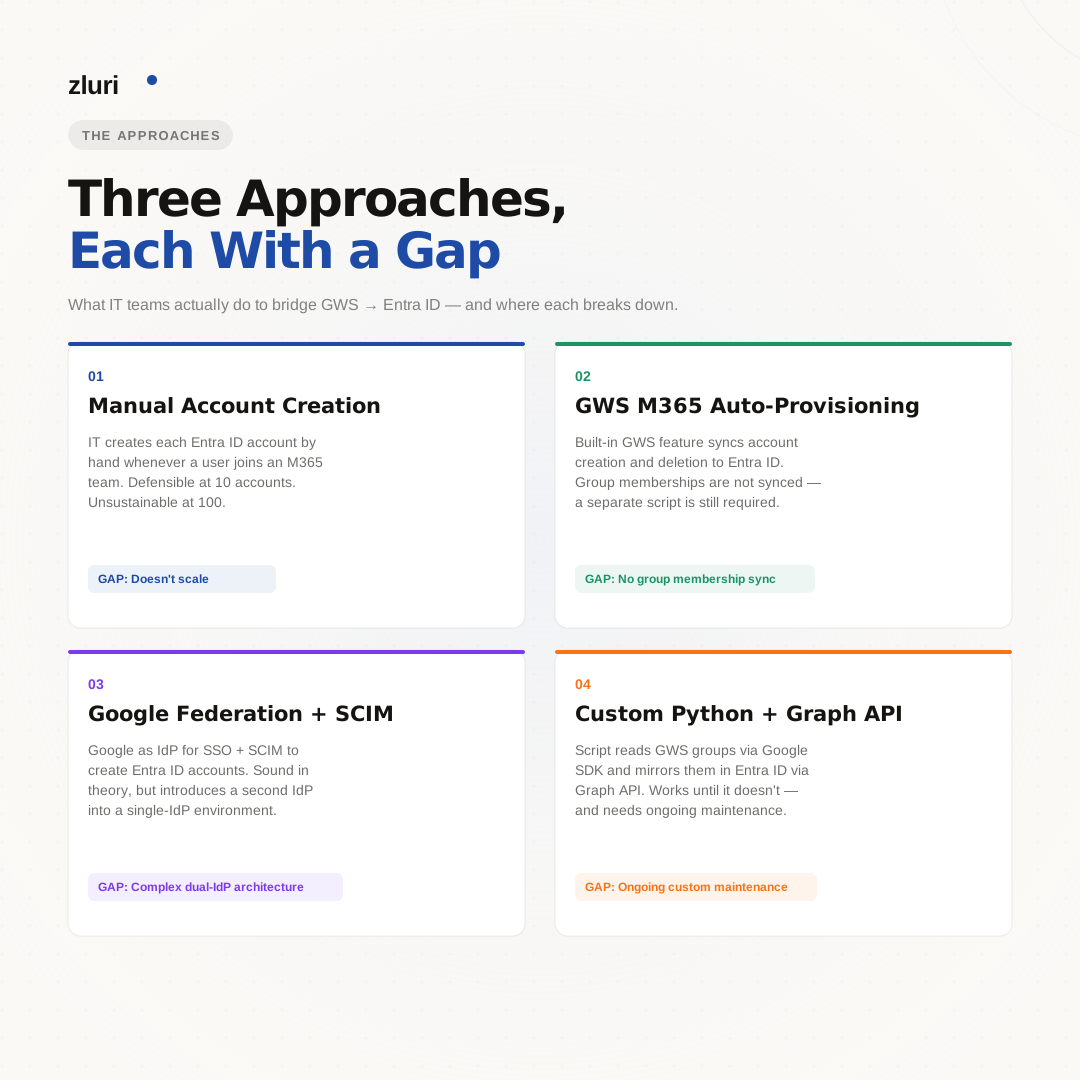
Keeping it manual and accepting the overhead. For organizations where only a small number of users need Entra ID accounts, manual creation is defensible. The commenter who suggested this framing was direct about it: if you're primarily GWS and only a few teams use M365, keep it manual and consider making Entra ID the primary IdP for those teams specifically. The operational cost of a manual process scales with the number of users involved — what's acceptable at 10 accounts becomes unsustainable at 100.
Using GWS's built-in Microsoft 365 auto-provisioning. This creates and deletes Entra ID users automatically based on GWS. The gap is group membership: groups aren't synced, so you get accounts in Entra ID without the security group assignments that determine application access and licensing. One team solved this with a Python script that reads GWS group membership via Google SDK and mirrors it in Entra ID via Graph API. It works but requires building it, testing it, and maintaining it as both systems evolve.
Google federation with SCIM. One commenter described their Azure partner recommending Google Federation for SSO combined with SCIM provisioning — using Google credentials to access Azure services, with SCIM handling account creation in Entra ID when users are assigned in Google Workspace. The setup ran into a configuration issue (missing PowerShell app access due to subscription setup), but the underlying approach is sound for environments that want Google to remain the primary identity source.
The pattern across all of these: each approach either requires custom code, leaves a gap (groups, licenses, attributes), or involves architectural decisions that have significant downstream consequences if you change direction later.
How to Set Google Workspace as the Source of Truth for Entra ID Provisioning
The architecture that eliminates the custom build and closes the group membership gap connects Google Workspace to a provisioning platform that handles both the Entra ID account creation and the downstream group and license assignments within the same workflow.
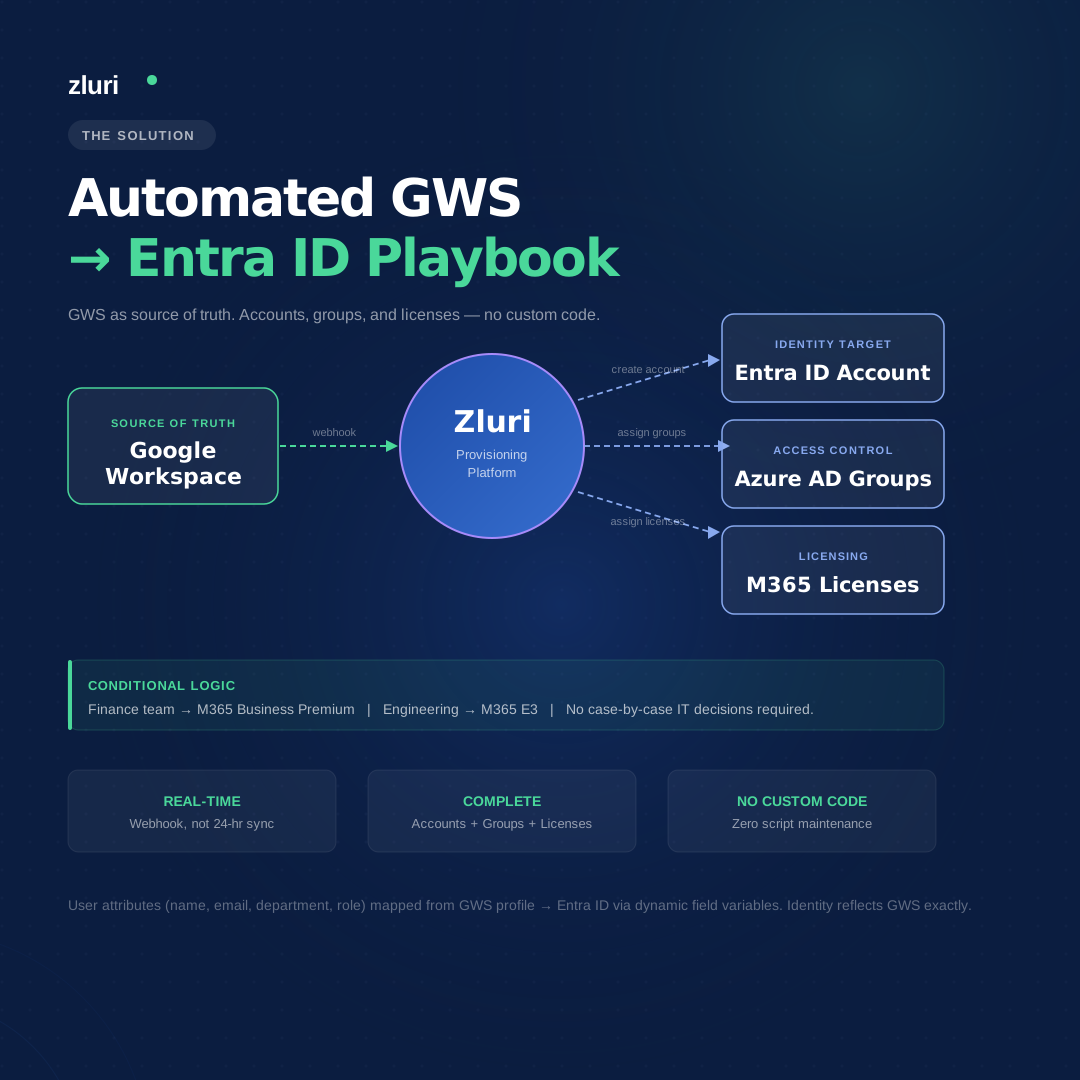
In Zluri, Google Workspace is configured as the primary directory — the source of truth for employee identities, departments, roles, and active or inactive status. Once configured, Zluri monitors Google Workspace via webhook integration rather than a scheduled sync, which means the provisioning sequence starts the moment a new user is added in GWS, not at the next 24-hour sync window.
When a new user is detected in Google Workspace, Zluri triggers an onboarding automation rule: the source is Google Workspace, and the playbook that fires creates the corresponding Entra ID account. User attributes — first name, last name, email, department, role — are mapped from the Google Workspace profile to the Entra ID account using dynamic field variables, so the identity created in Entra ID reflects exactly what's in GWS without manual attribute entry.
The playbook doesn't stop at account creation. The same automation that creates the Entra ID account can add the user to the appropriate Azure AD security groups and assign Microsoft 365 licenses — the step that the GWS native sync leaves as a manual or scripted follow-up. Conditional logic means group assignment and license tier can vary based on department or role as defined in Google Workspace, so a user in the finance team gets different M365 access than a user in engineering without IT having to make that decision case by case.
Handling the Architecture Question: When to Make Entra ID the Primary IdP Instead
The thread raised a question worth addressing directly: at what point does it make more sense to flip the architecture and make Entra ID the primary IdP rather than continuing to treat Google Workspace as the source of truth?
For organizations that are primarily GWS with a small M365 footprint, maintaining Google Workspace as the primary directory and treating Entra ID as a downstream application is the right call — it reflects where the employees actually live and where IT already has operational control. Flipping to Entra ID as the primary IdP is a significant migration, and it makes sense only when the M365 footprint is large enough that it's more accurate to describe the environment as hybrid rather than GWS-first.
The intermediate architecture — GWS as source of truth, Entra ID provisioned automatically from it, group memberships and licenses handled by a provisioning platform — gives GWS-first organizations M365 access without requiring a full IdP migration or ongoing custom script maintenance. It's not a permanent architecture for every organization, but it's the right starting point for the situation the OP described.
Frequently Asked Questions
Can you automatically provision users from Google Workspace to Entra ID?
Yes, though Microsoft's native connectors are designed for the reverse direction (Entra ID to GWS). Options include GWS's built-in Microsoft 365 auto-provisioning (which syncs users but not group memberships), Microsoft's API-driven inbound provisioning via SCIM bulk payloads, and IGA platforms like Zluri that handle the full sync — accounts, groups, and licenses — from a GWS-as-source-of-truth configuration.
Why doesn't the Google Cloud / G Suite Connector by Microsoft sync users from GWS to Entra ID?
The connector provisions users outbound — from Entra ID into Google Workspace — not inbound. It's designed for environments where Entra ID is the primary IdP and GWS is a downstream application. For the reverse direction, you need either Microsoft's API-driven inbound provisioning, GWS's own M365 auto-provisioning feature, or a third-party IGA platform.
What is the gap with Google Workspace's Microsoft 365 auto-provisioning feature?
It syncs user accounts (creation and deletion) but doesn't sync group memberships. Users appear in Entra ID without the security group assignments that determine application access and licensing, which requires a separate process — either manual group assignment or a custom script — to replicate GWS group structure in Entra ID.
Should Google Workspace or Entra ID be the source of truth for identity provisioning?
It depends on where your employees primarily work. For GWS-first organizations with a small M365 footprint, keeping GWS as the source of truth and provisioning into Entra ID as a downstream application is the right architecture. Flipping to Entra ID as the primary IdP makes sense when the M365 footprint is large enough that it's more accurate to describe the environment as hybrid. Running two IdPs simultaneously is strongly discouraged.
See How Zluri Syncs Google Workspace Users into Entra ID
Most GWS-first organizations dealing with this problem are either doing it manually or maintaining a custom script that works until it doesn't. See how Zluri handles Google Workspace to Entra ID provisioning — including group membership and license assignment — without a custom build.